
Height Adjustable Desk Accessories and Options
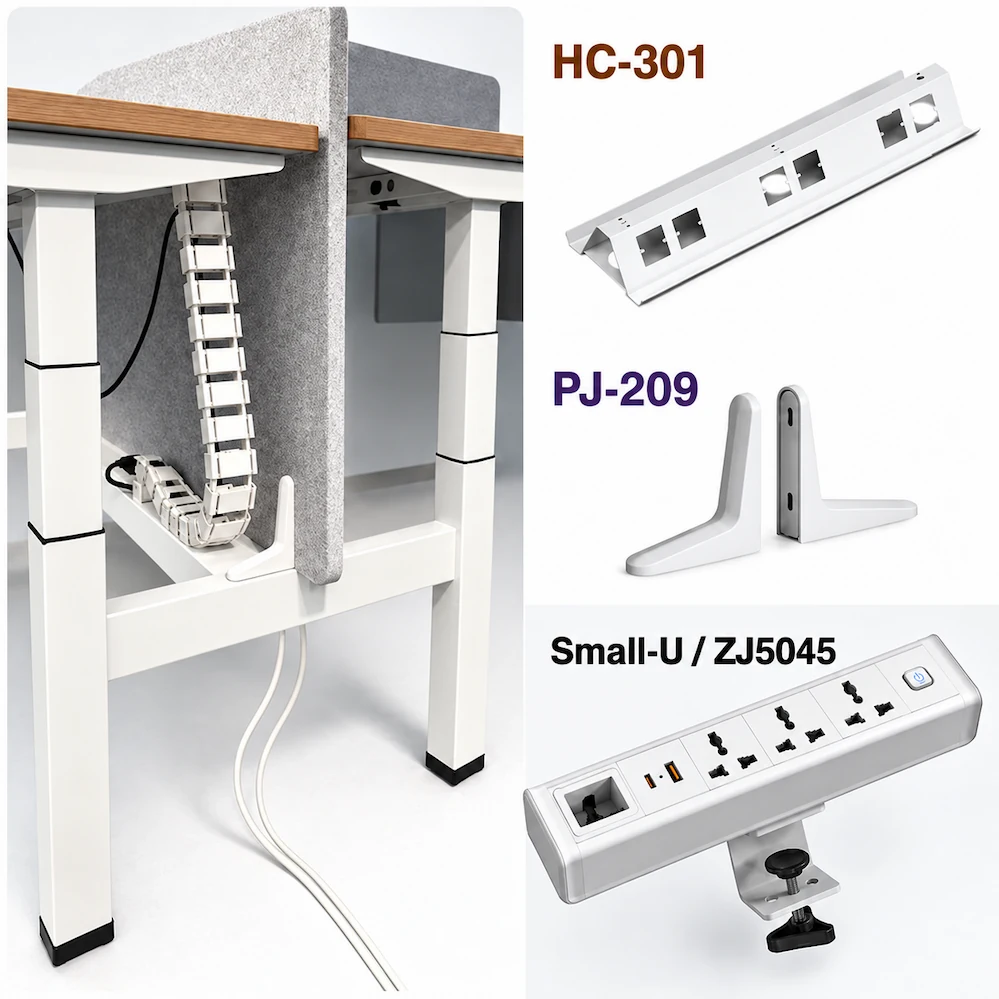
Accessory planning for a height-adjustable workstation may include privacy and separation, cable storage, desktop power, cable routing, and CPU placement. The examples below highlight three accessories for different workstation functions.
PJ-209 Screen Clamp
Privacy & Separation
The PJ-209 screen clamp is designed specifically for Face-to-Face workstation screens. It allows quick installation without additional drilling.
HC-301 Flip Cable Trough
Cable Storage
The HC-301 flip cable trough provides space beneath the worksurface for concealing and storing workstation cables.
Small-U Desk-Clamp Socket
Desktop Power
The Small-U desk-clamp socket family uses a clamp-mounted design to position power connections at the desktop edge and provides USB and Type-C charging.
Additional Accessory Needs
Workstation accessory planning may also include cable routing and CPU placement. Specific accessories should be selected based on the chosen workstation and project configuration.
Choose Accessories by Workstation Need
Start by identifying the functions the workstation needs to support, then narrow down the appropriate accessories based on the selected desk, desktop, and project requirements.
| Workstation Need | Accessory Direction |
|---|---|
| Add privacy or separation between workstations | Desk screens or screen-mounting accessories |
| Organize and store cables beneath the worksurface | Cable troughs or cable-management accessories |
| Provide convenient power access at the desktop | Desktop power or desk-clamp socket accessories |
| Organize cable routing for a height-adjustable workstation | Cable-routing accessories |
| Plan CPU placement | CPU-holder accessories |
The specific accessories depend on the selected workstation, desktop, and project requirements.
Before finalizing the accessory selection, confirm that the mounting method and dimensions are compatible with the selected height-adjustable desk and desktop.
Check Mounting and Dimensional Compatibility
Check Mounting and Dimensional Compatibility
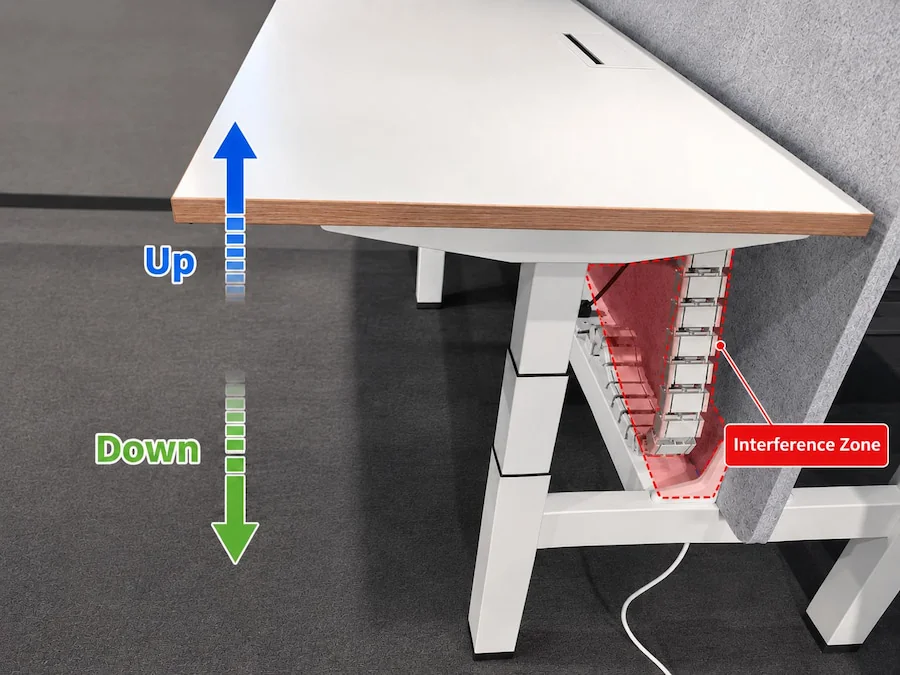
Before finalizing an accessory, confirm three things: where the accessory will be mounted, how much installation space it requires, and whether there is sufficient clearance throughout the desk’s full movement from its lowest to highest position to prevent interference between the accessory, cables, desk frame, or other components.
Mounting Position
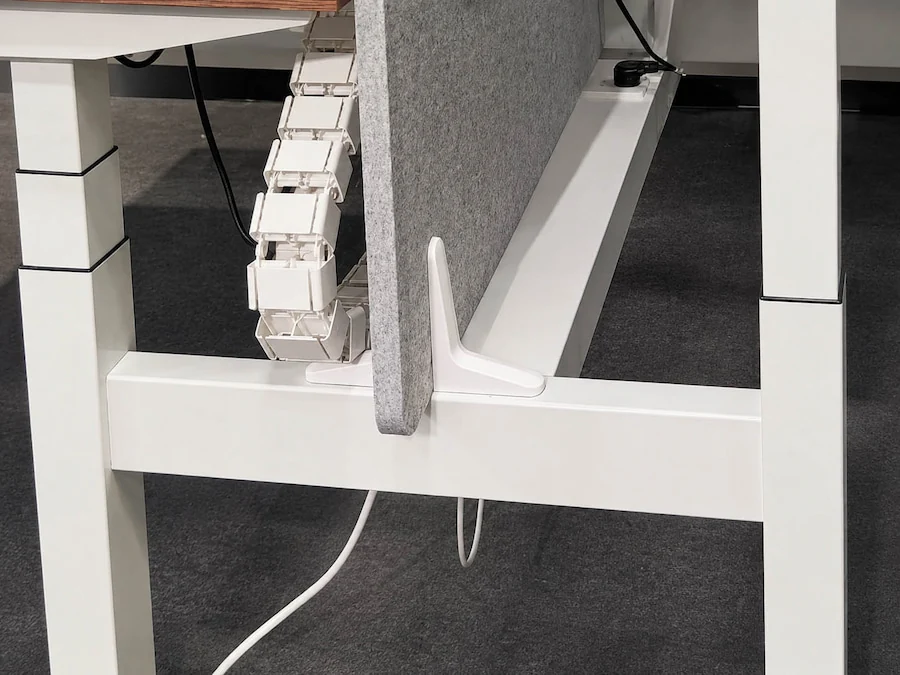
The PJ-209 screen clamp is designed specifically for Face-to-Face workstation screens and accommodates screens of different thicknesses.
The PJ-209 mounts to the center section of the crossbeam. All required mounting holes are pre-drilled at the factory, so no additional drilling is required during on-site installation.
Dimensions and Installation Space
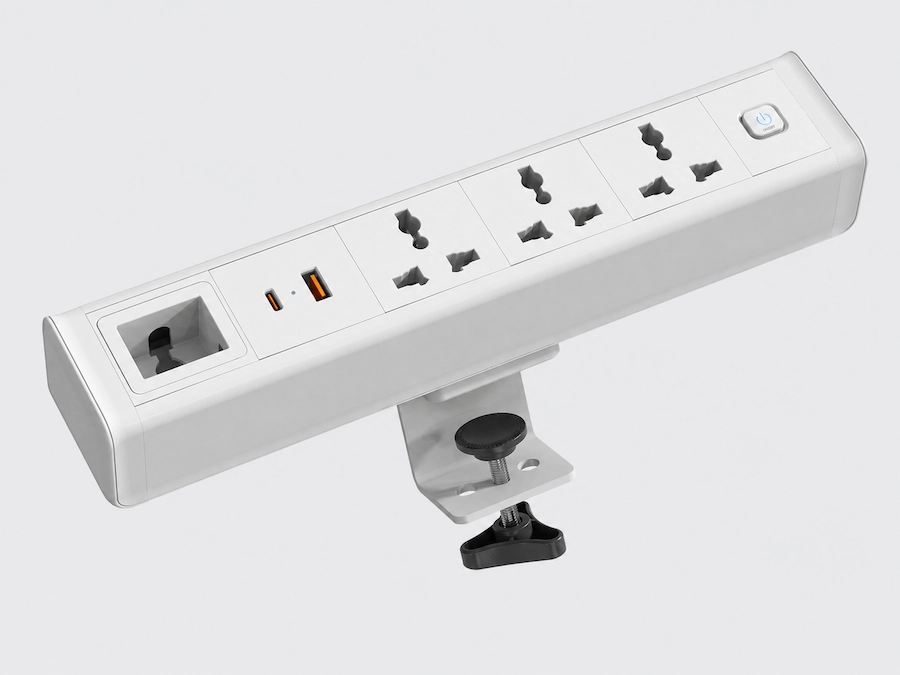
The Small-U / ZJ5045 mounts to the desktop edge using a clamp.
| Variant | Product Size |
|---|---|
| ZJ5045-CN / US | 246 × 54 × 44 mm |
| ZJ5045-UK / EU | 279 × 54 × 44 mm |
Before confirming the configuration, make sure the available space at the desktop edge, desktop thickness, and surrounding clearance meet the installation requirements.
Full Height Adjustment Range
After installation, check the accessory throughout the desk’s full movement from its lowest to highest position.
Make sure the accessory, cables, and surrounding components do not collide with or interfere with the desk frame or other accessories during height adjustment.
For the HC-301 flip cable trough, also confirm its mounting position, product dimensions, and required installation space based on the selected workstation.
Check Powered-Accessory Configuration Requirements
Check Powered-Accessory Requirements for the Target Market
When selecting powered accessories, first confirm the target market, plug type, electrical requirements, and power cord length to determine the appropriate product version.
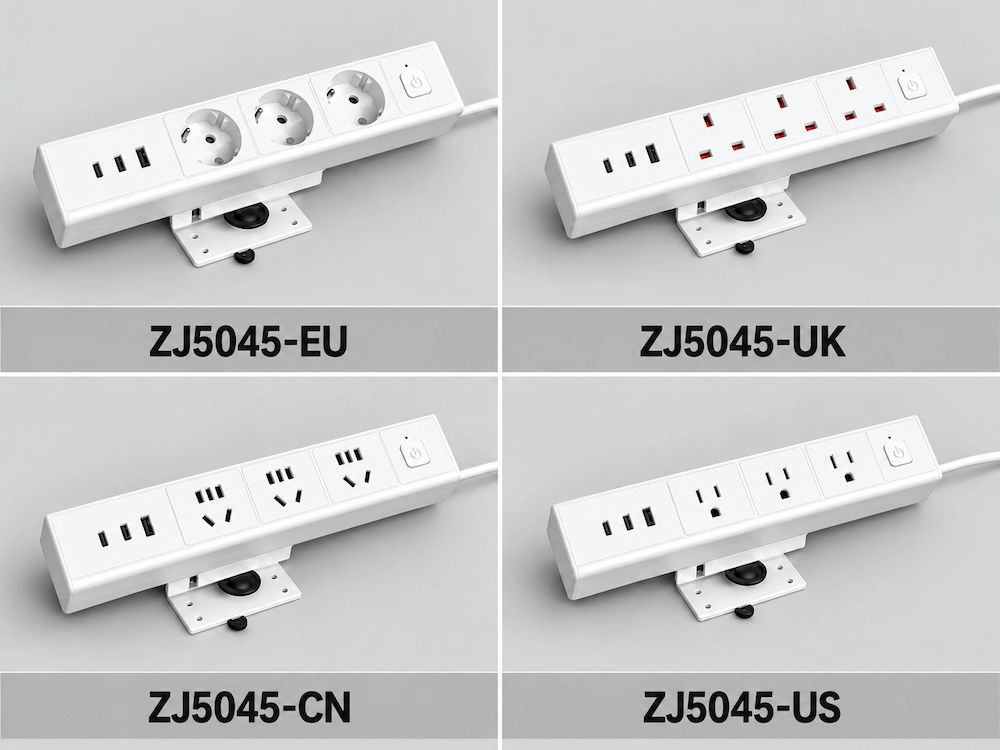
ZJ5045 Target-Market Versions
The ZJ5045 desk-clamp socket family includes the following commonly used versions:
ZJ5045-CN
ZJ5045-US
ZJ5045-UK
ZJ5045-EU
The model suffixes distinguish the different target-market versions, helping you select the appropriate product version and plug type for the project destination.
In addition to the ZJ5045 series, we also offer desktop power accessories in other designs. Related product and technical materials can be viewed or downloaded from the Resource page.
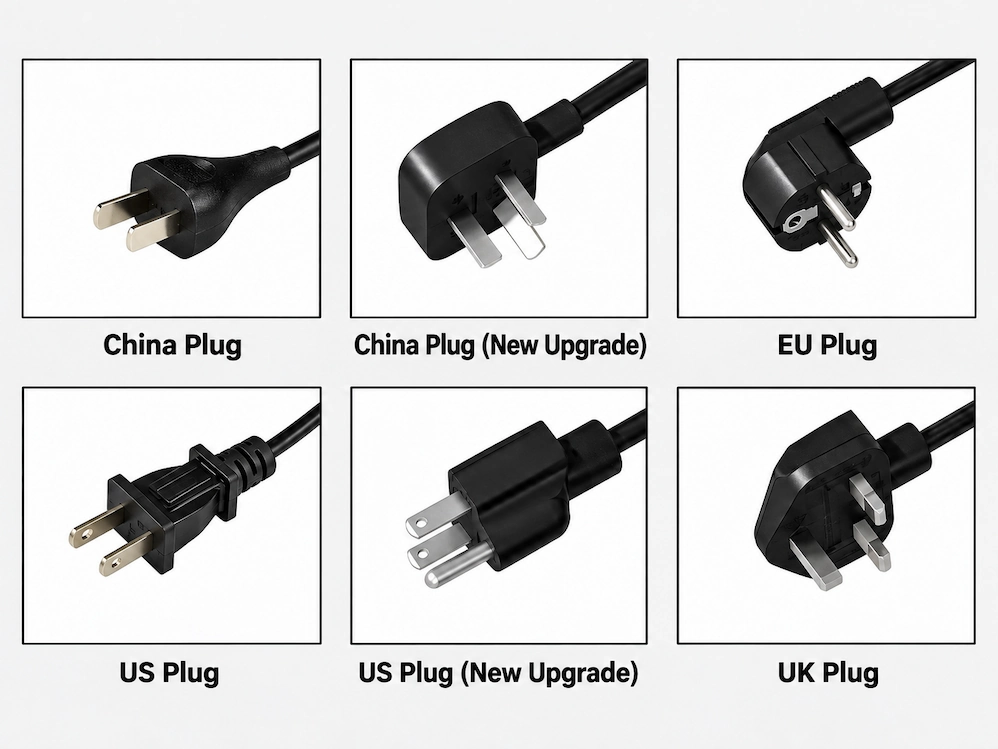
Plug Types for Different Regions
We can provide different plug types for different regions. The specific plug type and electrical configuration should be confirmed based on the project’s target market.
Check the Electrical Requirements
Confirm the following electrical requirements based on the project’s target market:
Voltage / Frequency / Plug type / Power cord length
For cable connections and routing between multiple workstations, Cable Trays and Wire Risers can also be selected based on the workstation layout.
If the project requires certificates, reports, or declarations, related documents can be viewed or downloaded from the Resource page. Confirm that the required documents apply to the specific accessory model, electrical configuration, and target market. If needed, our team can also assist in confirming the appropriate documentation.
Confirm the Powered-Accessory Configuration
Confirm Your Accessory Requirements
To help us prepare a more accurate accessory quotation, please provide as much of the following information as possible.