
Standing Desk Tabletop Compatibility and Size Options
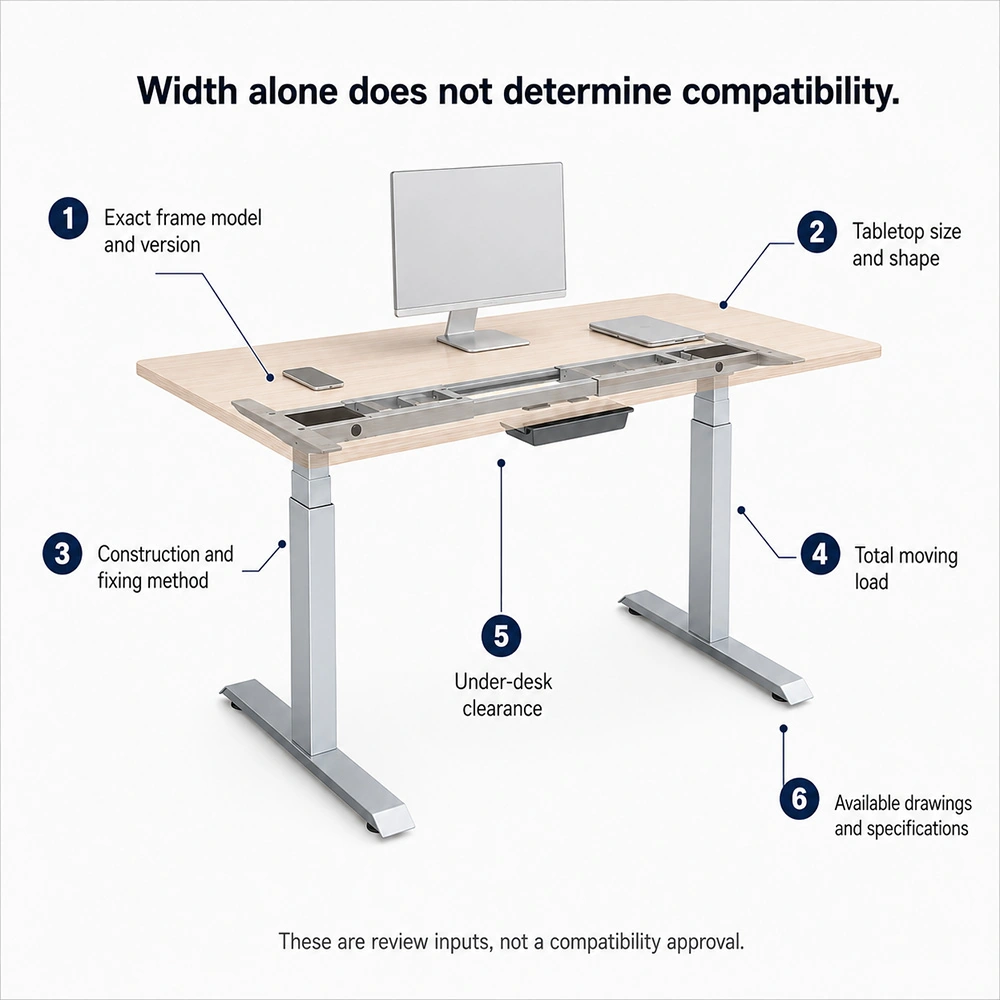
Tabletop compatibility cannot be determined by width alone. Start by confirming whether the requirement is for a frame-only setup or a complete desk, then identify the manufacturer, series, model or SKU, and version. Define the tabletop or layout type—rectangular, L-shaped, workstation or benching, or meeting or conference table—and whether the top is supplied by Onmuse, supplied by the customer, or reused.
A compatibility check should cover: exact frame model and version; tabletop size and shape; construction and fixing method; total moving load; clearance for the frame and under-desk components; and the available drawings or specifications.
A frame's extension range does not by itself determine suitable tabletop sizes. Material, thickness, rated load, pre-drilled holes, or inserts alone do not prove compatibility or stability.
How to Check Tabletop Size Against the Frame
Keep three things separate: the frame's extension range, the proposed or current frame position, and the specified tabletop size range for the exact frame model. A frame that can extend to a certain width may still have a different specified tabletop range.
Provide the tabletop length, depth, shape, orientation, and any cutout or grommet that may affect frame placement. Check these details against the planned support positions, not against overall width alone.
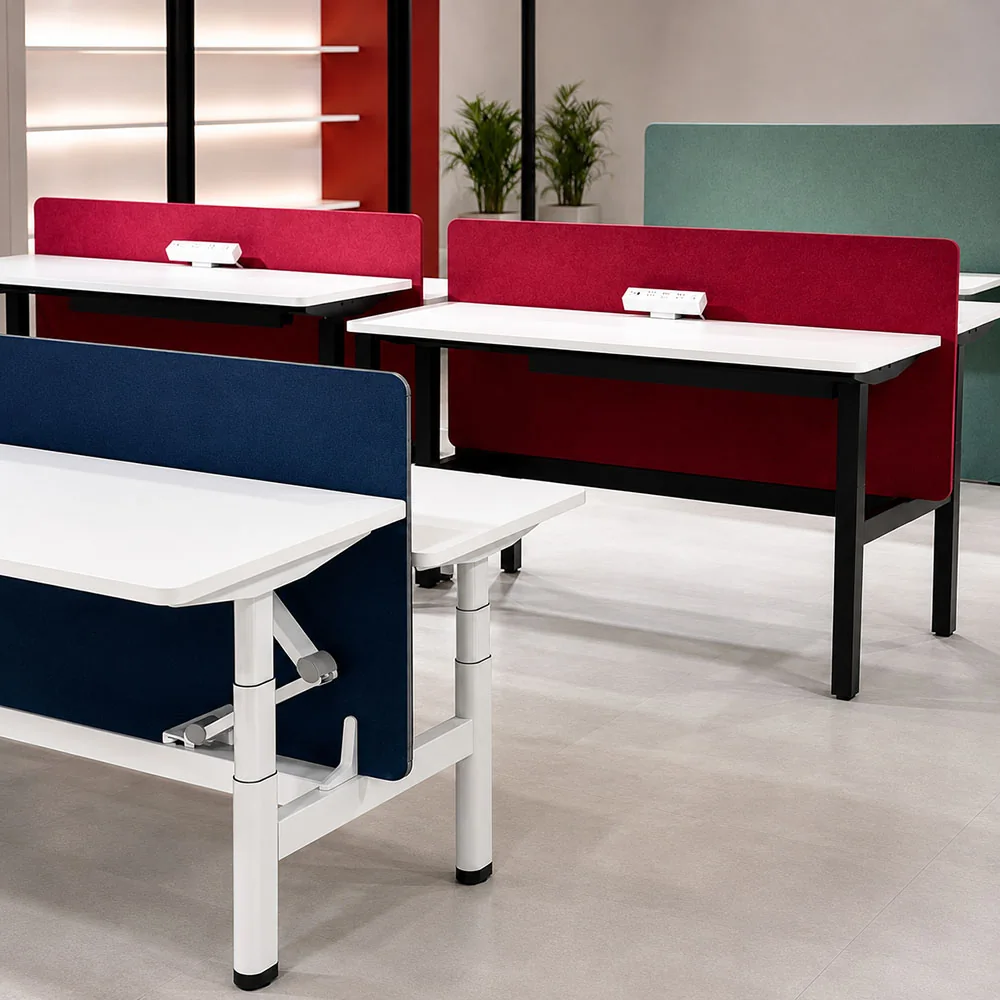
For an L-shaped top, include the main and return lengths, both depths, handedness, and corner relationship. For workstation, corner, and meeting-table layouts, provide the full dimensions and geometry.
This step checks tabletop dimensions and frame positioning only. It does not confirm fixing, load capacity, or stability.
How to Check Tabletop Construction and Fixing
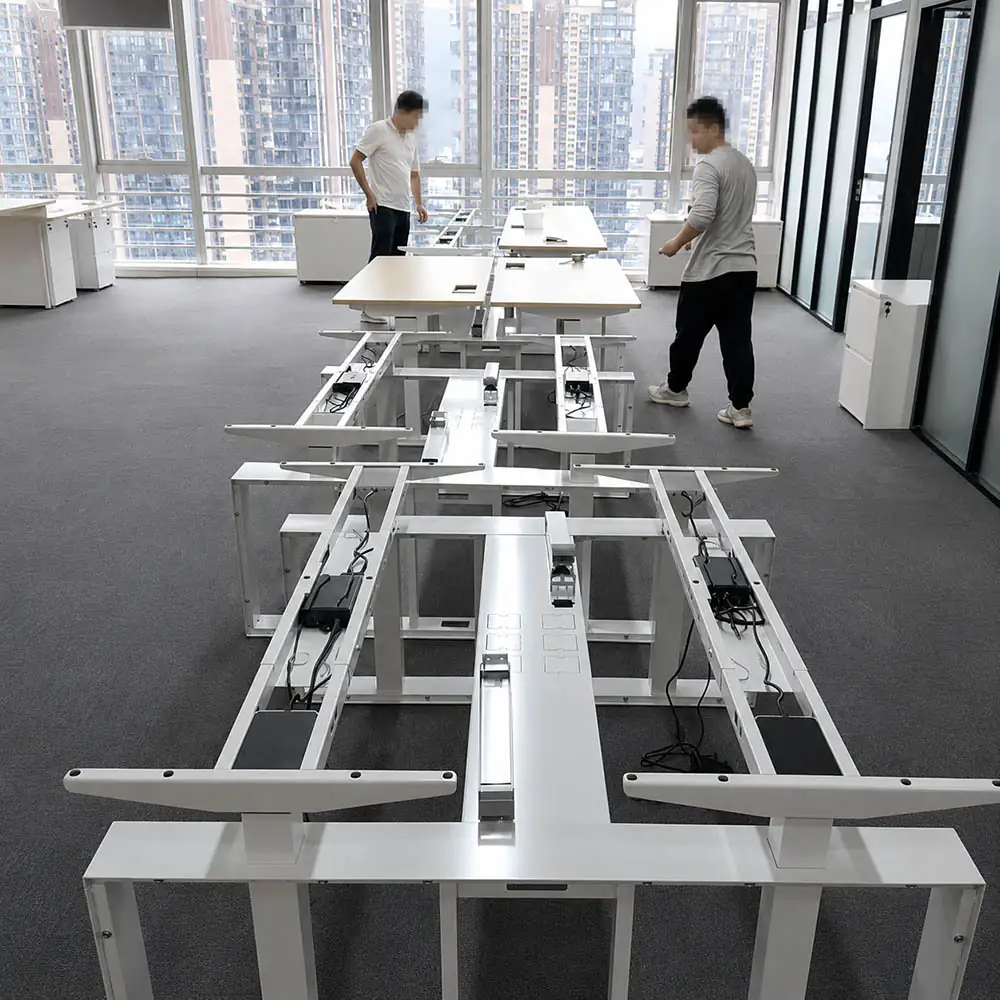
The stated material and thickness alone are not enough to confirm whether a desk frame can be mounted correctly. Check the surface material and the construction beneath it, the tabletop thickness, the flatness of the underside, and any ribs, aprons, channels, existing hardware, or other features that could obstruct the frame. Also confirm whether the underside has threaded inserts, pre-drilled holes, or no prepared fixing points.
Tabletops that look similar can have very different core structures, underside layouts, and mounting conditions. Review underside photos or a drawing, then compare the available fixing points and construction details with the mounting instructions for the specific tabletop and frame combination.
What Counts as Moving Load for a Standing Desk?
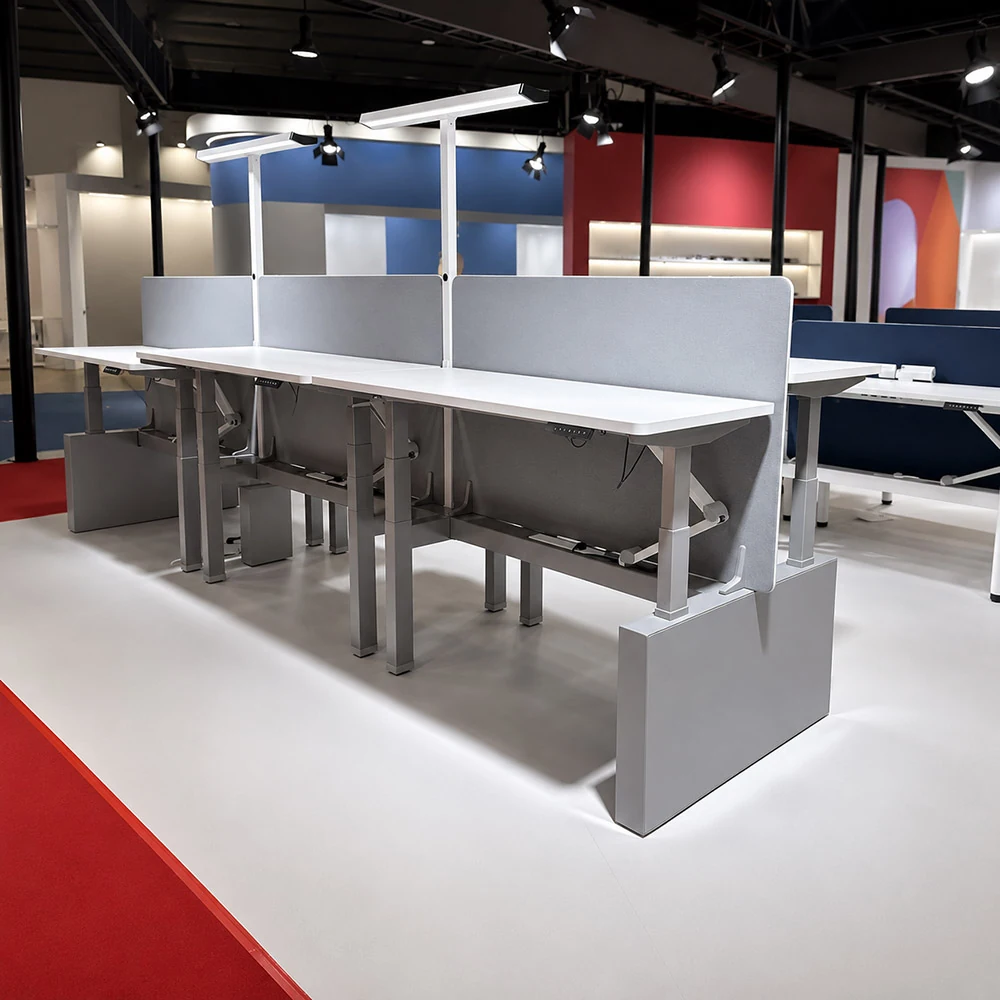
Count every item that rises and lowers with the tabletop, not just the equipment placed on it. Record the actual tabletop weight—not an estimate based on material—together with the weight and approximate position of monitors, monitor arms, computers, drawers, CPU holders, and any cable-management or power accessories attached to the tabletop or any other component that moves with the tabletop.
Before comparing the total with the rated load for the exact frame configuration, confirm whether the tabletop weight is included in the rating. Off-center, concentrated, or unevenly distributed equipment should be recorded separately so that the load distribution can also be checked.
Keep three checks separate:
Dimensional fit, lifting load, and stability should be checked separately for the exact frame and setup.
How to Check the Under-Desk Layout of a Standing Desk
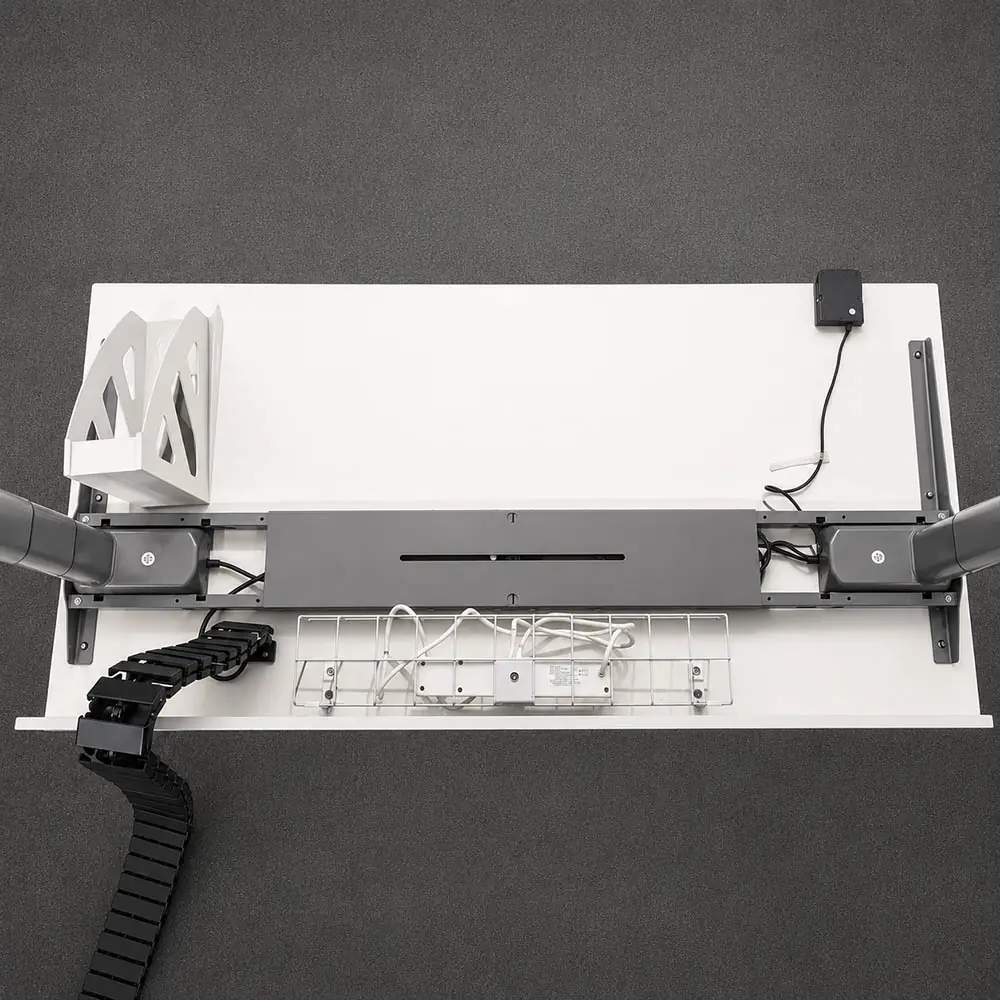
Check the complete underside layout before hole locations or accessory positions are finalized. Identify the space needed for the frame structure, control box, cable and power routes, cutouts, and under-desk accessories.
A component may fit on its own but still conflict with the frame structure, control box, cable route, or another accessory. A top view alone cannot show whether there is enough unobstructed mounting space underneath.
Use underside photos or scaled drawings to check how the planned component positions relate to one another before drilling. Include any fixed obstructions beneath the tabletop. If areas overlap, adjust the layout or determine what must be changed before installation.
When Is Engineering Confirmation Needed?
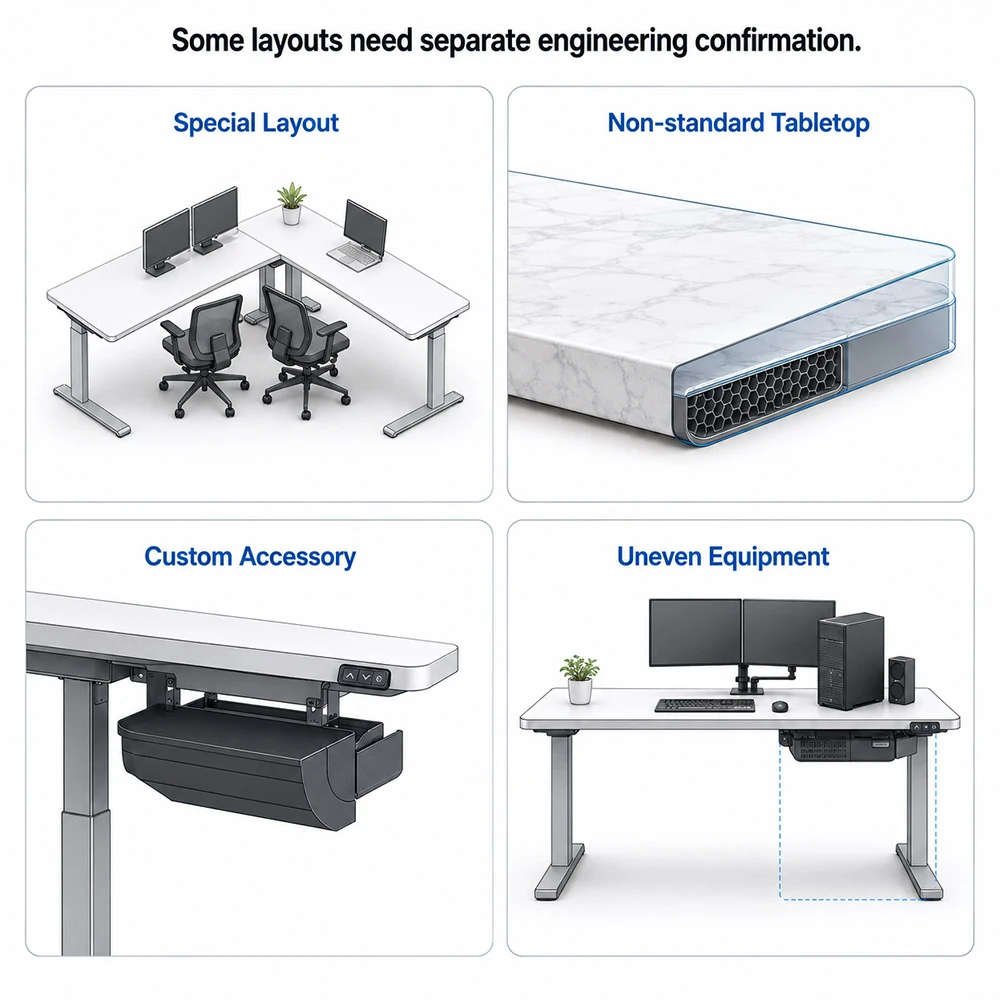
Some tabletop or layout conditions need engineering confirmation before an order is placed or a quotation is prepared. Common examples include:
- workstations or other non-standard layouts;
- tabletops made from special materials or using non-standard construction;
- accessories requiring custom dimensions or finishes;
- uneven equipment placement or unresolved conflicts beneath the table top.
These cases cannot be assessed from overall dimensions or material names alone. The exact desk frame model, layout drawing, tabletop construction, fixing method, and equipment positions may need to be checked together.
What to Prepare for a Tabletop Compatibility Review
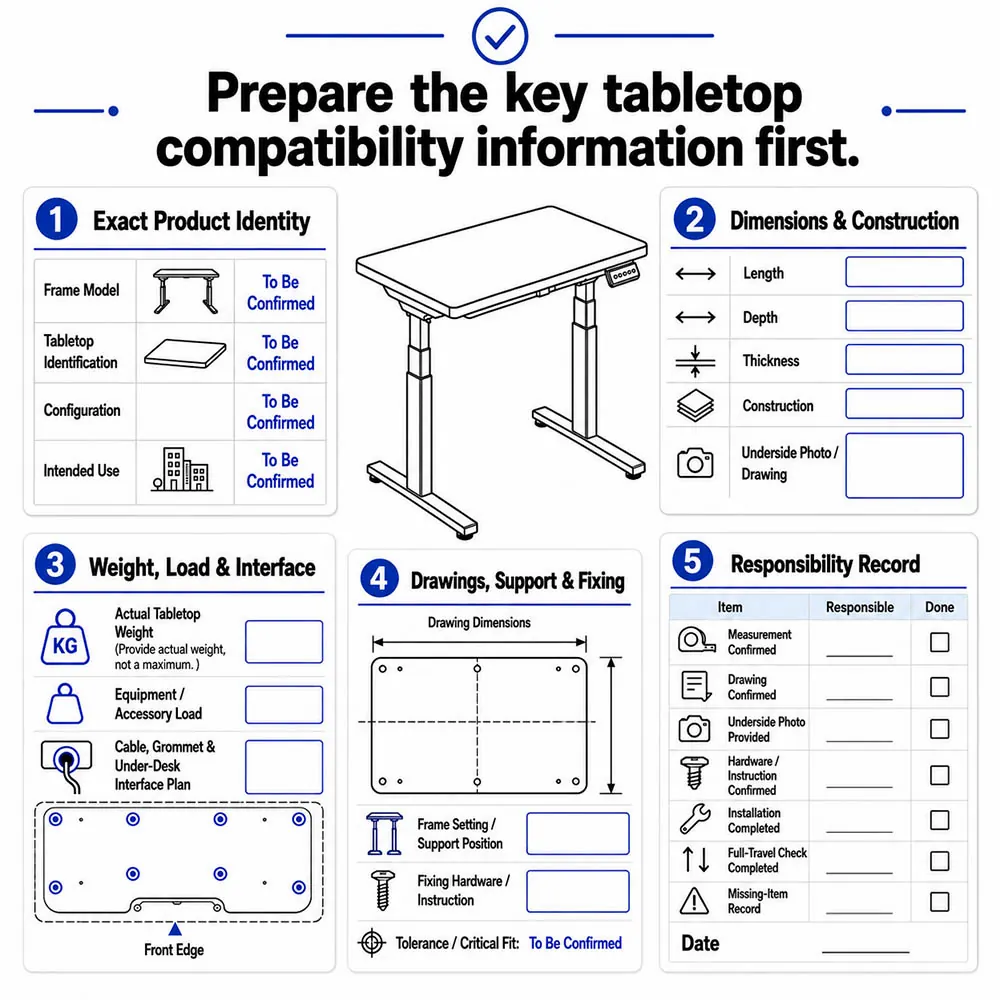
Before a tabletop review begins, prepare a complete set of information for the exact desk frame and tabletop. Include the frame and tabletop model numbers or other identifying details, together with the tabletop dimensions, construction, actual weight, and accurate hole-pattern information. The existing fixing points should be checked against the mounting requirements of the selected frame.
When drawings are prepared or hole positions are measured, any permitted manufacturing and measurement tolerances should also be taken into account. Clearly identify who is responsible for measuring the tabletop, confirming the drawings, drilling the tabletop, completing the installation, and checking the desk through its full height range. This record also helps everyone involved coordinate the installation and address any post-installation issues.
Clearly identify and provide any missing information before the review begins.

What Happens Next in the Tabletop Review?
The available information can be used to determine whether the proposal is ready for a detailed review, but it is not sufficient on its own to confirm compatibility.
| Current status | Next step |
|---|---|
| Inputs complete | Begin a detailed review of the exact desk frame and tabletop |
| Information missing | Provide the missing measurements or files |
| Engineering confirmation required | Submit the special conditions for engineering review |
| No supported validation route available | Do not proceed based on assumptions. Use another documented validation method or consider a different product option. |
Take the next step that matches the missing information or special conditions. These statuses only indicate how the review should proceed; they do not mean that compatibility has been confirmed.