
DESK FRAME ASSEMBLY & INSTALLATION
Desk Frame Assembly & Installation
Around 98% of Onmuse desk frames and table bases are delivered in knock-down (KD) form. This section explains what KD delivery means and what you need to know before assembly.
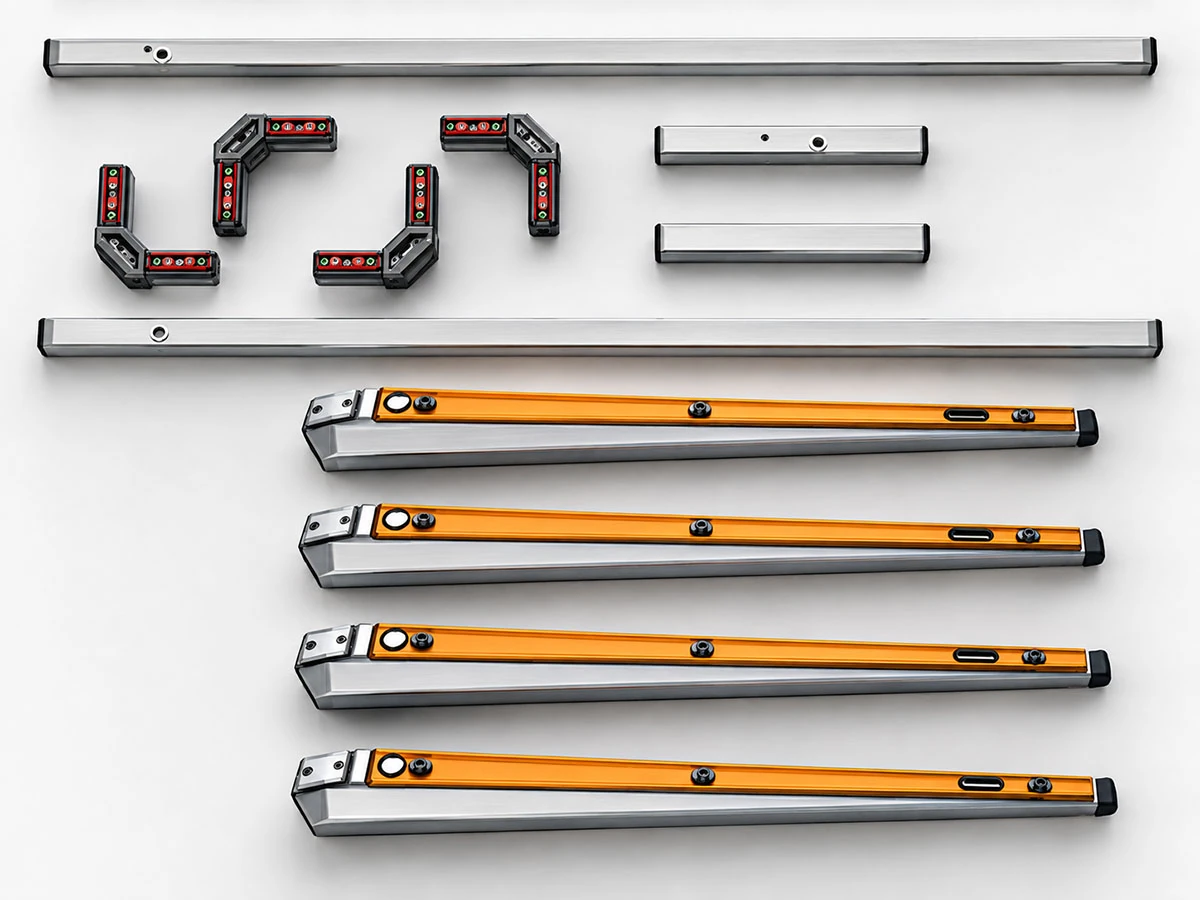
Components shown are specific to the illustrated model and configuration.
Delivered in Knock-Down (KD) Form
To simplify transportation, make more efficient use of container space, and reduce the risk of component damage in transit, the vast majority of Onmuse desk frames and table bases are delivered in knock-down (KD) form.
Once the products arrive at their destination, the relevant components must be connected and assembled into a complete frame according to the instructions for the specific model and configuration.
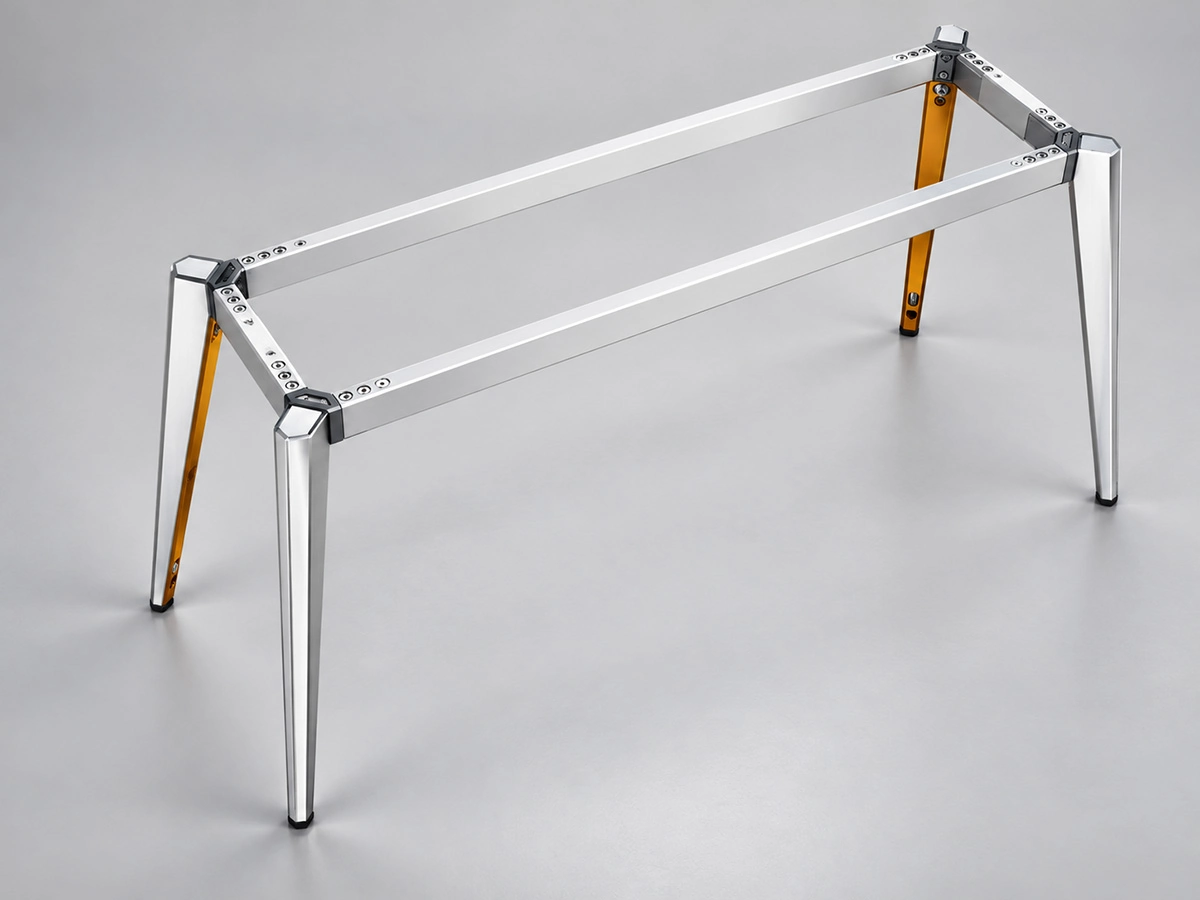
Assembly Requirements Vary by Model and Configuration
Different desk frame models and workstation configurations may use different structural components, connectors, and assembly methods. For this reason, there is no single assembly procedure that applies to every model.
Before starting assembly, confirm the frame model and configuration and use the corresponding assembly instructions.
Check Parts and Hardware Before Assembly
Before assembly, sort and organize the shipment. Use the packing list provided to check the total number of cartons and verify the quantities of components and accessories in each carton. If any items are missing or you find any other discrepancies, take photos or record a video and contact us as soon as possible.
Confirm the Products Received
Check the carton labels against the order details and packing list to confirm that the correct product models and quantities have been delivered.
Check Components and Hardware
Complete the following checks before assembly:
- Refer to the assembly instructions provided to verify that the desk frame components match the ordered model and configuration.
- Check the components, hardware, accessories, and quantities in each carton against the packing list.
- Inspect the delivered components for visible damage.
- Store components and hardware for different models or configurations separately to avoid mixing them up.
- Check for any missing, incorrect, or unidentified components or accessories.
- Verify that the screws and other fasteners are of the specified types and sizes.
Resolve Discrepancies Before Assembly
If any components or hardware are missing, incorrect, or damaged, take photos or record a video of the affected items before beginning assembly. Send us the details as soon as possible, together with the relevant photos or videos.
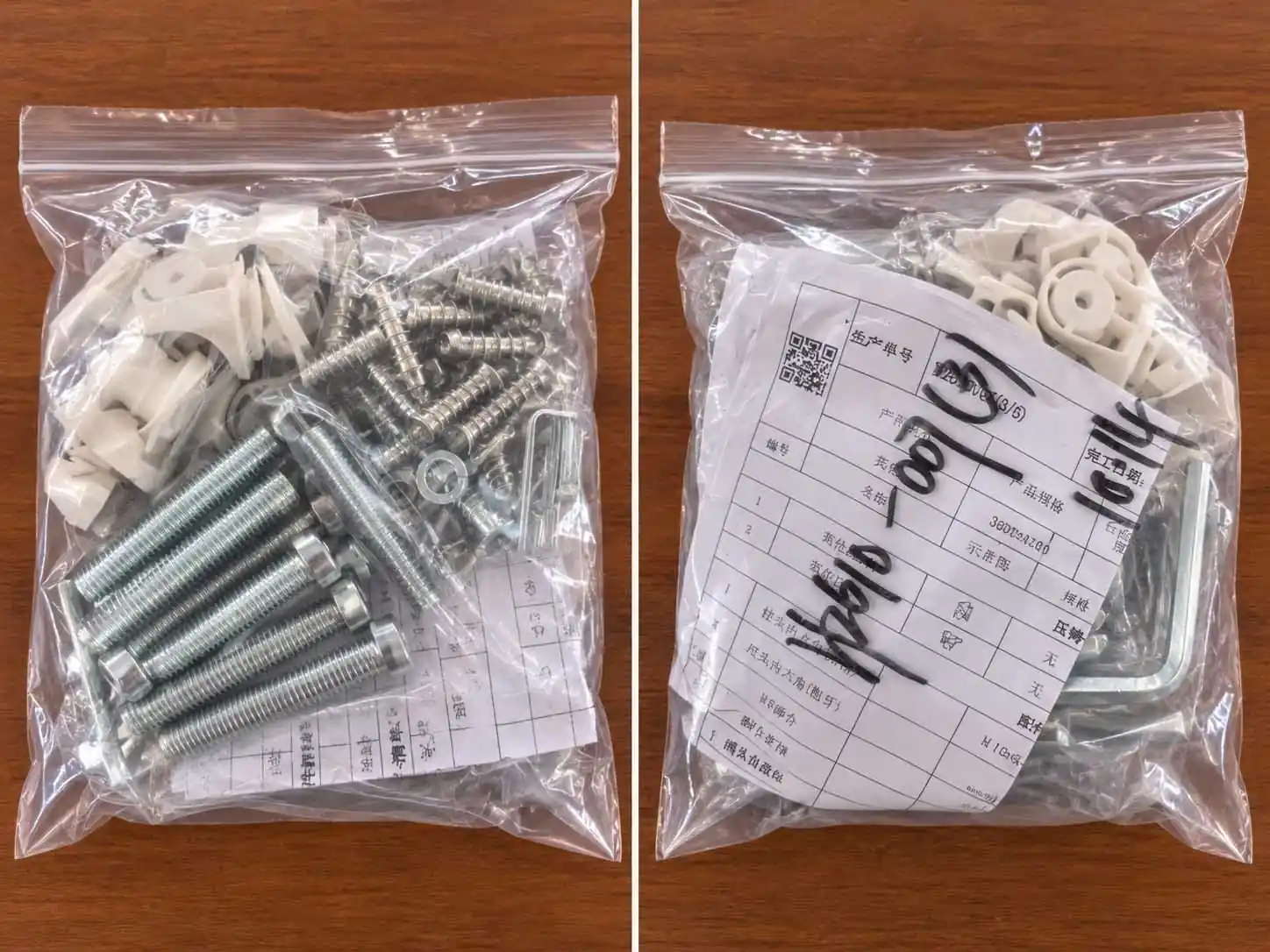
Accessories and Fasteners
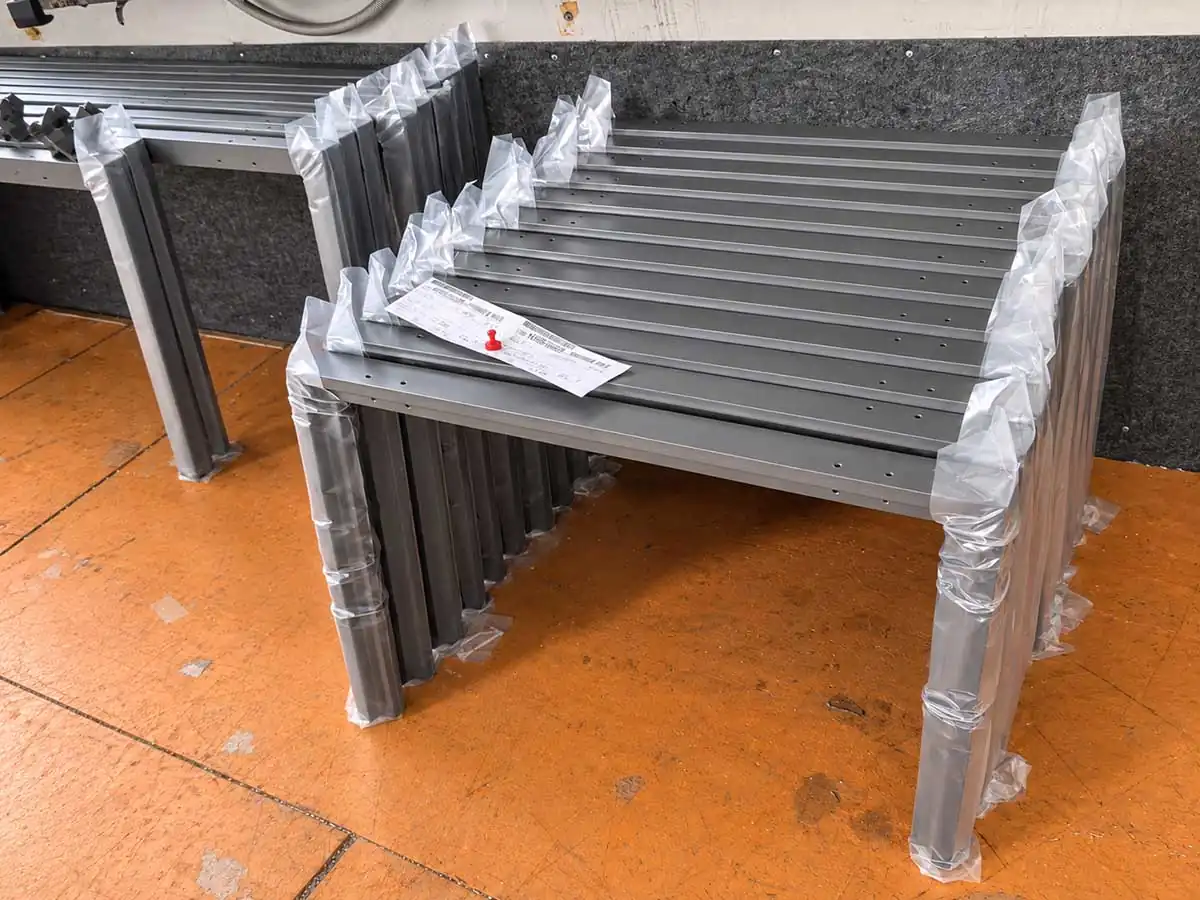
Desk Frame Components
Use Assembly Instructions That Match Your Model and Configuration
Before starting assembly, make sure the model shown in the instructions matches the product you received. Using the wrong instructions can lead to assembly problems.
Confirm That the Instructions Match Your Desk Frame
Compare the product information and illustrations in the assembly instructions with your order details and the components you received.
- Confirm which model or series the instructions cover.
- Check that the configuration shown matches your order.
- Check that the illustrated components and connections match the parts you received.
If the instructions do not match your product, contact us for clarification before continuing with assembly.
Check the Assembly Instructions
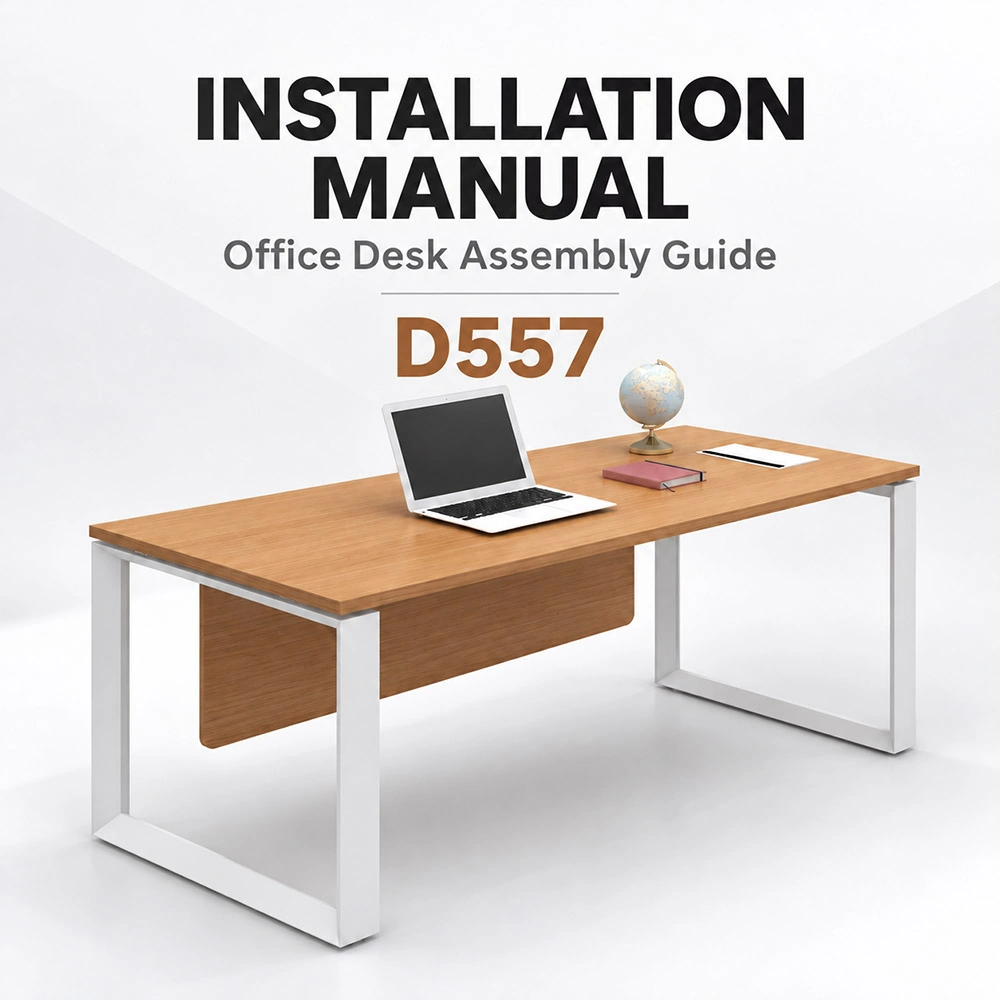
Received Desk Frame
Assembly Guide
Match model + configuration + illustrated parts
Refer to Installation Videos Where Available
If you still have questions about the assembly steps or methods after reading the instructions, refer to the installation video for your model, if available. It can show how the components connect and explain installation details to help you understand the assembly process.
Use the assembly instructions we provide or specify for your selected desk frame model and configuration. If a corresponding installation video is available, check that it also applies to your model and configuration.
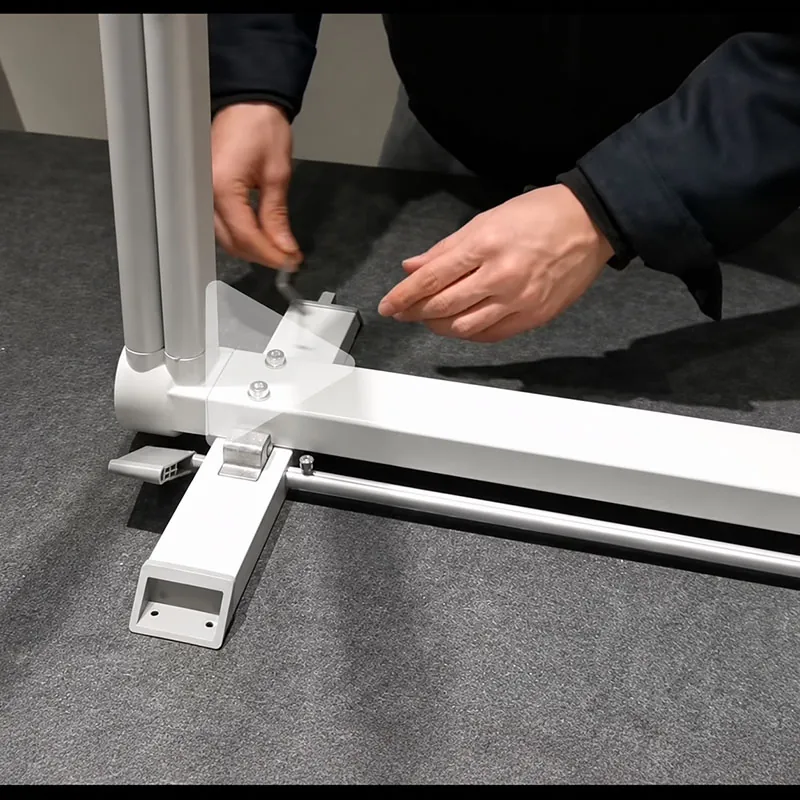
Request the Correct Assembly Instructions
Assembly instructions for the relevant desk frame model and configuration can be provided by email. Installation videos may also be available for selected models.
The title of each document or video will include the corresponding product model for easy identification.
If you have not received the installation materials when you are ready to begin assembly, please contact us promptly to request them.
Desk Frame Components and Connections
Desk frame components and connection methods may vary by model and workstation configuration. Familiarizing yourself with the main components and how they connect before assembly helps you understand the frame structure more quickly and assemble it correctly.
Main Components and Their Functions
- Legs and leg structures: Provide the main support for the tabletop.
- Beams and cross members: Connect the main supporting sections to form the overall frame.
- Connectors and fastening hardware: Join and secure the individual frame components.
- Adjustable feet: Allow the frame to be leveled in its final position.
- Tabletop mounting points: Allow the tabletop to be attached and secured to the frame.
- Accessory mounting points: Allow compatible accessories to be attached and secured at designated locations on the frame.
Together, these components form the desk frame and provide the necessary connection points for the tabletop and related accessories. The specific components and connection methods vary by model and configuration.
Follow the Assembly Instructions for Your Frame
Follow the assembly instructions for your model and configuration. Use the specified hardware and follow the connection methods and assembly sequence shown in the instructions.
If any components or connection methods do not match the assembly instructions, contact us for clarification before proceeding.
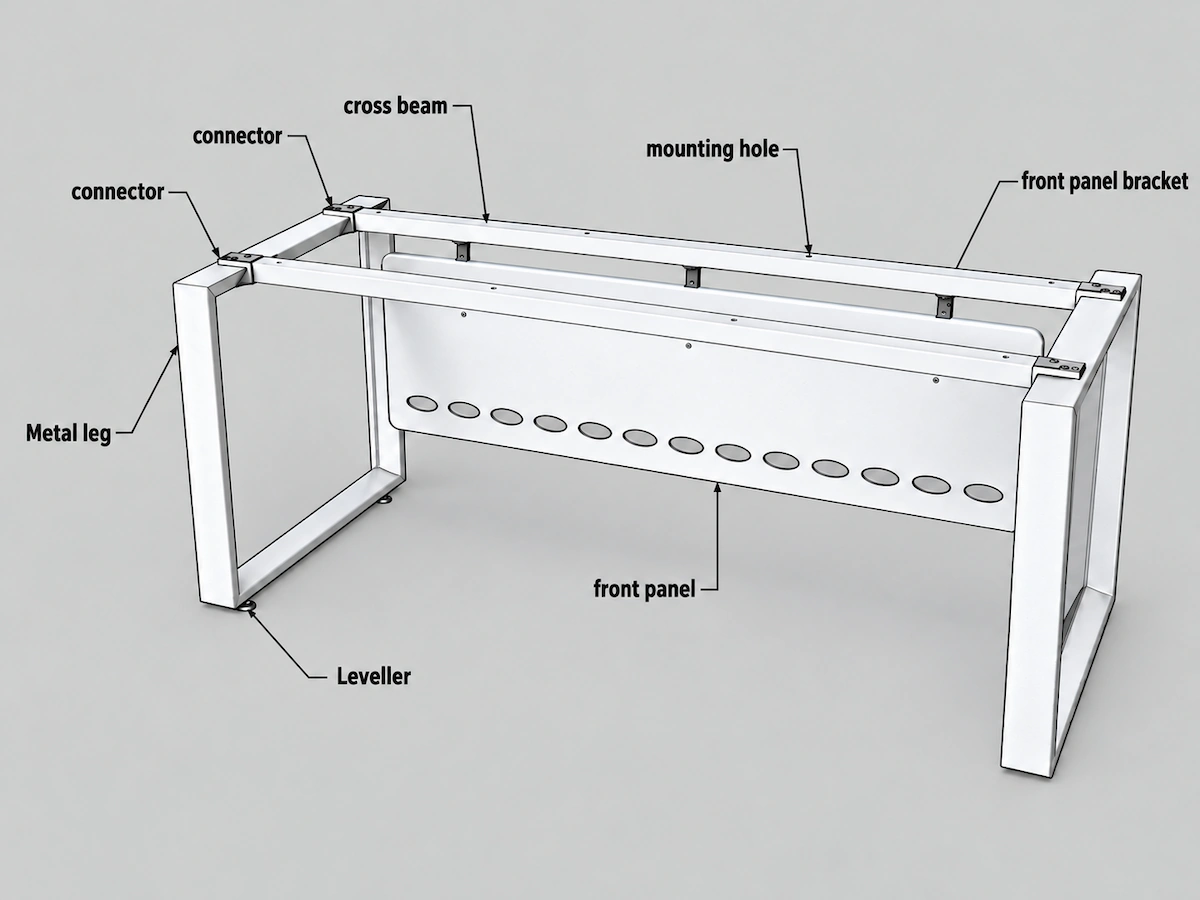
D557 example. The exact components and connections vary by model and configuration.
Tabletop and Accessory Installation Checks
When installing tabletops and accessories on site, follow the instructions for the relevant products. Check the tabletop position, accessory mounting locations, and fastener requirements. If the project includes different models, sizes, or colours, check which components belong together before installation to avoid mixing them up.
Tabletop Installation Checks
- Edge Position and Spacing: Check the position of the tabletop edges relative to the desk frame and the distance between them, as specified in the installation instructions.
- Correct Fasteners: Use the specified screws or other fasteners for the tabletop material and thickness, following the installation instructions.
- Panel Alignment: If the tabletop consists of multiple joined panels, check that their adjoining edges are aligned.
Once the tabletop position and connection requirements have been checked, secure it according to the relevant installation instructions.
Accessory Installation Checks
When installing desk screens, cable management components, and other accessories:
- Check each accessory’s mounting location against the installation instructions.
- If screws are used, align the accessory with the corresponding mounting holes before securing it.
- Use the fastener types and sizes specified in the instructions. Do not mix screws of different lengths or specifications.
- If the project includes accessories of different models, sizes, or colours, check their intended mounting locations to avoid mixing them up.
If Components or Accessories Do Not Match
If the model, size, or connection requirements of any component or accessory do not match the order or installation instructions, stop installing the affected item. Send us the order number, details of the issue, and relevant photos so we can check the discrepancy and provide support.
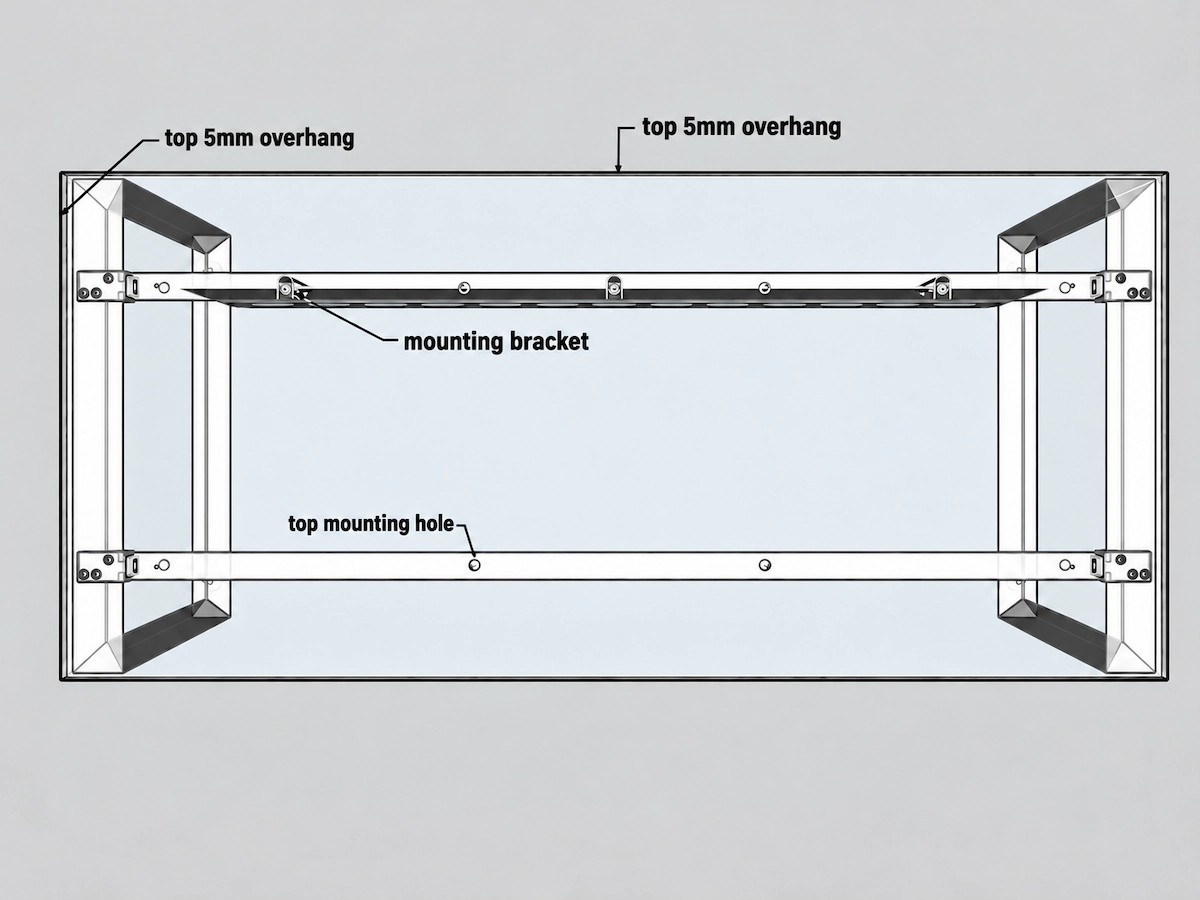
D557 example. Check the tabletop position and mounting relationship according to the installation requirements.
02 / Screen Bracket Mounting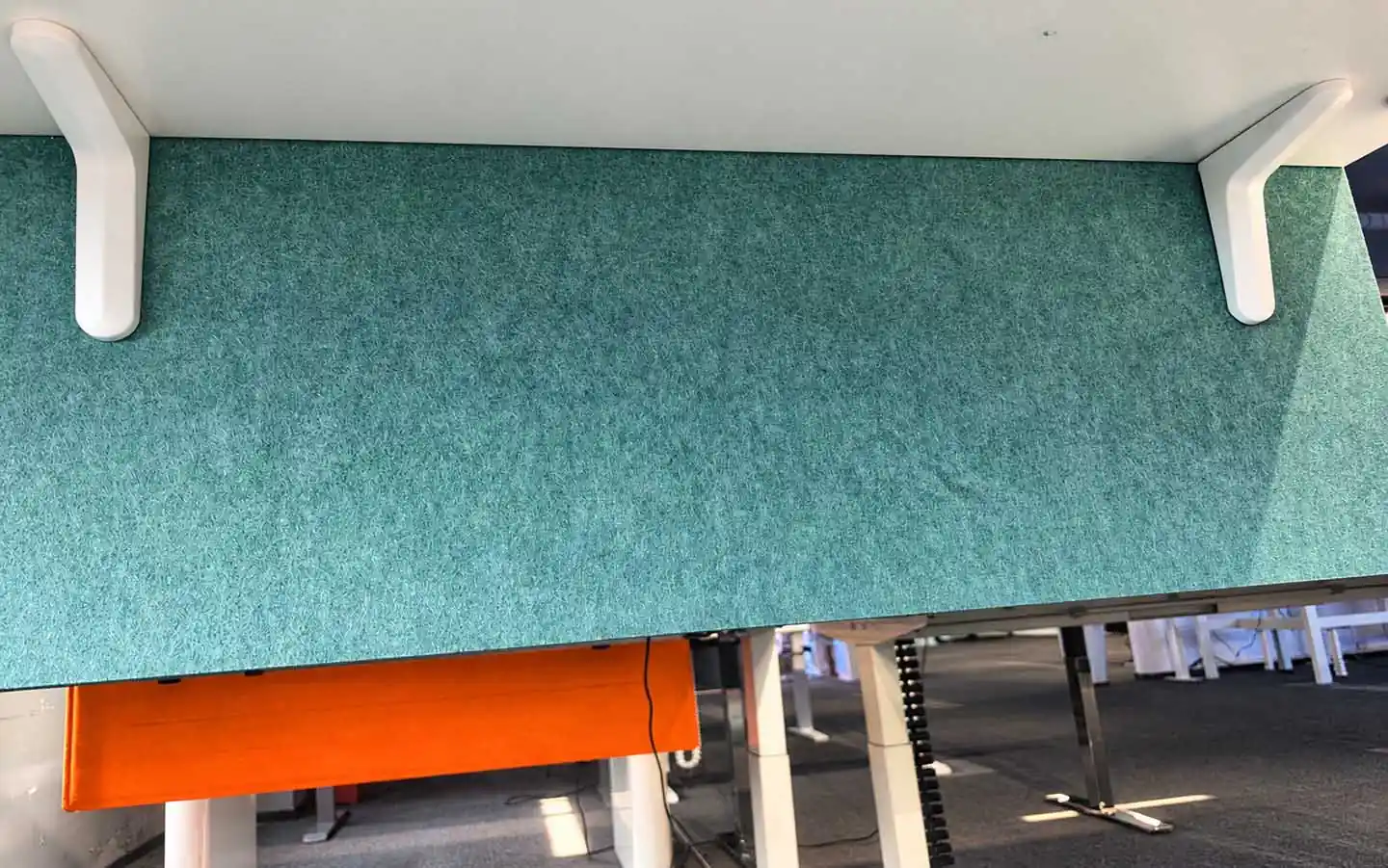
Final Placement and Leveling
Once the desk frame, tabletop, and related accessories are assembled, position the desk as shown in the project layout drawing and carry out the final installation checks.
Check the Installed Desk
- Check for any required mounting holes that have not been drilled, missing screws, or accessories that have not been fitted.
- Check that all connections are complete and that no components are visibly misaligned.
- Check that the desk is correctly positioned according to the layout drawing, that the frame is level, and that the desk does not rock or wobble.
Level the Desk as Required
If the frame has adjustable feet, level the desk according to the instructions for your model and the conditions on site.
If multiple tabletops are joined or placed side by side, check that they are at the same height and that their adjoining edges align, as required by the project layout and installation instructions.
If the Desk Still Rocks or Wobbles
If the desk still rocks or wobbles in its final position, verify that the assembly matches the instructions for your model, including the specified fasteners and any required lock washers.
If the issue persists, stop using the desk and send us details of the problem, along with relevant photos or videos, so we can investigate further.
01 Layout Drawing → Final Placement
Match the installation position and adjacent tabletop alignment to the approved project layout.
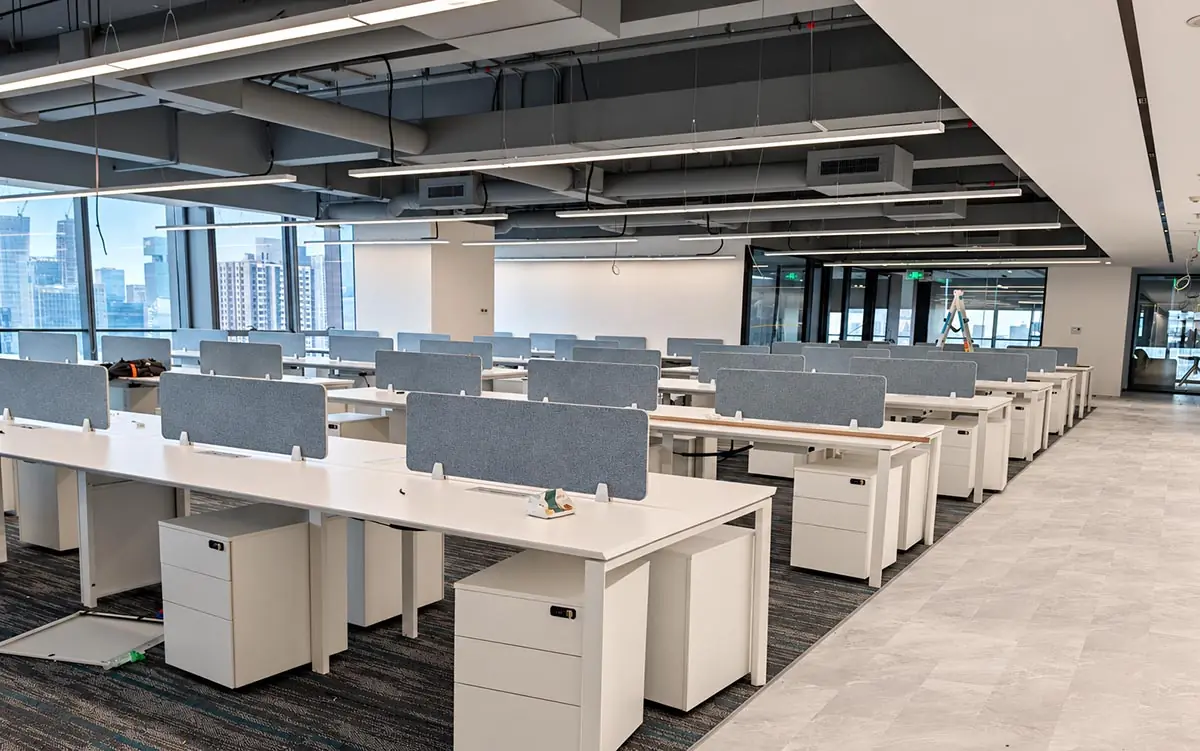
Model: D360
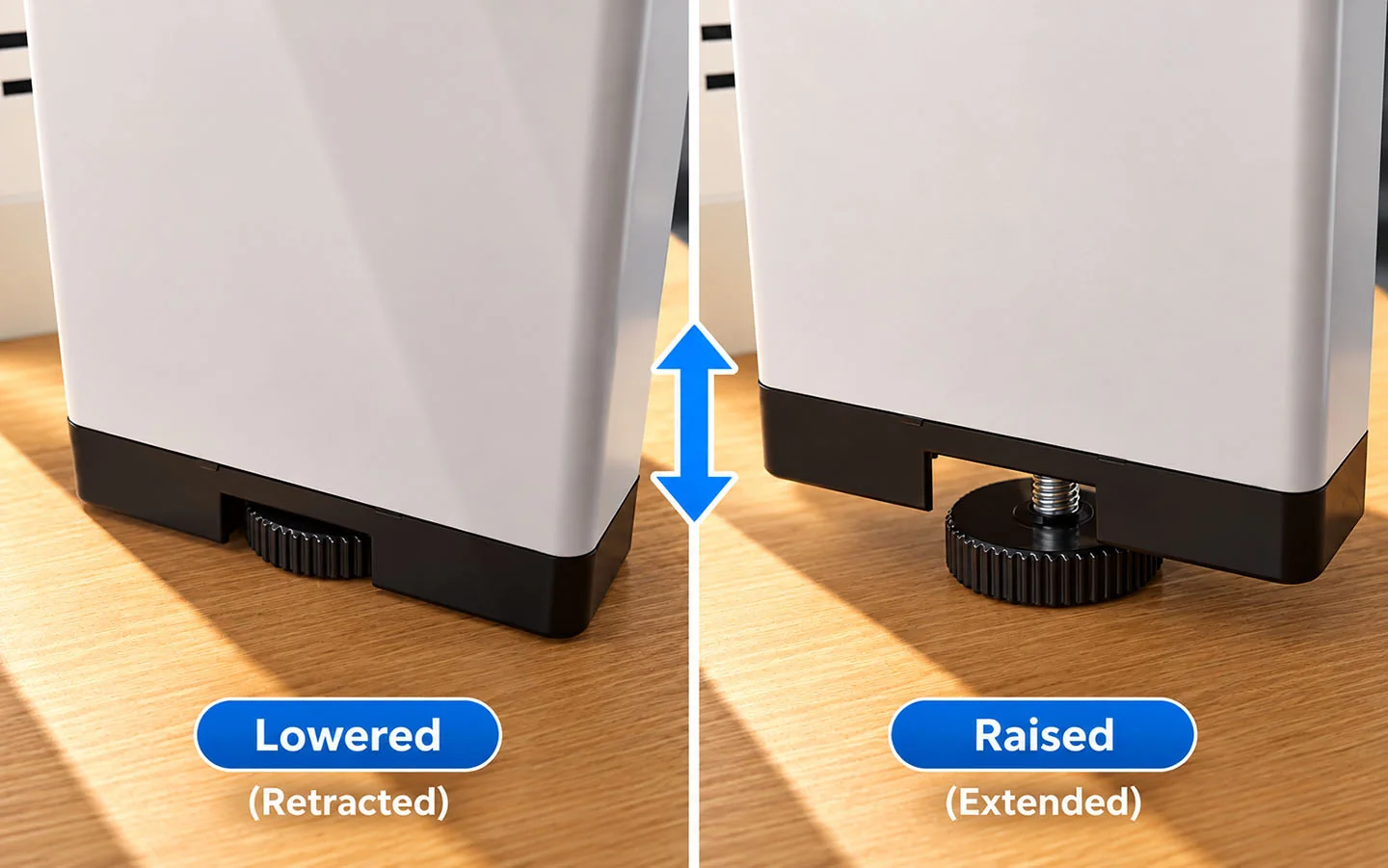
Use the leveling foot to level the frame on the floor. It is not intended to adjust the desk’s working height.
Trial Assembly and Visual Installation Support
During production, Onmuse checks desk frame components against the customer’s confirmed order requirements and carries out trial assembly as needed to confirm that the product can be assembled in the specified configuration before shipment.
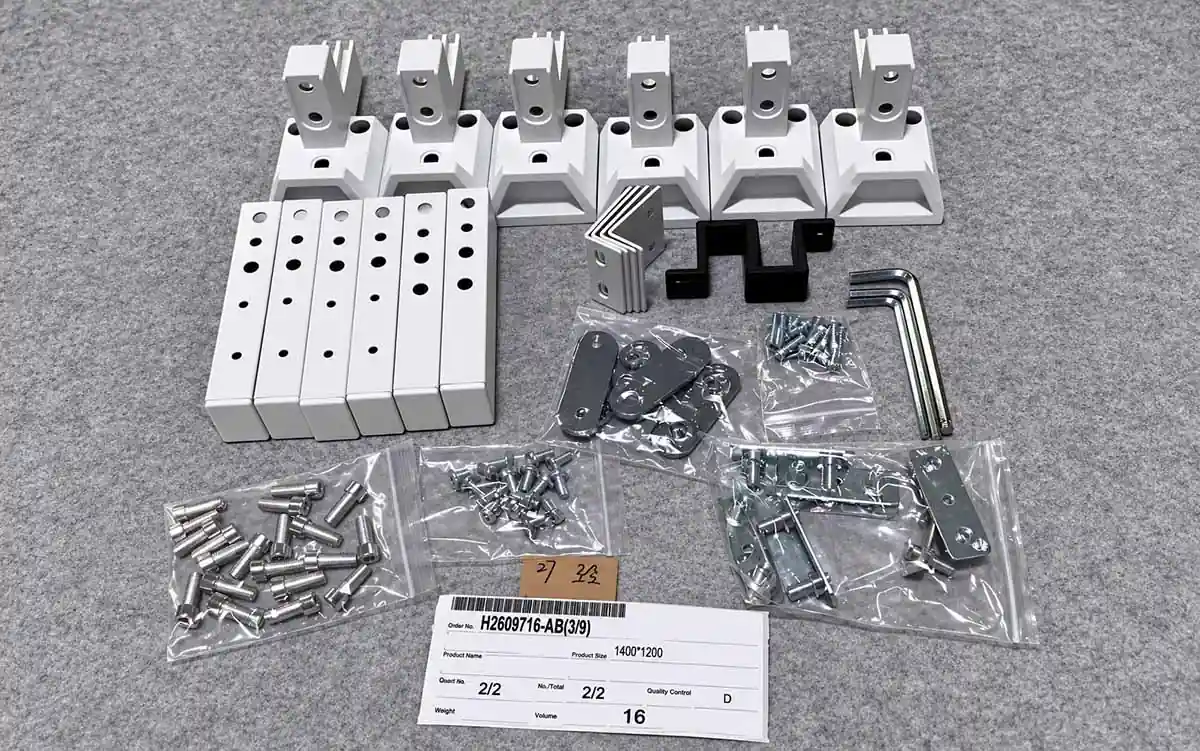
Pre-Shipment Component Records
Onmuse workbench inspection photo showing grouped components and hardware photographed before shipment.
Trial Assembly and Pre-Shipment Checks
Factory trial assembly allows us to check that the desk frame components fit together correctly and that the connections meet the product requirements.
It helps us identify and resolve potential assembly issues before shipment, reducing the risk of products arriving at the project site with problems that prevent proper assembly.
Packing and Component Records
Before shipment, we check components and accessories against the applicable packing requirements and inspect a sample of selected products.
During these inspections, we sort and arrange the relevant desk frame components and hardware on a workbench and photograph them for our records. These photos provide a reference for identifying components and checking what was supplied.
Request Additional Visual Support
If you have questions about any components or connection methods during installation, please contact us with your order number.
We can provide relevant photos or videos to help you understand how the components connect and clarify assembly details.
Support for Unresolved Installation Issues
If you still have an installation issue after checking the relevant instructions, photos, or videos, contact us with the details so we can review it and advise on the next steps.
What to Send Us
Please provide the information you have available:
- Order and product details: Order number, desk frame model or series, and workstation configuration.
- Affected components: Identify the parts or hardware involved, including anything missing, incorrect, or inconsistent with the instructions.
- Installation stage: Tell us at what stage of installation the issue occurred and what you have already checked.
- Photos or videos: Include an overall view and close-ups showing the affected parts or connections.
- Relevant documents: Include the relevant instruction page or drawing, if available.
You do not need to have every detail ready before contacting us. Send what you have so we can begin reviewing the issue.
How We Can Help
Let us know whether the issue concerns frame assembly, tabletop mounting, accessory installation, or rocking or wobbling after placement and leveling.
We will review your order details, product configuration, and the information you send, then check the applicable installation requirements and advise on the next steps. We may ask for additional photos, drawings, or details to help clarify the issue.
Prepare an Installation Query
01 · Product Details
- Order number
- Model / series
- Workstation configuration
- Affected component
- Installation stage
02 · Issue Evidence
- Overall photo
- Connection close-up
- Short video, if available
- Instruction page / drawing
- Issue description
SEND AVAILABLE INFORMATION ↓
Onmuse Installation Support
Check order and product details → Review the issue and supporting information → Advise on the next steps