
Workstation Accessories, Organized by System Function
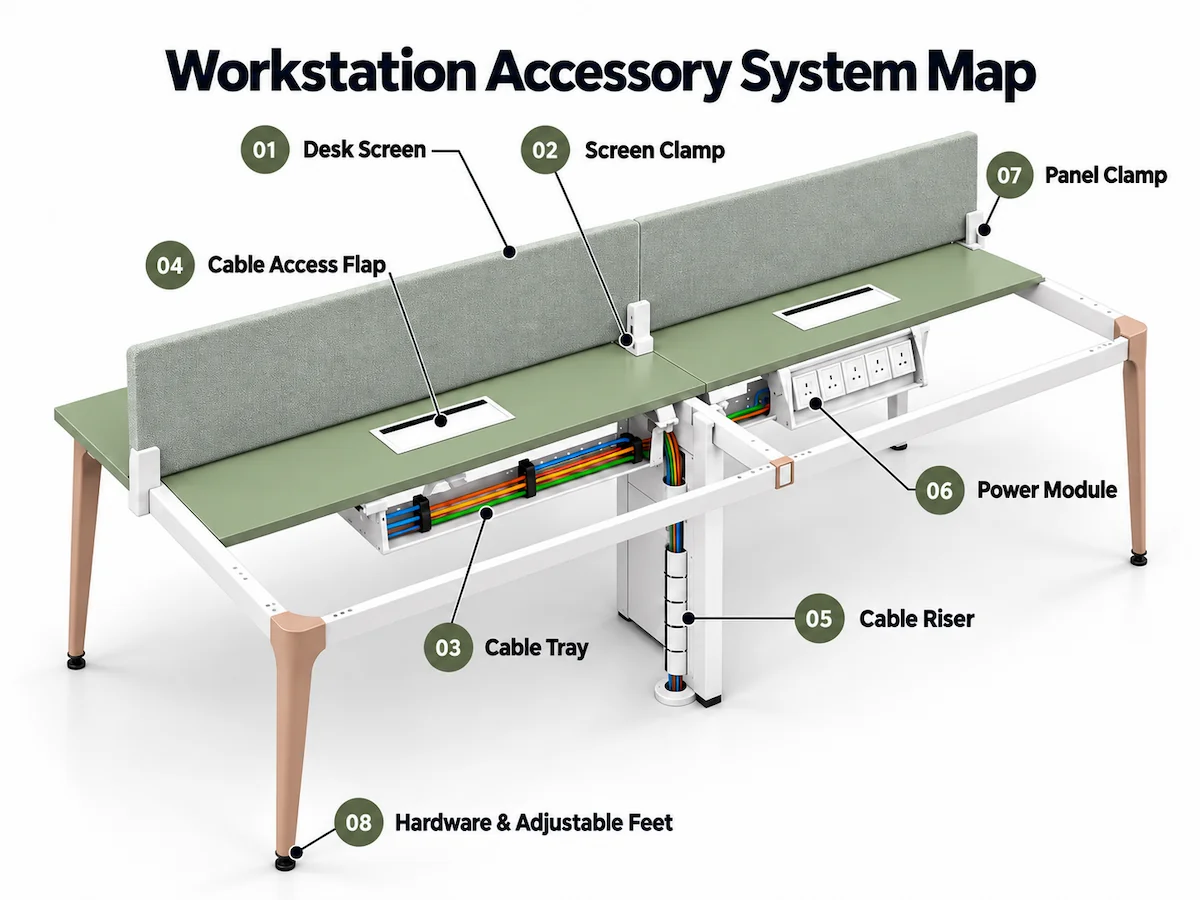
Workstation accessories are organized into four functional groups: screens and privacy, cable management, power access, and hardware and support.
Screens & Privacy
Desk screens provide separation and visual privacy between adjacent work areas.
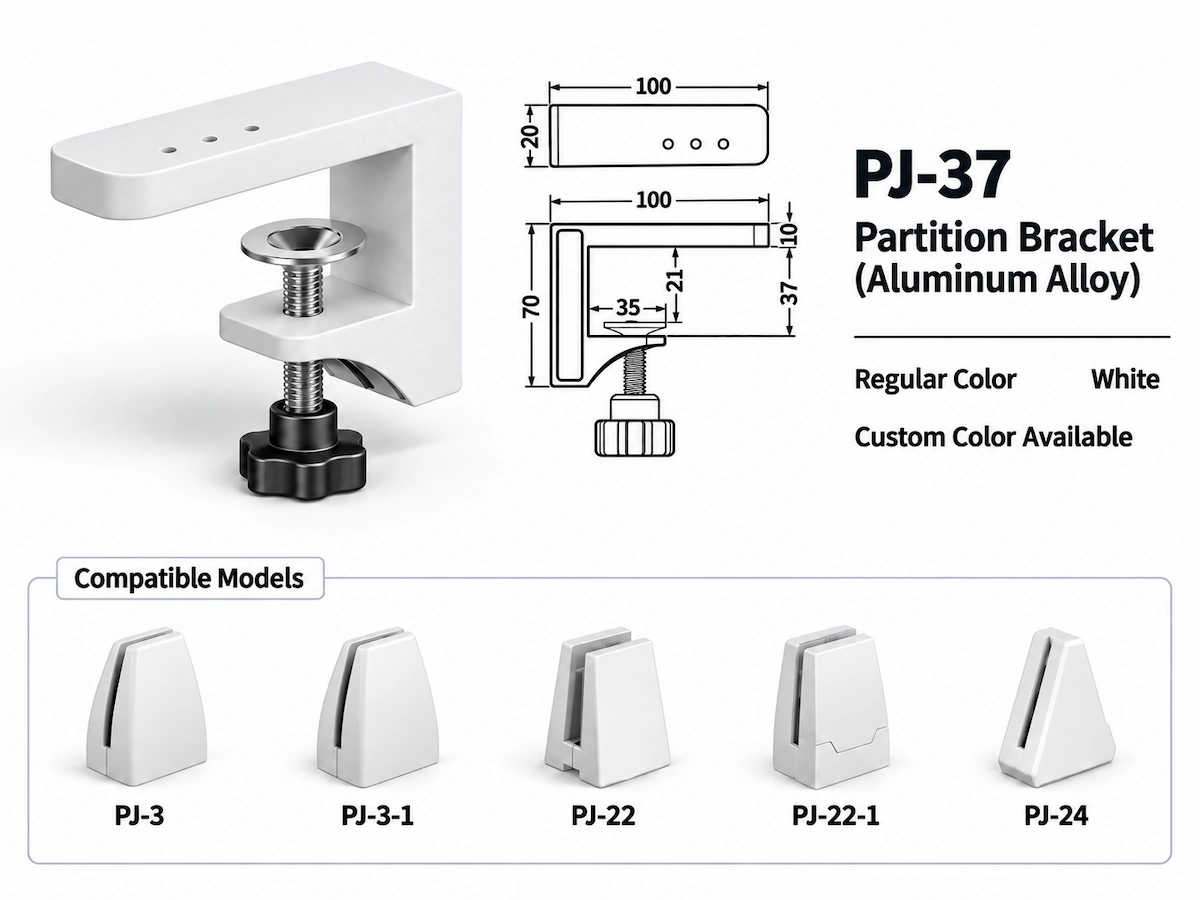
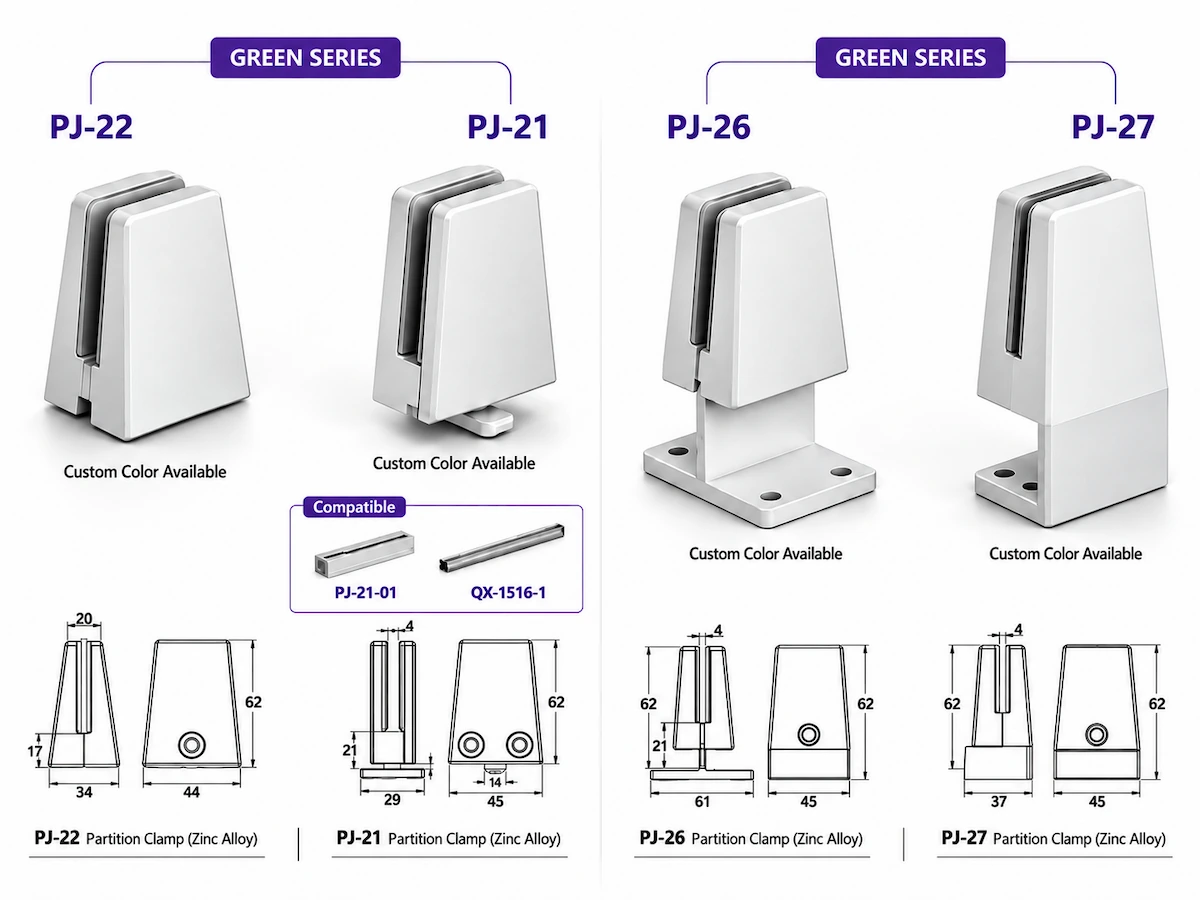
Screen clamps provide the mounting interface between the screen and the workstation.
Cable Management
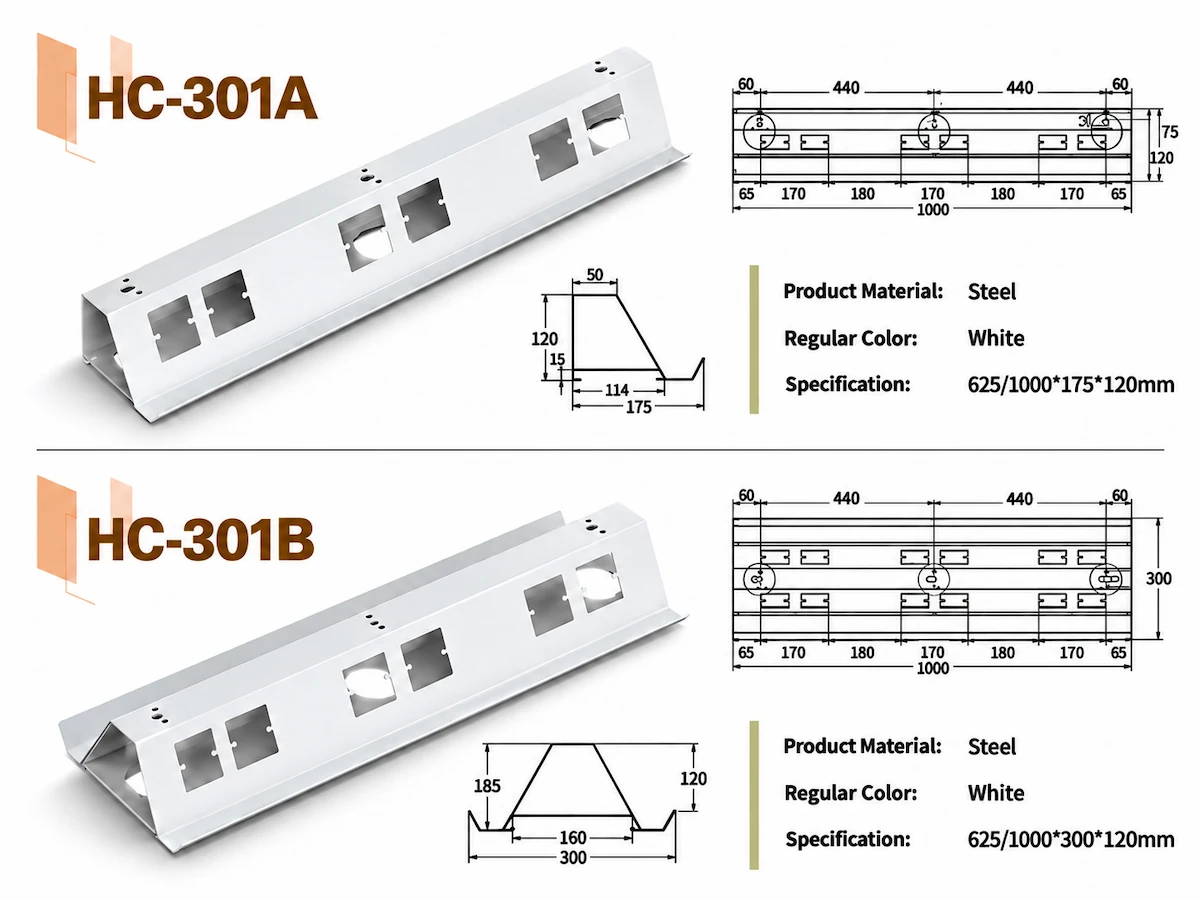
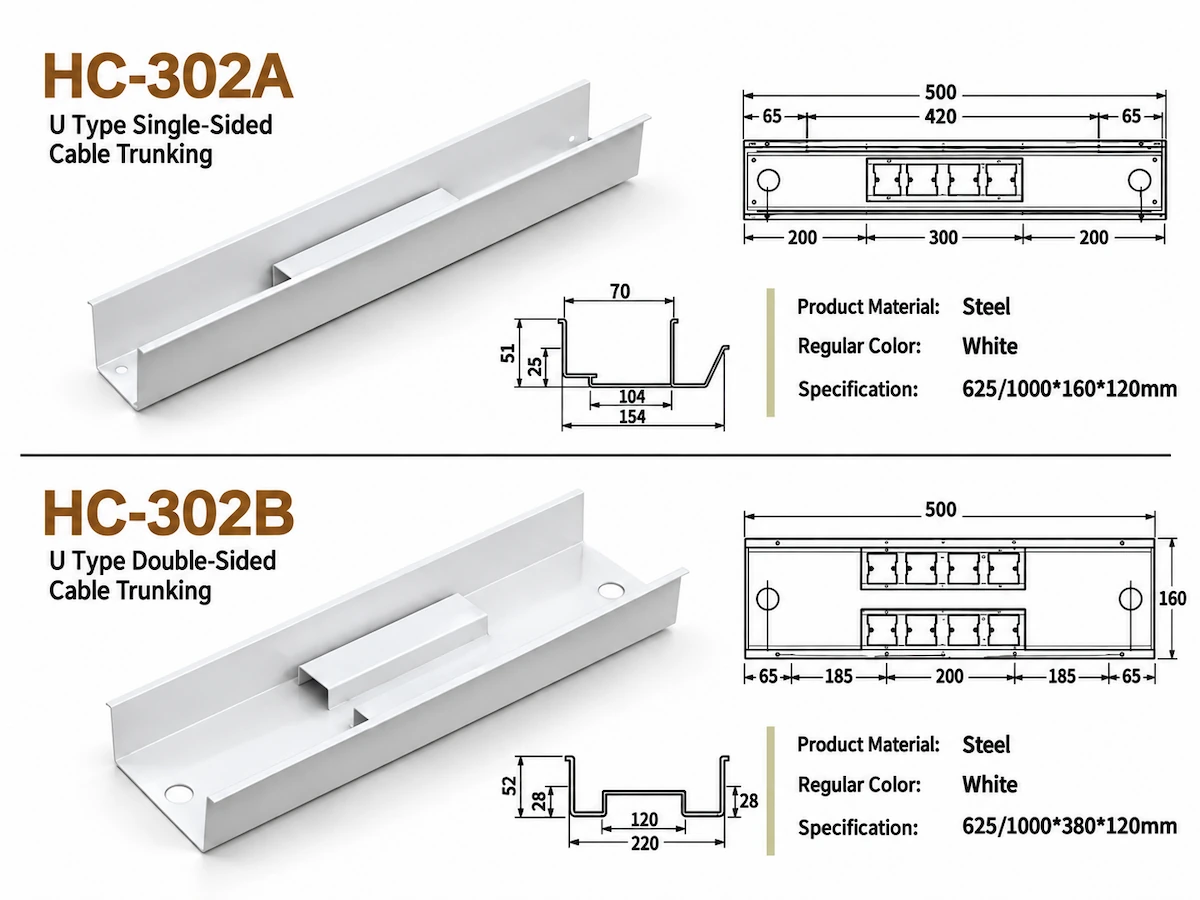
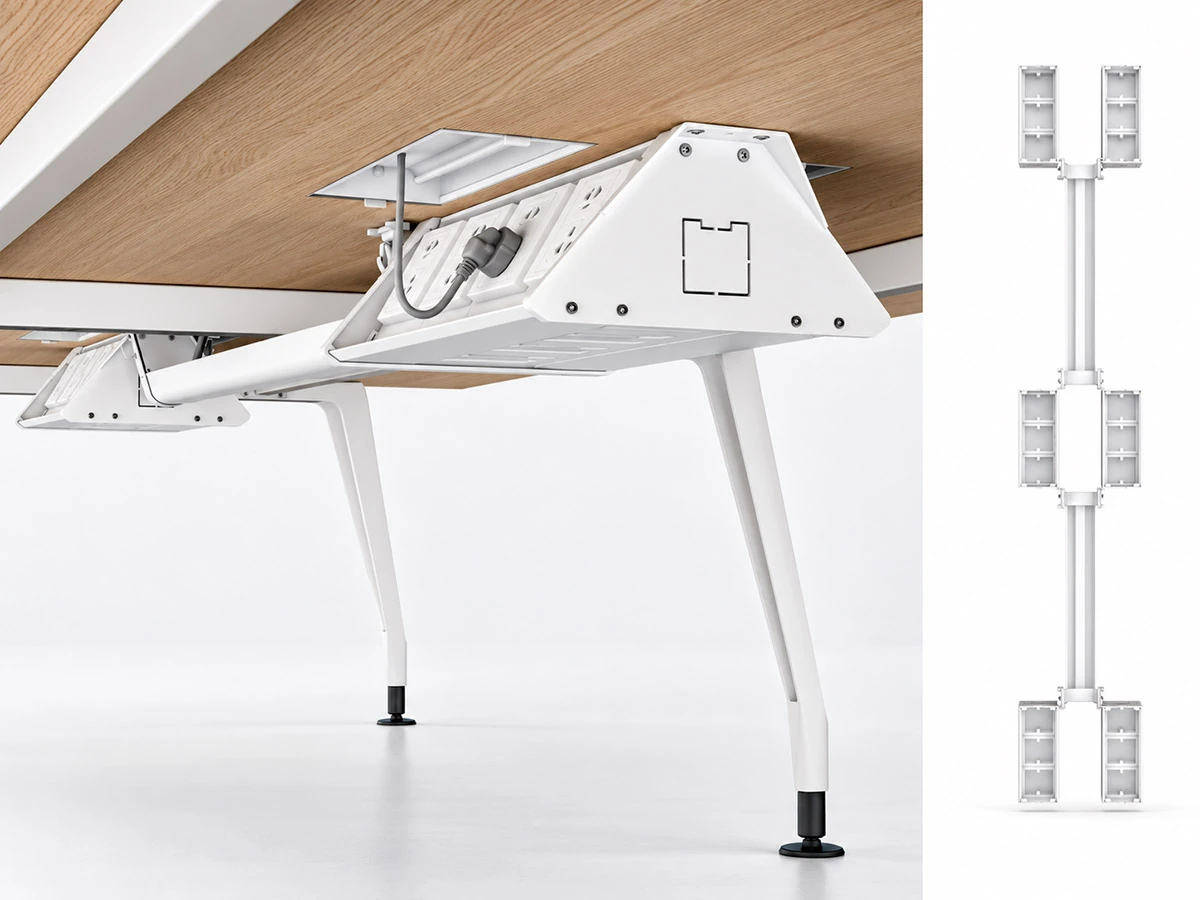
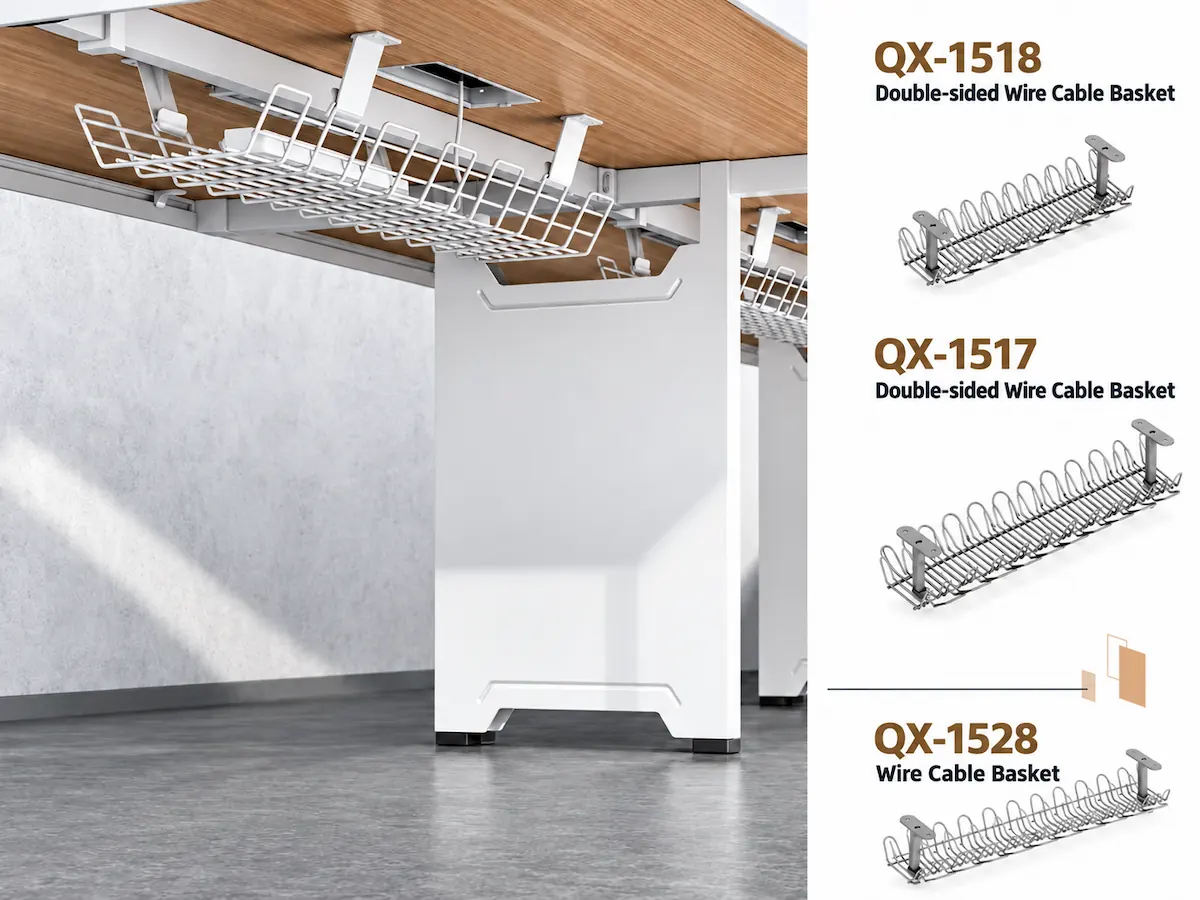
Under-desk cable trays route and organize power and data cables beneath the worksurface.
Cable access flaps provide a route for cables through the worksurface.
Cable risers carry cables vertically from floor level to the workstation.
Power Access
Power modules provide accessible power at the workstation. Socket configuration and mounting location are specified to suit each project.
Hardware & Support
Panel clamps secure workstation screens and divider panels.
Screws, connectors and adjustable feet support frame assembly, tabletop attachment and on-site levelling.
Coordinate Accessories with the Workstation Configuration
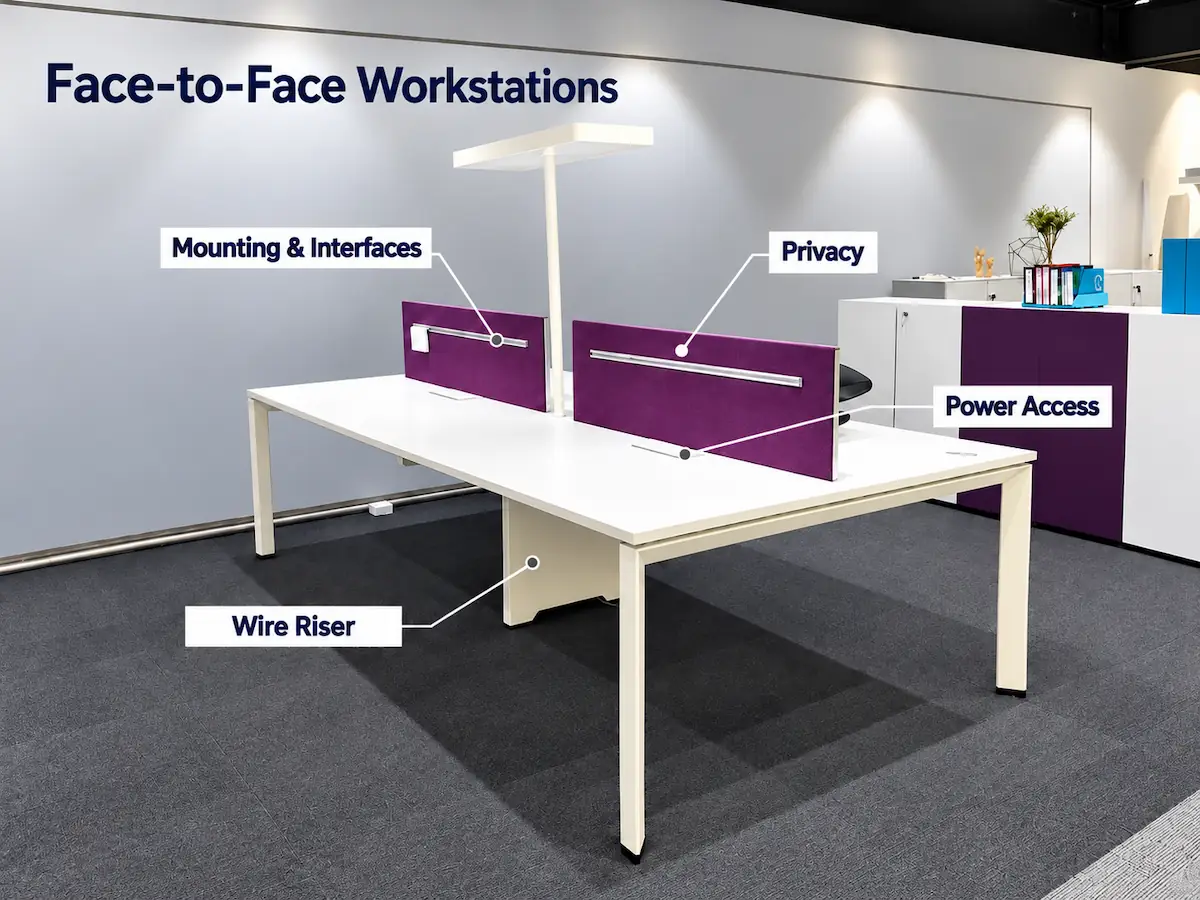
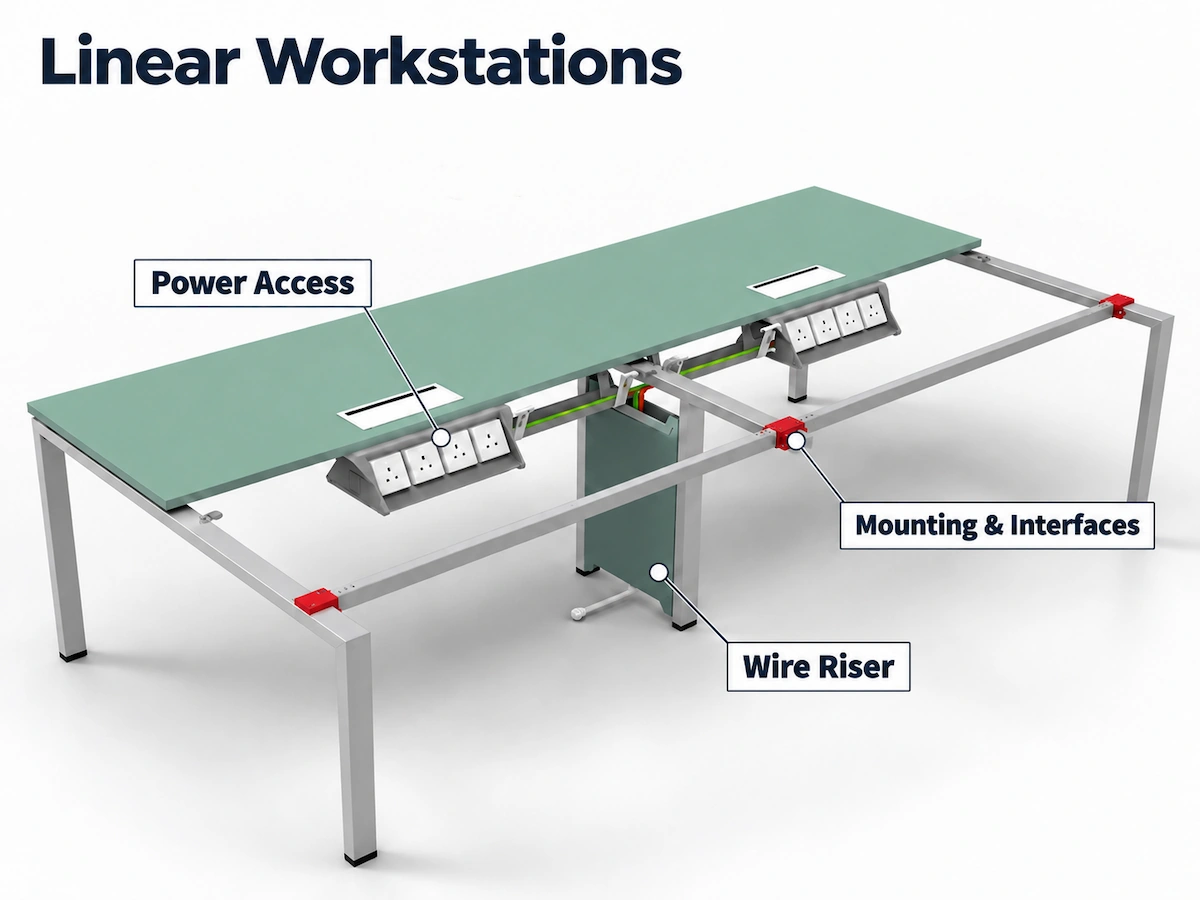
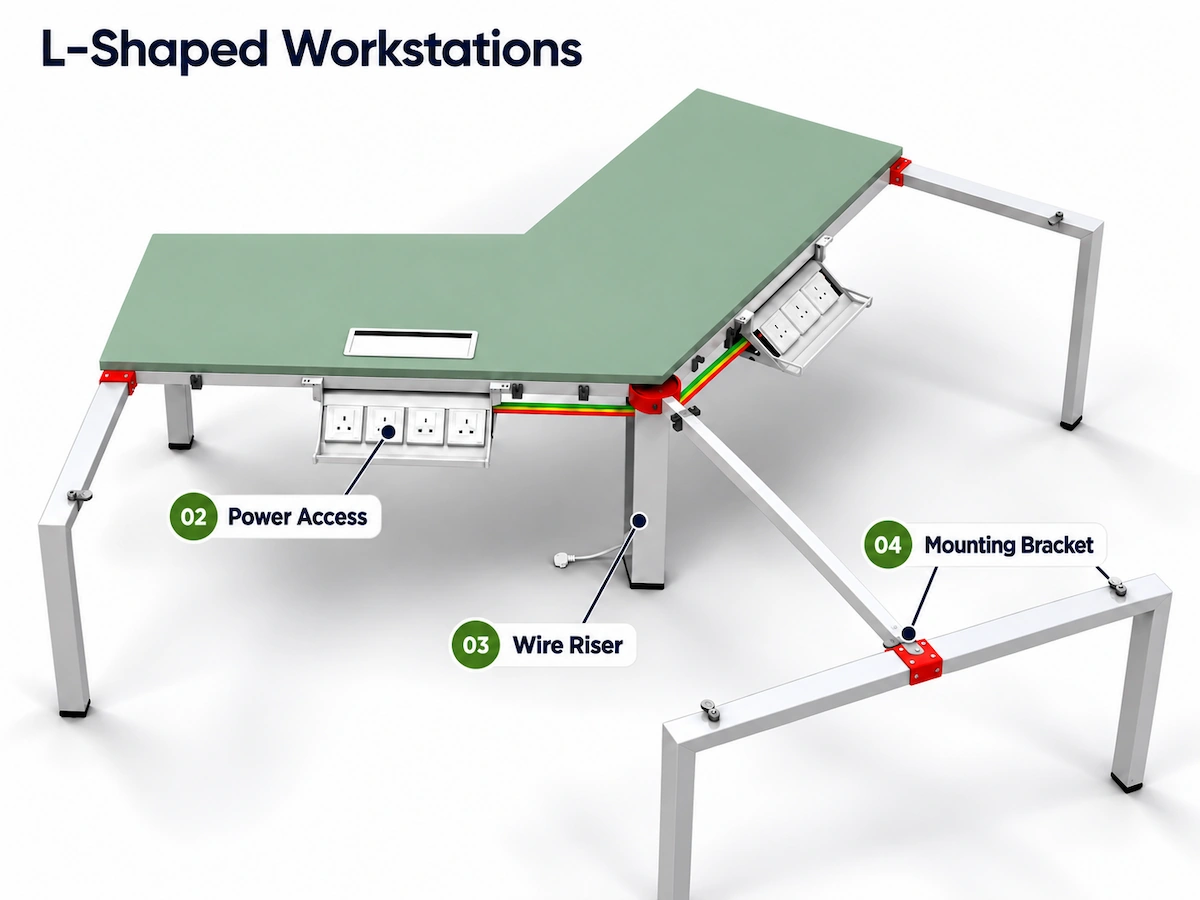
| Accessory Job | Face-to-Face Workstations | Linear Workstations | L-Shaped, 120° & Complex Workstations |
|---|---|---|---|
| Privacy | Screens separate opposing work areas within the shared arrangement. | Screens define repeated work positions along the continuous workstation run. | Screen placement follows the orientation of each work area. |
| Cable Management | A shared under-desk cable route serves the opposing work positions. | Longitudinal cable routing follows the workstation run. | Cable routes connect multiple directions, returns or workstation sections. |
| Power Access | Power access is coordinated across the shared workstation system. | Power access is distributed along the repeated work positions. | Multiple power zones are planned around the different work areas. |
| Interface Considerations | Accessories are coordinated with the shared frame and worksurface interface. | Accessory placement is aligned with the frame layout and worksurface joints. | Corners, returns and connection points require additional coordination. |
Desk Screen Materials & Options
Our workstation desk screens are available in a range of materials and thicknesses to suit different office environments, privacy requirements and design preferences.
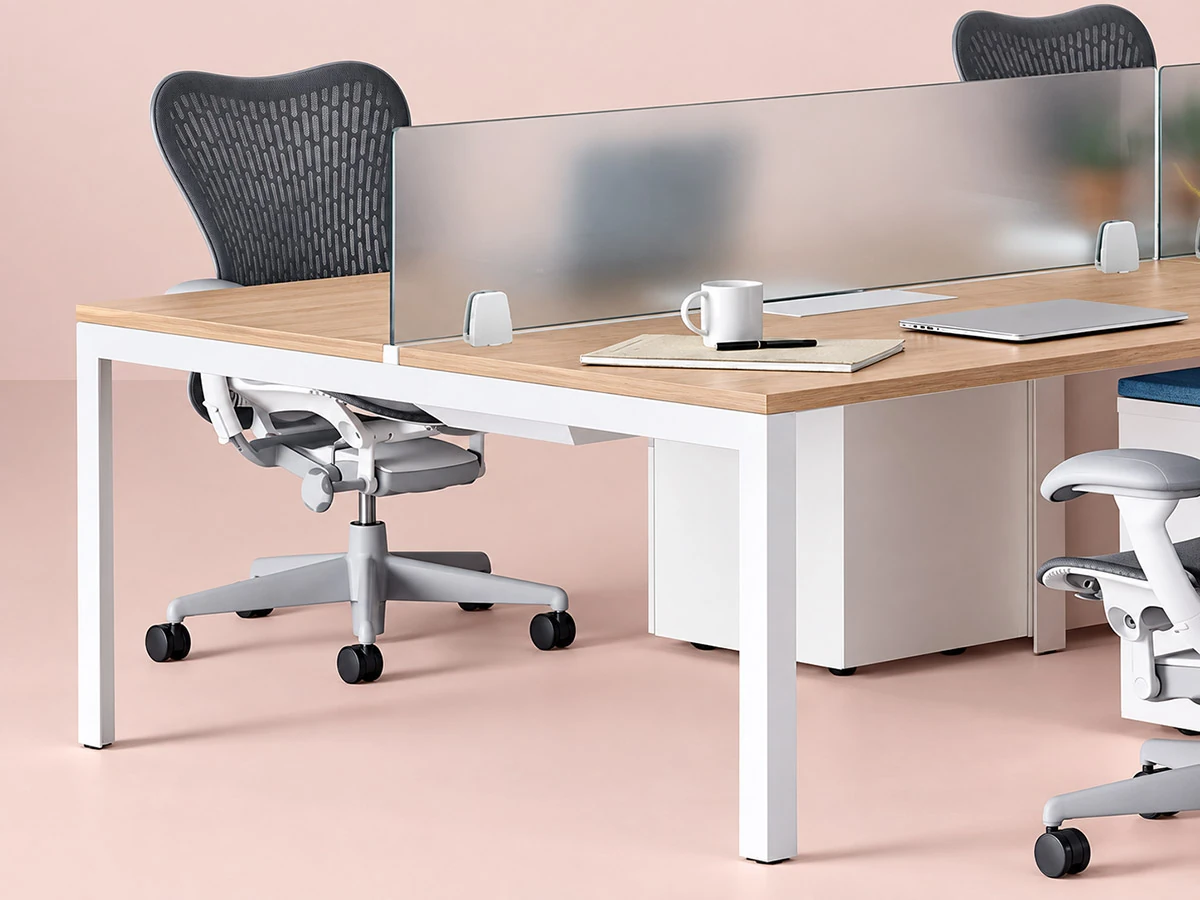
Acrylic Desk Screen
Standard thicknesses are 5 mm or 8 mm. Acrylic screens are available in a range of colours and are secured to the tabletop with screen clamps.
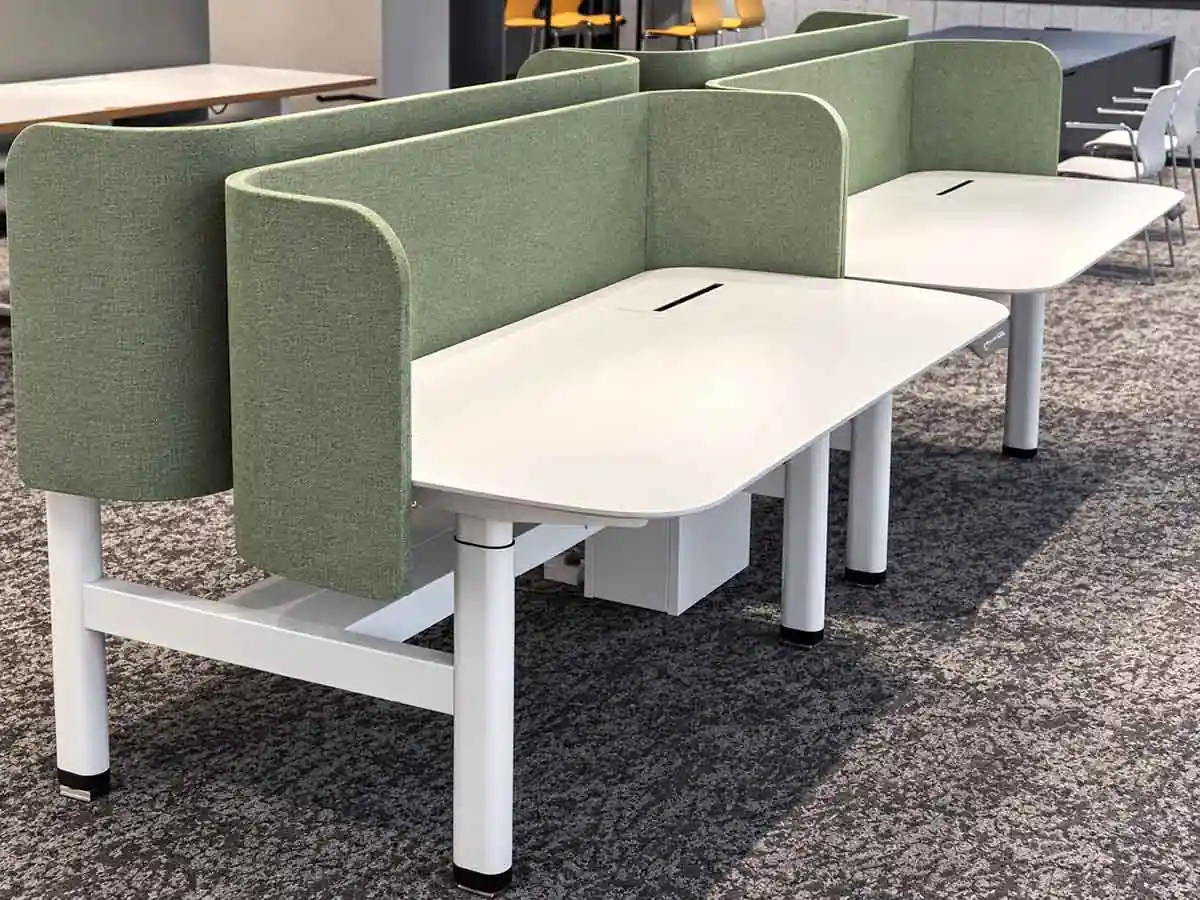
Frameless Fabric Desk Screen
Built with a 16 mm MDF core and upholstered with fabric on both sides. Available in a range of lengths and colour options.
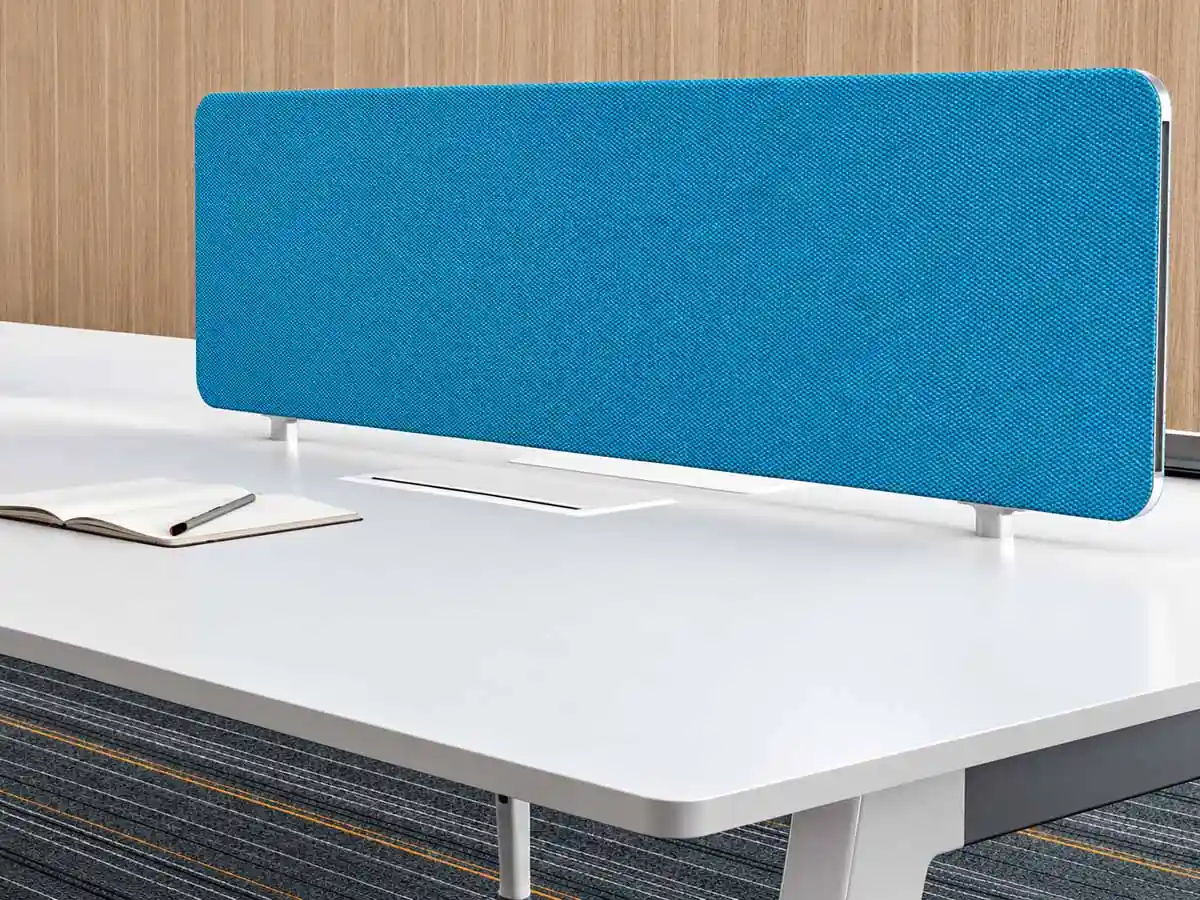
Fabric-Wrapped Steel Desk Screen
Constructed with steel panels on both sides and upholstered in fabric. The steel construction also allows magnetic accessories to be attached to the screen. Standard thickness is 16 mm.

Melamine Desk Screen
Standard thicknesses are 9 mm or 12 mm. Colours and sizes can be customised, making this a practical and cost-effective desk screen option.

PET Desk Screen
PET desk screens are 9 mm thick and can be supplied in different colours, sizes and shapes.
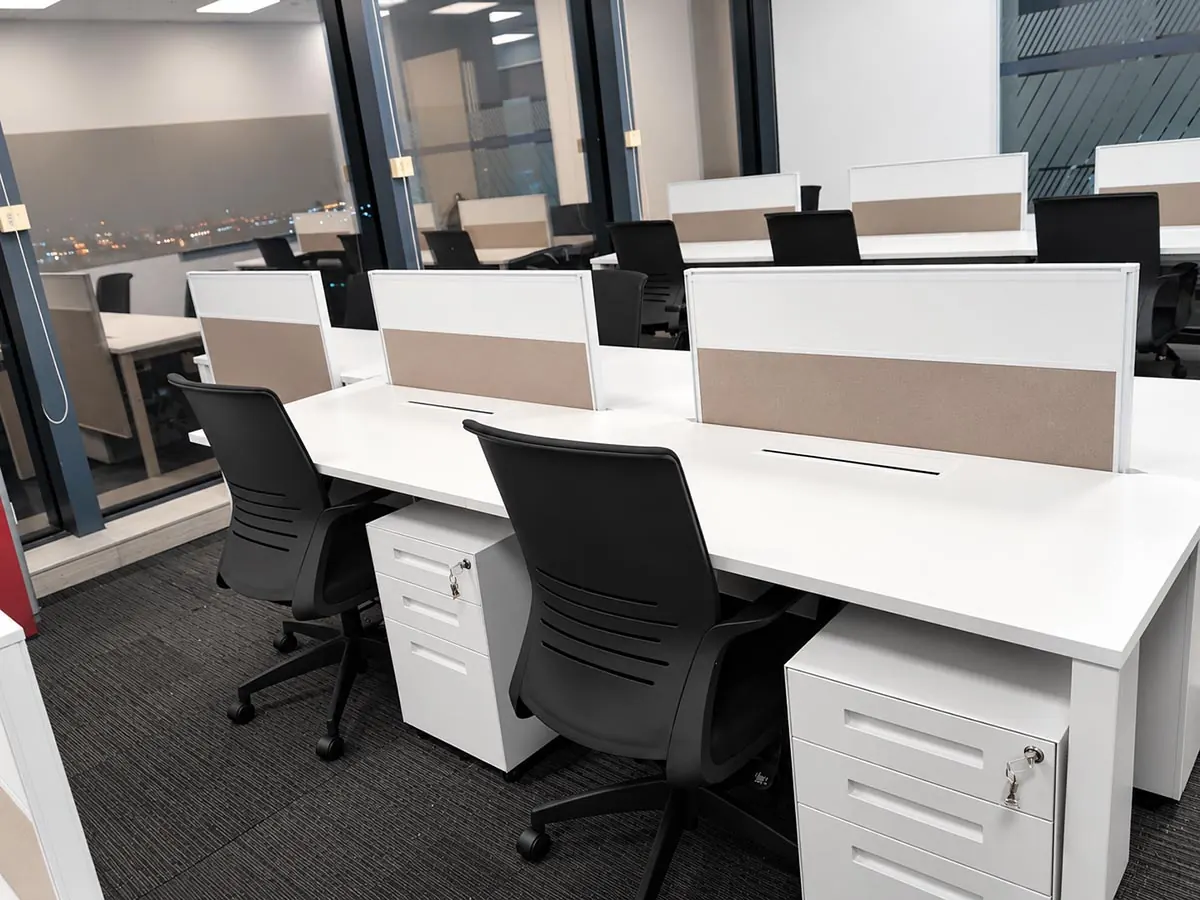
30T Panel-Based Desk Screen
A traditional 30 mm panel-based desk screen that can combine different materials to create a variety of visual styles.
Cable Management Accessories
Our workstation cable management range includes wire risers, cable access flaps, metal trunking and cable trays, available in a range of sizes, designs and configurations.
Browse each category to compare the available options and select the components that best fit your workstation and project requirements.
- Wire Risers
- Cable Access Flaps
- Cable Trays
- Clips
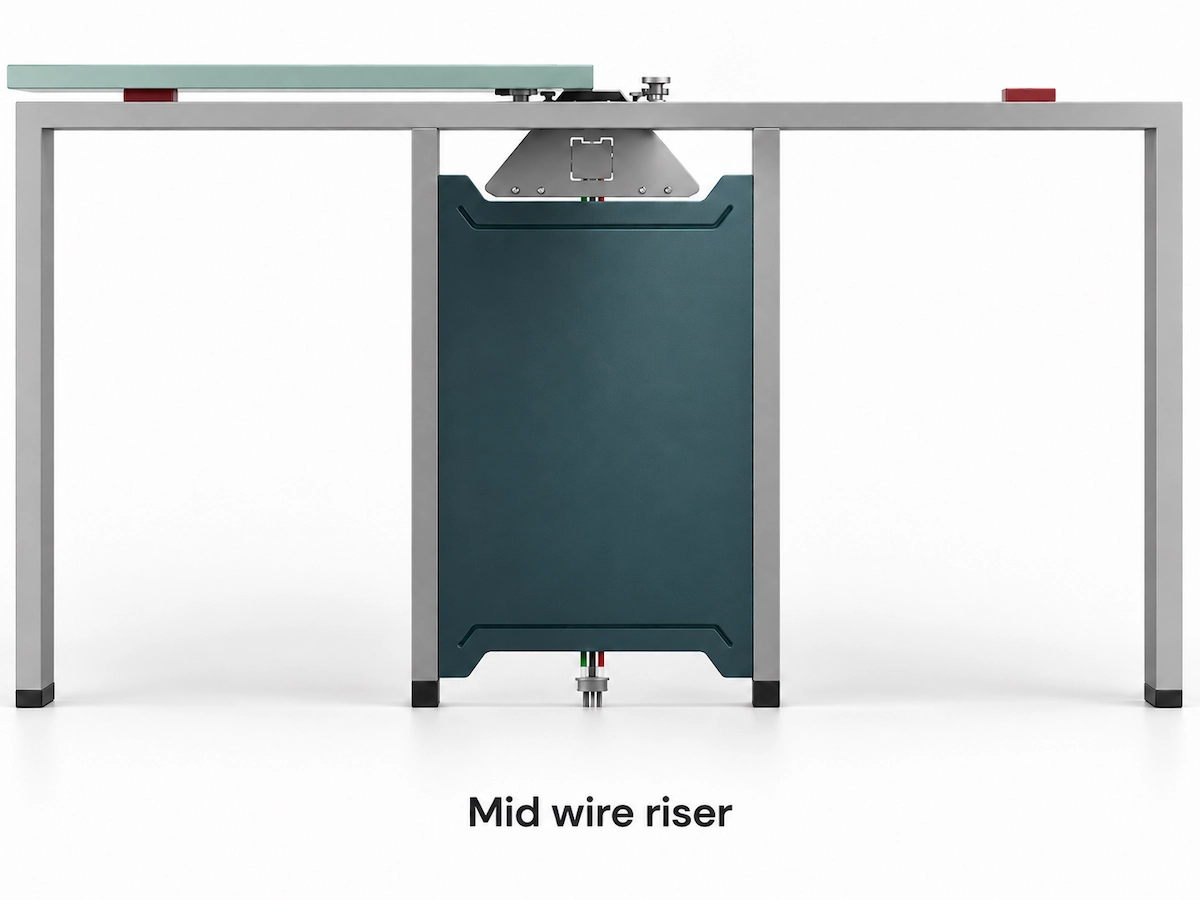
Mid wire riser available in 380, 480 and 580 mm depths.
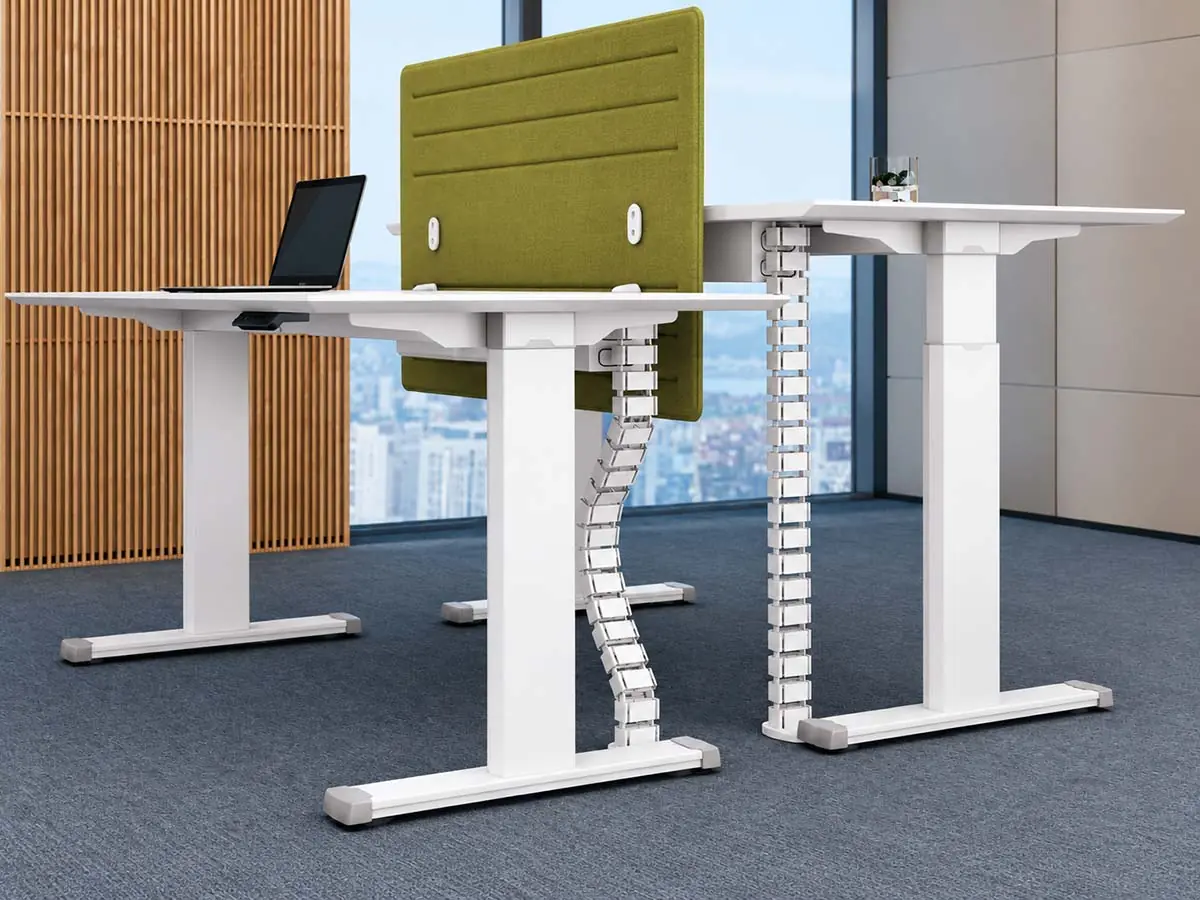
ABS Cable Spine
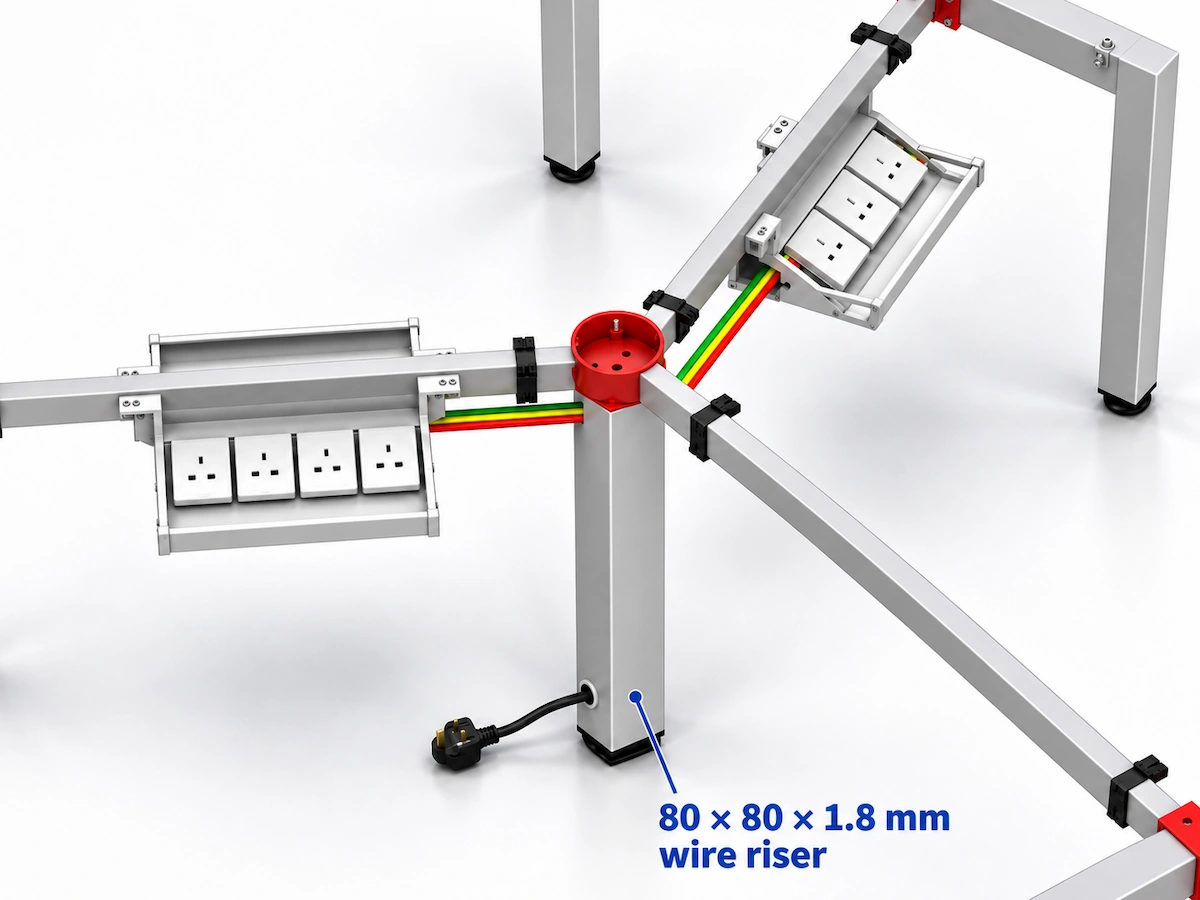
Three standard wire riser models are available.
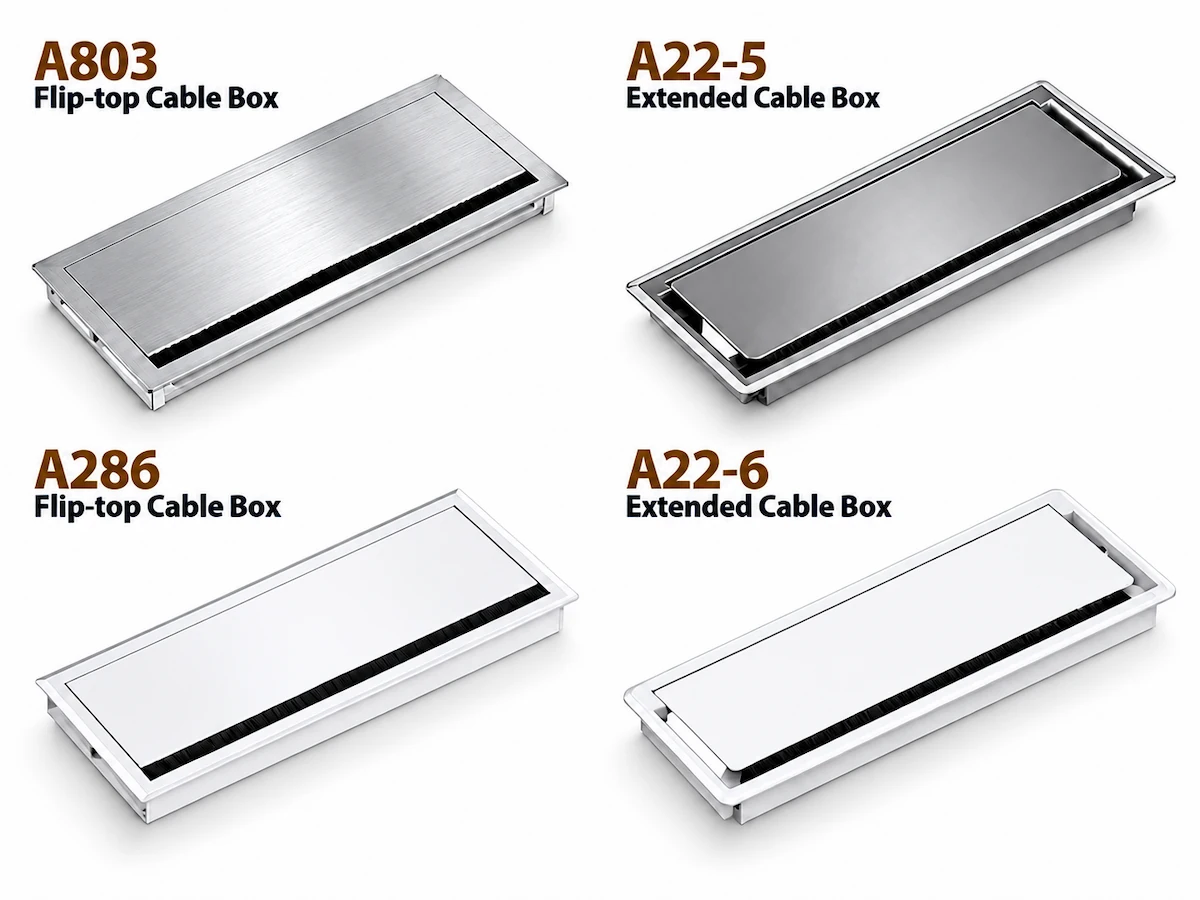
| Item | Specification |
|---|---|
| Material | Aluminum Alloy |
| Standard Colours | Silver / Brushed Silver / Brushed Black |
| Specification | 320 / 420 × 150 × 26 mm |
| Hole Size | 308 / 408 × 138 mm (Rounded R3) |
| Standard Configuration | Length — Standard Sizes Only |
| Packing Standard | 30 pcs / carton |
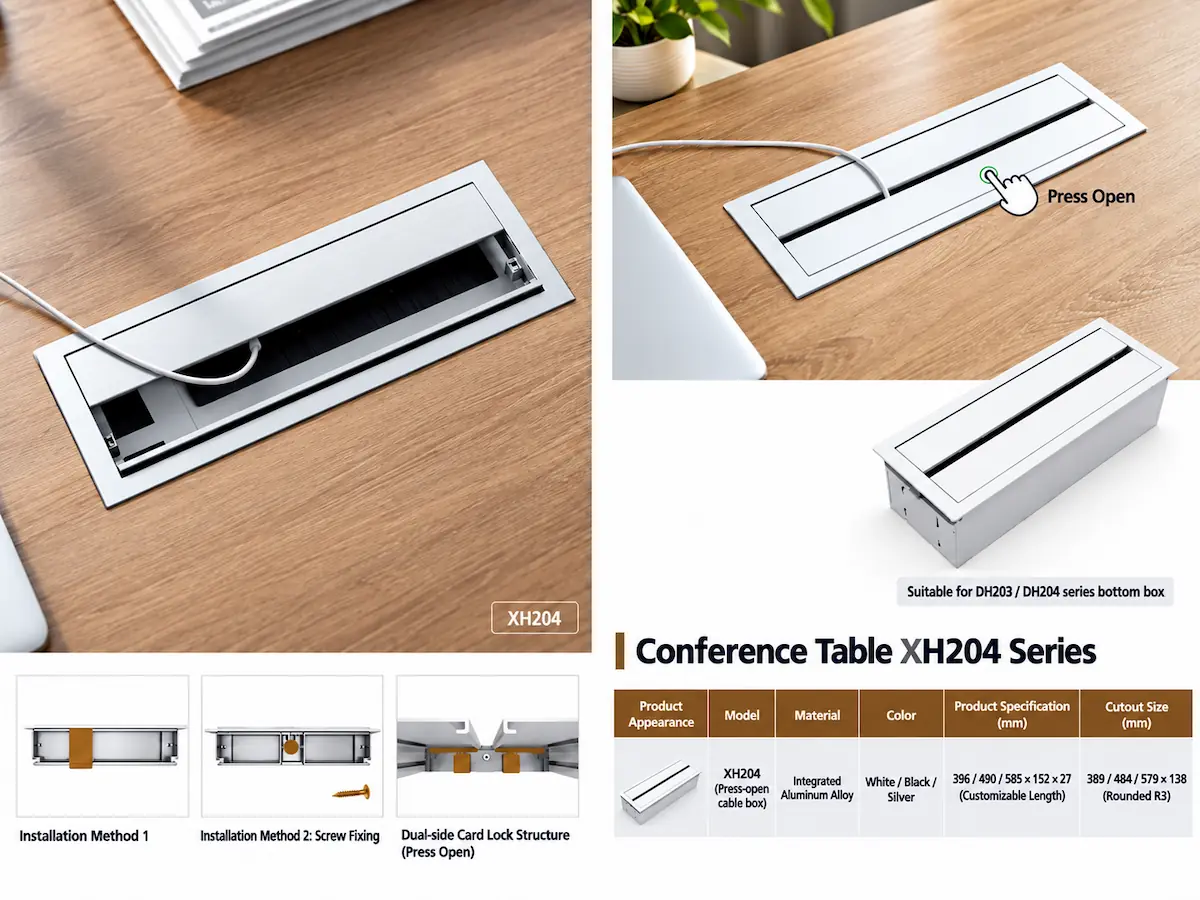
Around 25 cable access flap models are available for meeting tables.
Colours and sizes can be customised. Custom designs can also be produced based on customer drawings.
Model: QX1541
Model: GX101A
Workstation Power & Socket Options
Our workstation power range includes a variety of embedded, desk-mounted and integrated socket solutions for different workstation layouts and project requirements. Selected power models are supported by EMC and LVD test documentation. Additional power options are available across the range, with socket type, mounting method and documentation confirmed according to project requirements.
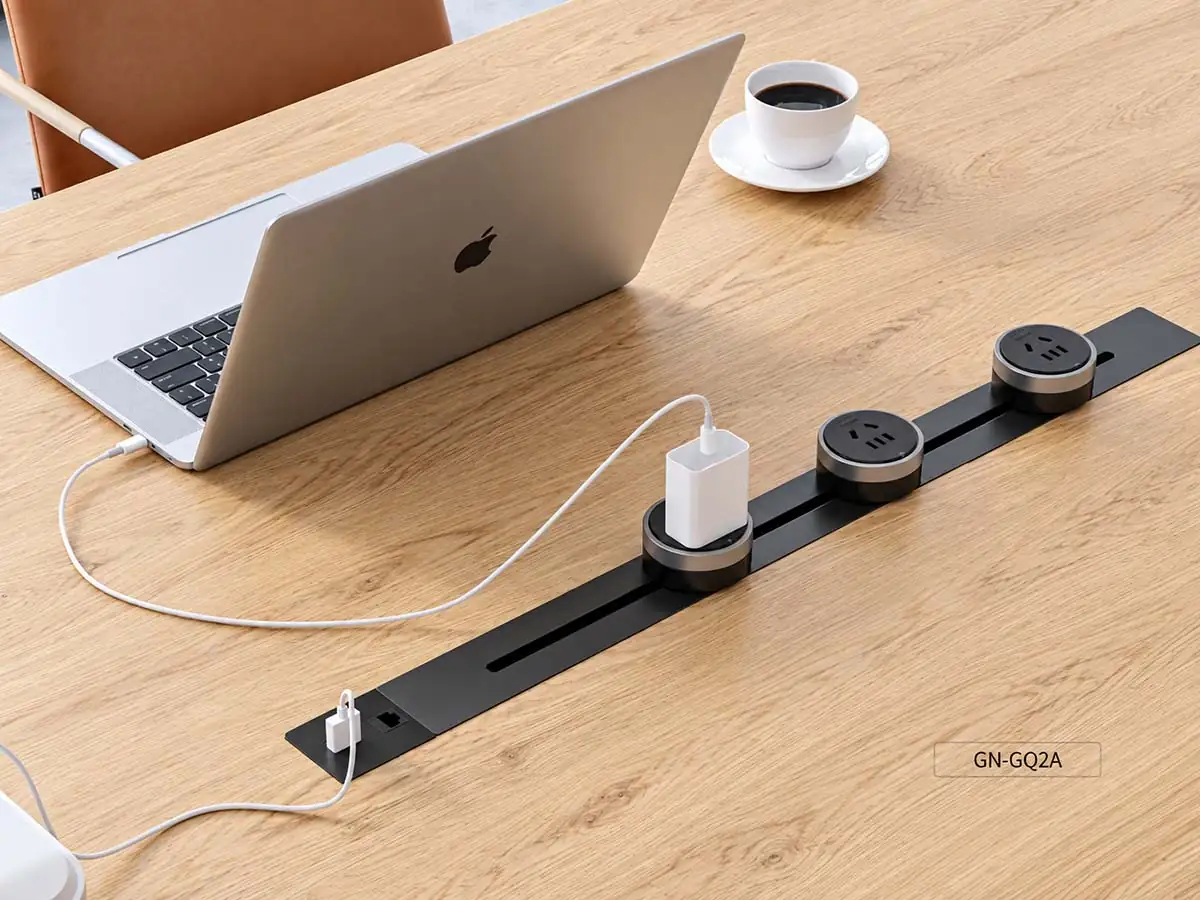
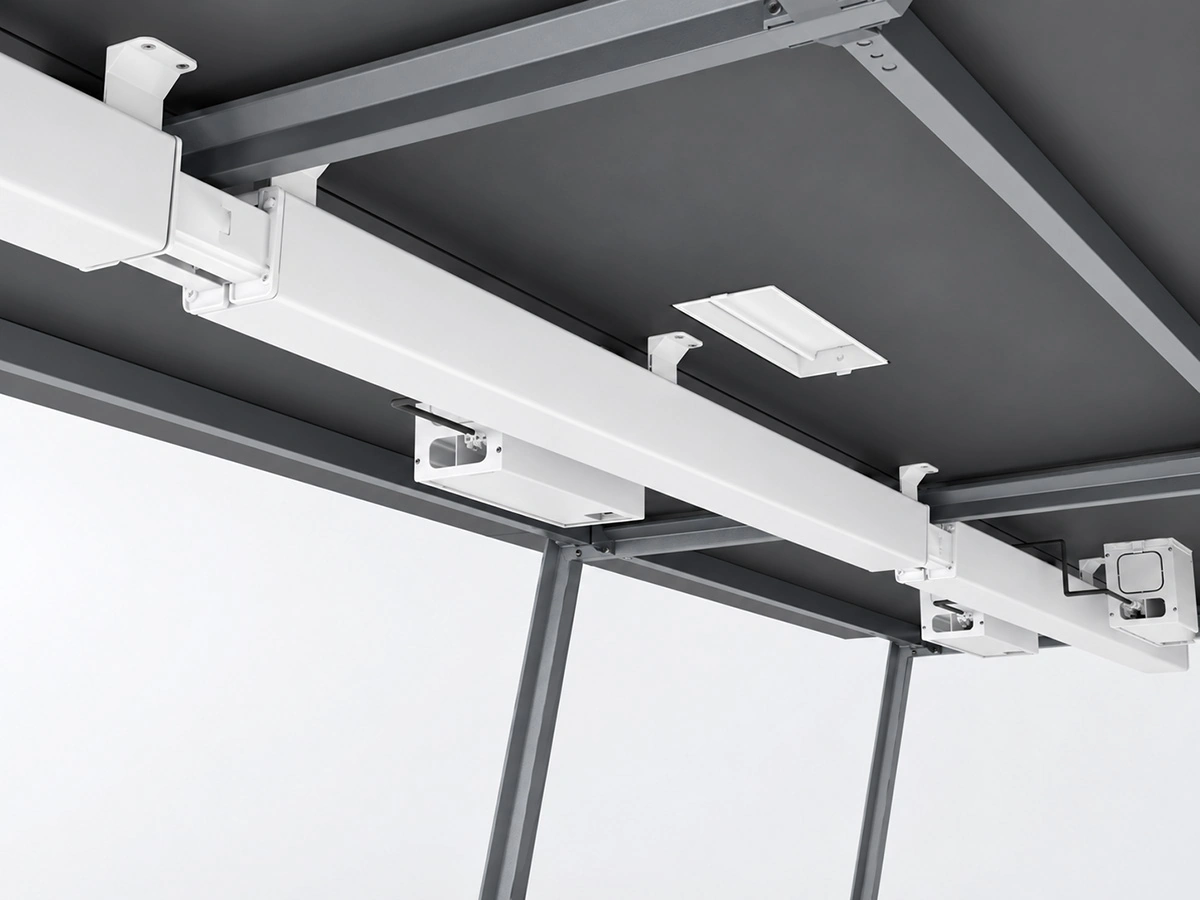
Power Rail System with
EMC + LVD certificate
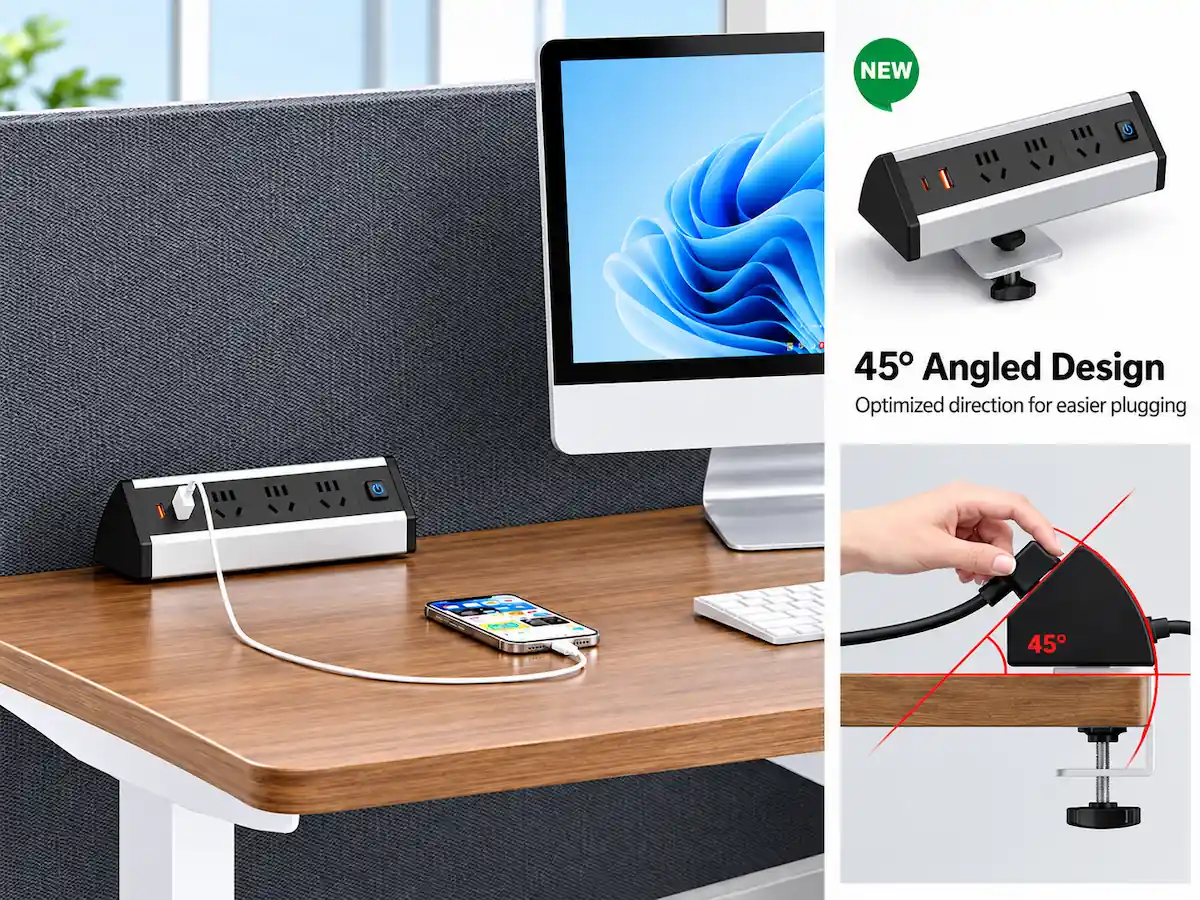
Clamp-Mounted Power Socket
EMC + LVD certificate
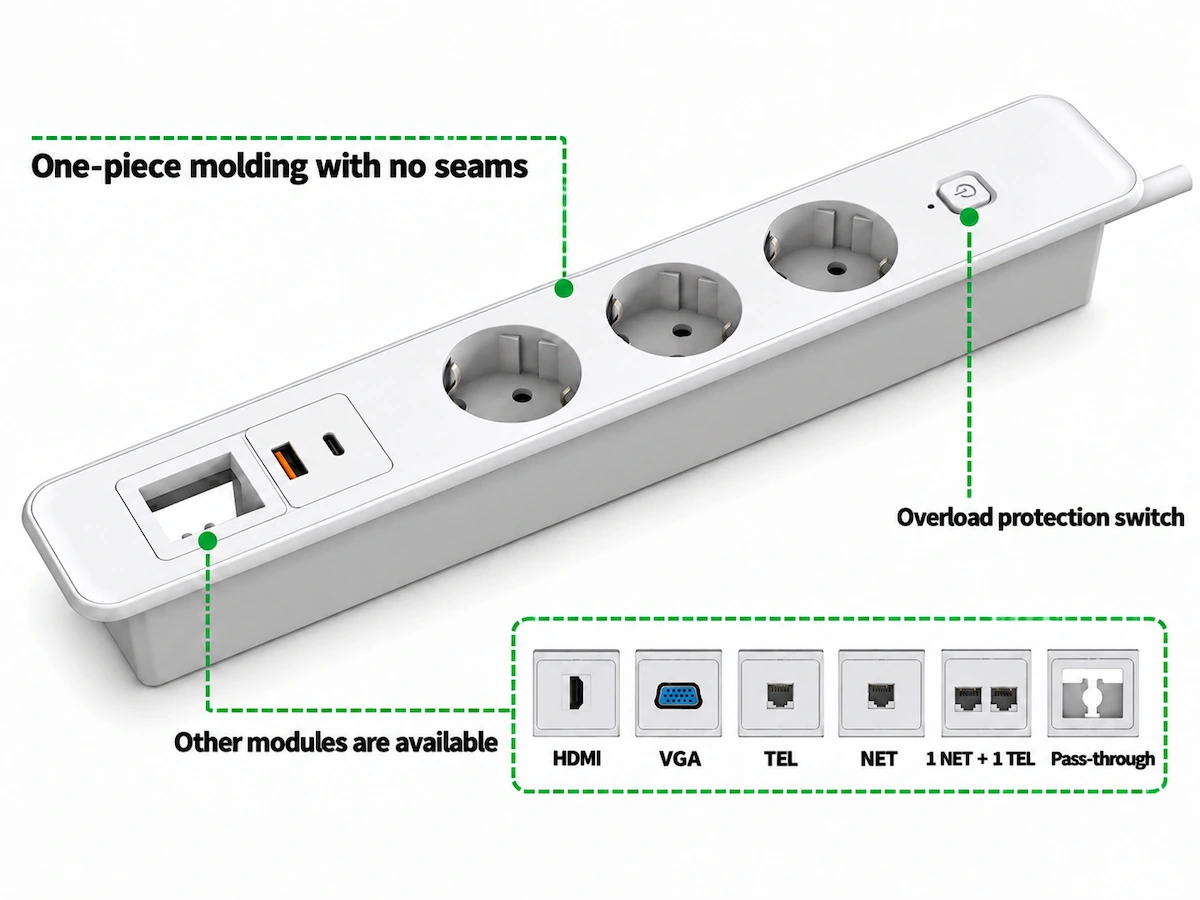
Embedded Power Socket
EMC + LVD certificate
Hardware and Spare Parts Support for Your Project
Workstation support includes the hardware required for assembly and installation, together with spare and replacement components for on-site support and future maintenance.
Request a Workstation Accessory Quotation
For a workstation accessory quotation, send us the project details and requirements currently available.
Workstation & Project Information
- Workstation configuration or layout
- Selected desk frame or workstation series, if known
- Tabletop dimensions or project drawings, if available
- Number of workstations or overall project quantity
Selected Accessories
- Preferred product or model, if already selected
- Preferred desk screen type, material, size and colour
- Selected cable trays, metal trunking, wire risers or cable access flaps
- Selected power socket or power module, if known
- Any other workstation accessories required for the project
Power & Market Requirements
- Destination market
- Required socket type
- Preferred AC, USB-A or USB-C configuration, where applicable
- Project-specific certification or electrical requirements, if any
Quantity & Project Requirements
- Quantity required for each accessory
- Colour, size or finish requirements
- Project-specific spare-parts requirements, if any
- Complete workstation package or individual component sourcing, where applicable
You do not need to confirm every detail before contacting us. Send the information you have, and our team will clarify the remaining requirements before preparing the quotation.