
FIND YOUR CONFIGURATION
Is a Linear Workstation Right for Your Project?
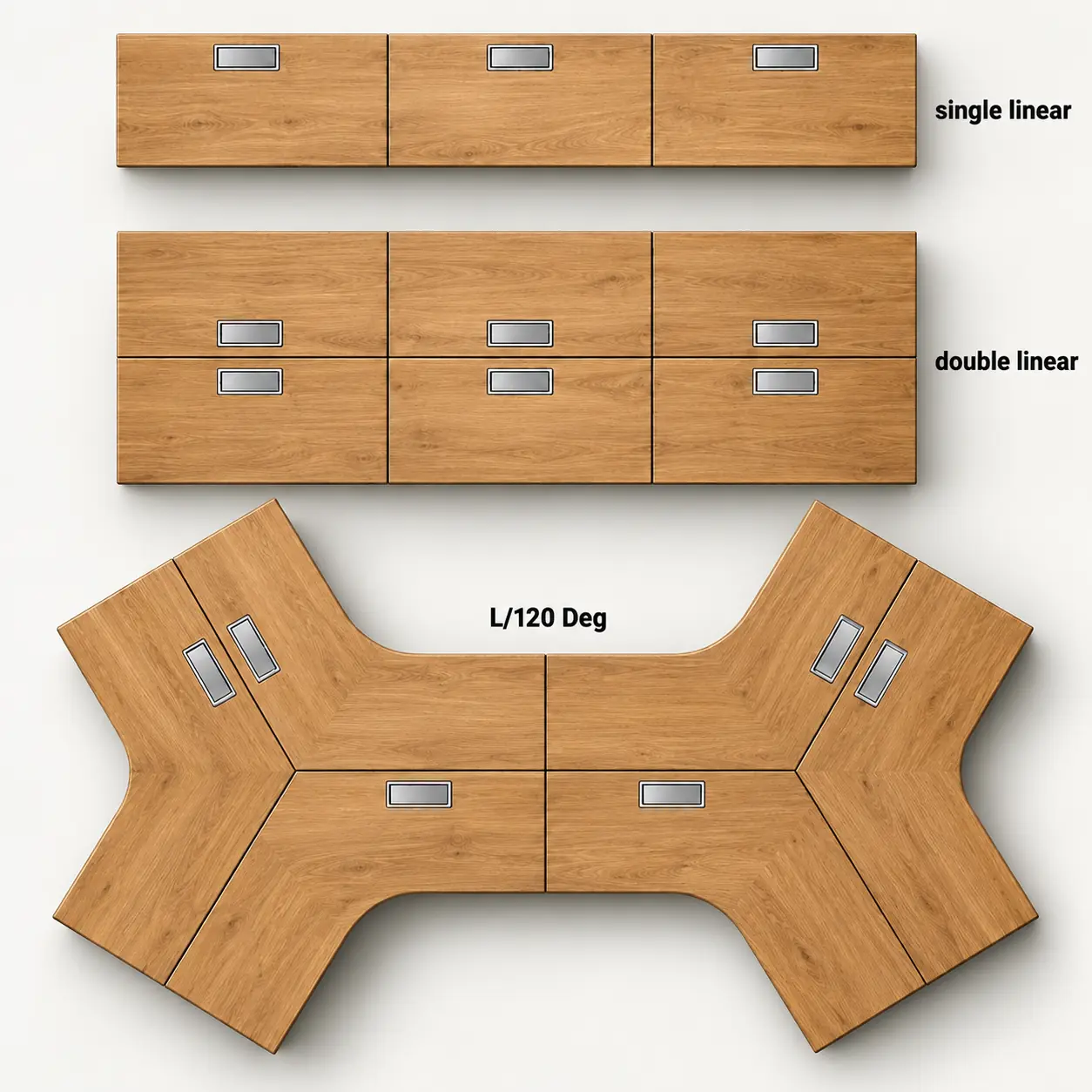
Linear workstations are arranged in a straight line. Depending on the project layout, they may be configured as a single-sided run or as two parallel rows with users seated on opposite sides.
Common workstation layouts include:
Linear Workstation
Work positions are arranged in straight runs. Depending on the project layout, the workstation may be configured as a single-sided run or as two parallel rows.
A linear run can accommodate 2, 3, 4, 6 or more users, depending on the project requirements.
The number of users and overall run length are determined by the project layout.
Continue with Linear Workstations
Face-to-Face / Back-to-Back Workstation
Two linear workstation rows are arranged in parallel, with users seated on opposite sides.
This layout typically uses a shared workstation frame structure, together with shared system components such as desk screens and metal cable trunking.
Explore Face-to-Face Workstations
L-Shaped or 120° Workstation
Other layouts include L-shaped and 120° workstation configurations, where work positions do not follow a straight-line arrangement.
Explore Complex Workstation Configurations
Continue with a Linear Layout
If your project uses a linear workstation layout, the next step is to confirm the number of work positions and the approximate run dimensions.
Continue to User Count & Run Length
CONFIRM YOUR LINEAR RUN
How Is the Linear Run Defined in Your Project Layout?
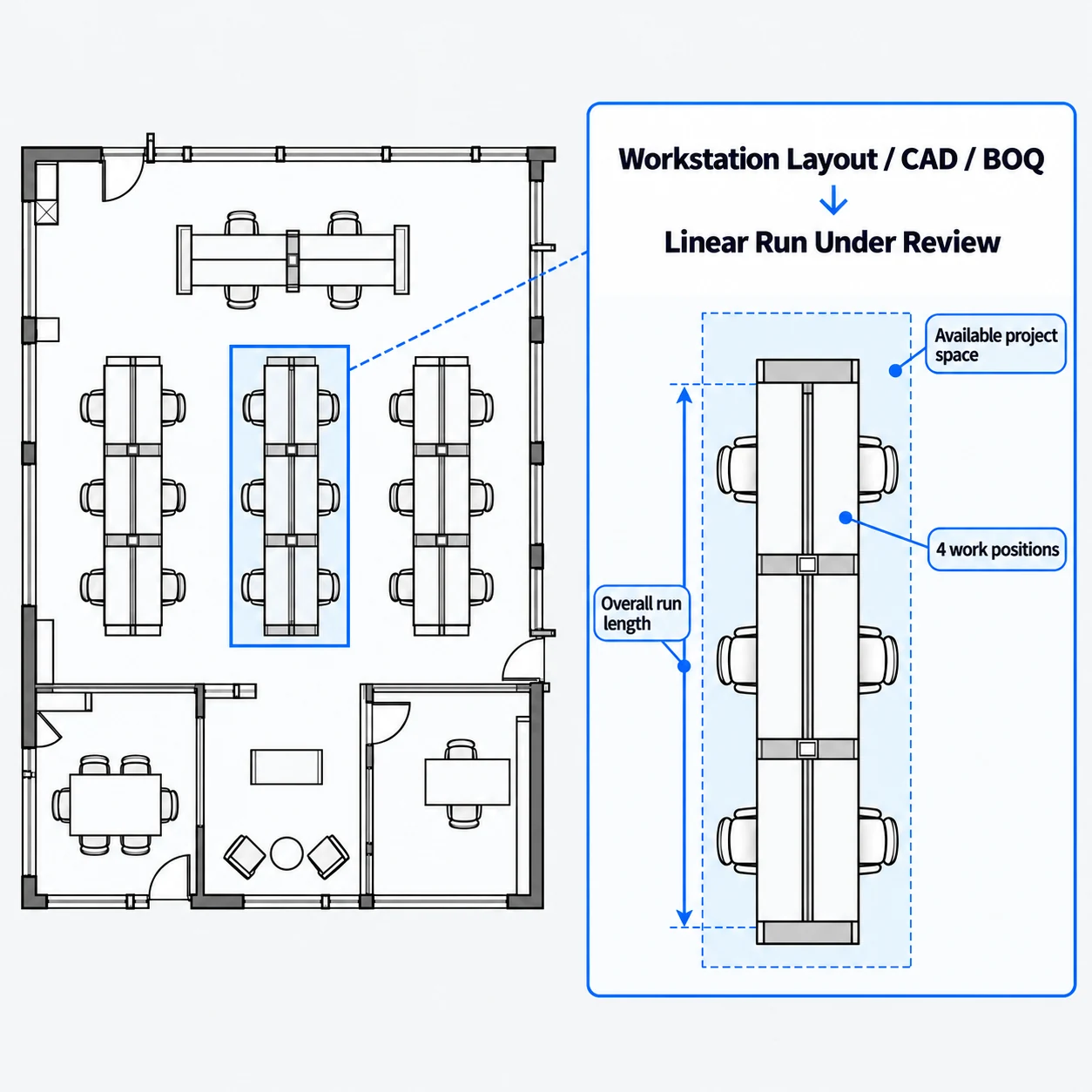
In most projects, the workstation layout has already been planned by the designer or project team. Onmuse reviews the existing layout based on the floor plan, workstation layout, CAD drawings or BOQ provided by the customer.
Linear Run Scale
2-Person → 3-Person → 4-Person → 6-Person → Other Project Scale
These are common project configurations, not fixed limits. The number of users and the scale of the run are determined by the project layout.
Confirm the Run from Your Project Drawings
Number of Work Positions
Check that the number and configuration of work positions shown in the workstation layout, CAD drawings and BOQ are consistent.
Overall Run Length
Confirm the overall length of the linear workstation or the planned available dimensions shown in the project drawings.
Run Layout and Project Space
Review the straight-line arrangement of the work positions and the available space shown in the drawings that is relevant to the desk frame configuration.
Onmuse reviews the desk frame system based on the customer-approved project layout. If any changes to the frame structure, accessories or component configuration are needed, they will be proposed during the structural and system review and implemented only after customer approval.
Continue to Workstation System Coordination
COORDINATE THE WORKSTATION SYSTEM
What Needs to Be Coordinated Across the Linear Run?
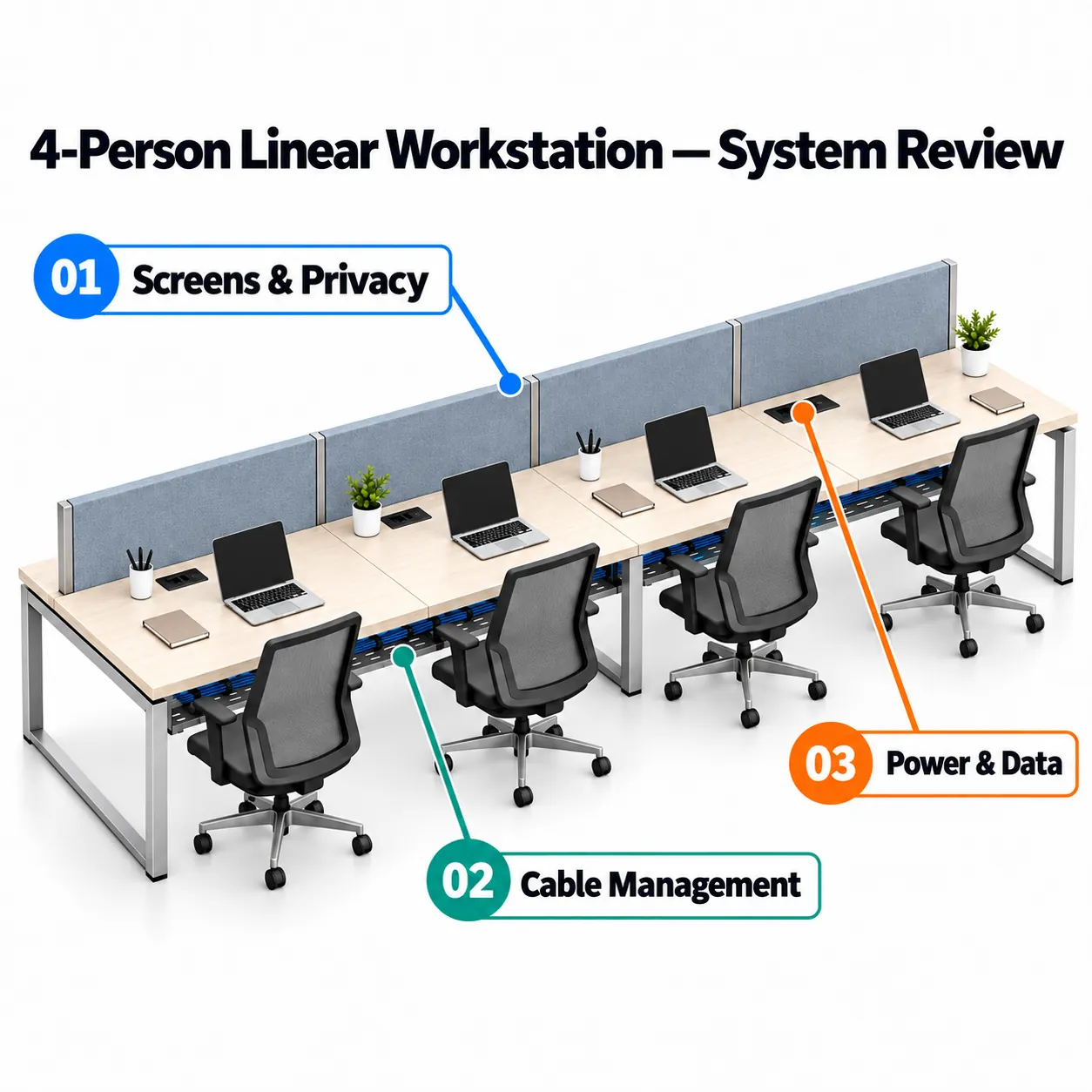
When we receive the customer's floor plan or BOQ, we check that the quantities are consistent across the project documents. We also review the requirements for desk screens, cable management, power and data.
Screens & Privacy
Confirm how the desk screens will be installed, whether they are mounted to the worktop or to the desk frame beam, and check the required screen length, height and material.
If the screens are mounted to the worktop, we also confirm whether the worktop can be drilled and review the required mounting method.
Cable Management
Review the cable-management requirements shown in the project layout or BOQ and how the cables will be routed along the workstation run.
Based on the workstation layout and project requirements, confirm whether steel cable trays or plastic trunking will be used and check that the specified lengths are suitable to help avoid exposed cabling.
Power & Data
Confirm the required socket and plug types with the customer, such as UK or EU plug types, together with the required power-cable length.
Our standard power cable length is 1.8 m. Other lengths can be supplied according to project requirements.
Coordinate the Complete Run
Desk screens, cable management, power and data are reviewed together with the complete workstation configuration to ensure that the components are compatible and can be installed as intended.
Continue to Frame Directions
REVIEW REPRESENTATIVE FRAME DIRECTIONS
What Frame Materials and Structures Are Available for Linear Workstations?
Onmuse offers a range of frame materials and construction options for linear workstations. Common choices include steel, aluminium, steel-aluminium hybrid construction, and die-cast leg systems.
Steel Frames
Rectangular Steel Tube Frames
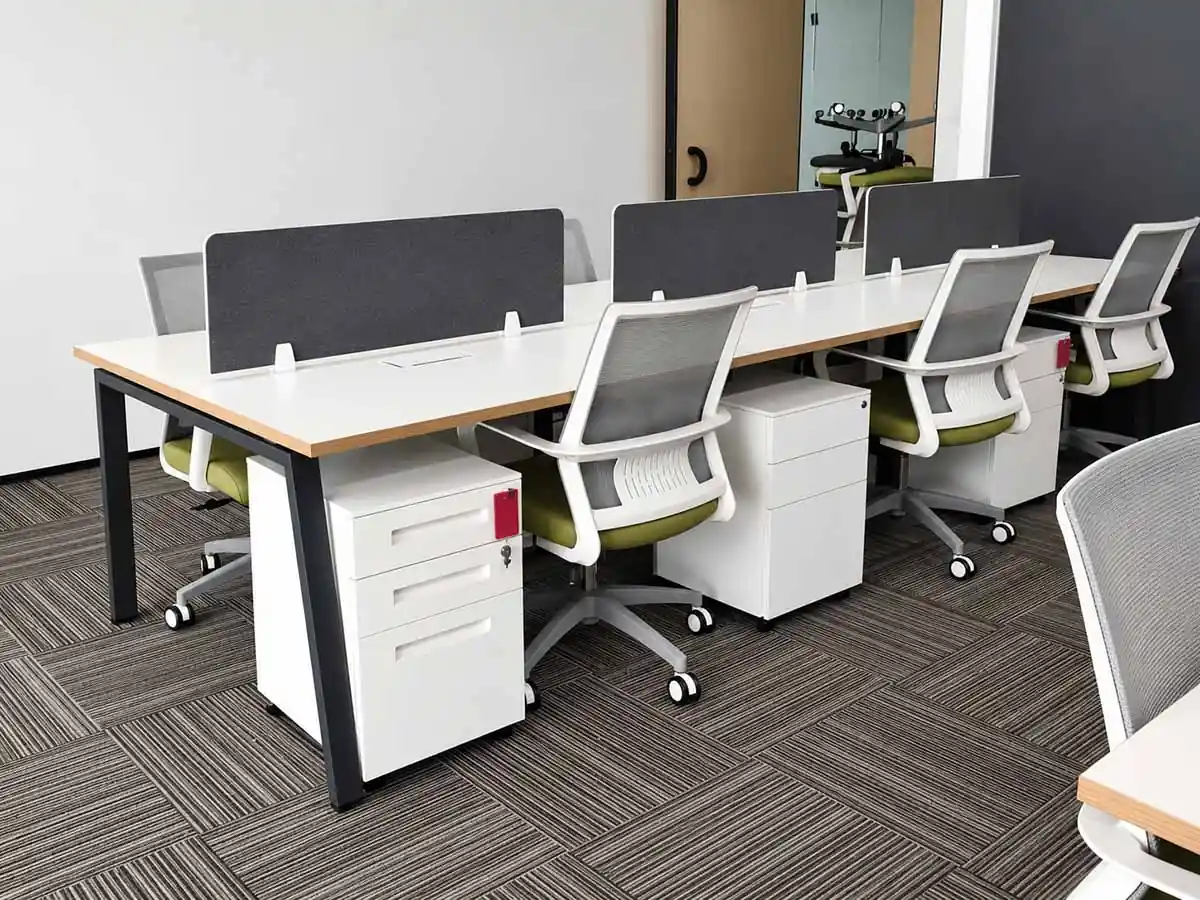
Rectangular steel tubes are welded and ground to form the desk frame structure and can be used for linear workstations.
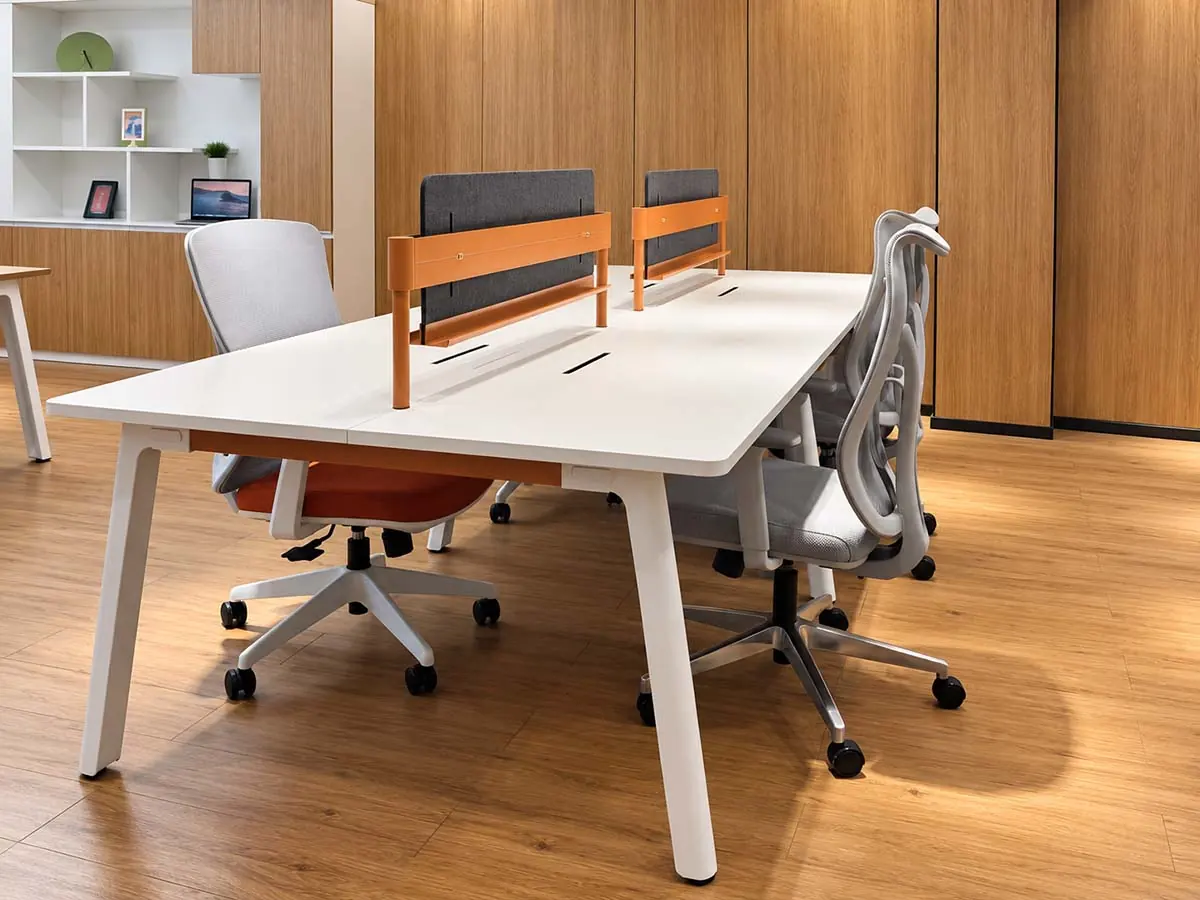
Formed Steel Plate Frames
Steel plate is cut, stamped, formed and welded to create the desk legs and frame structure.
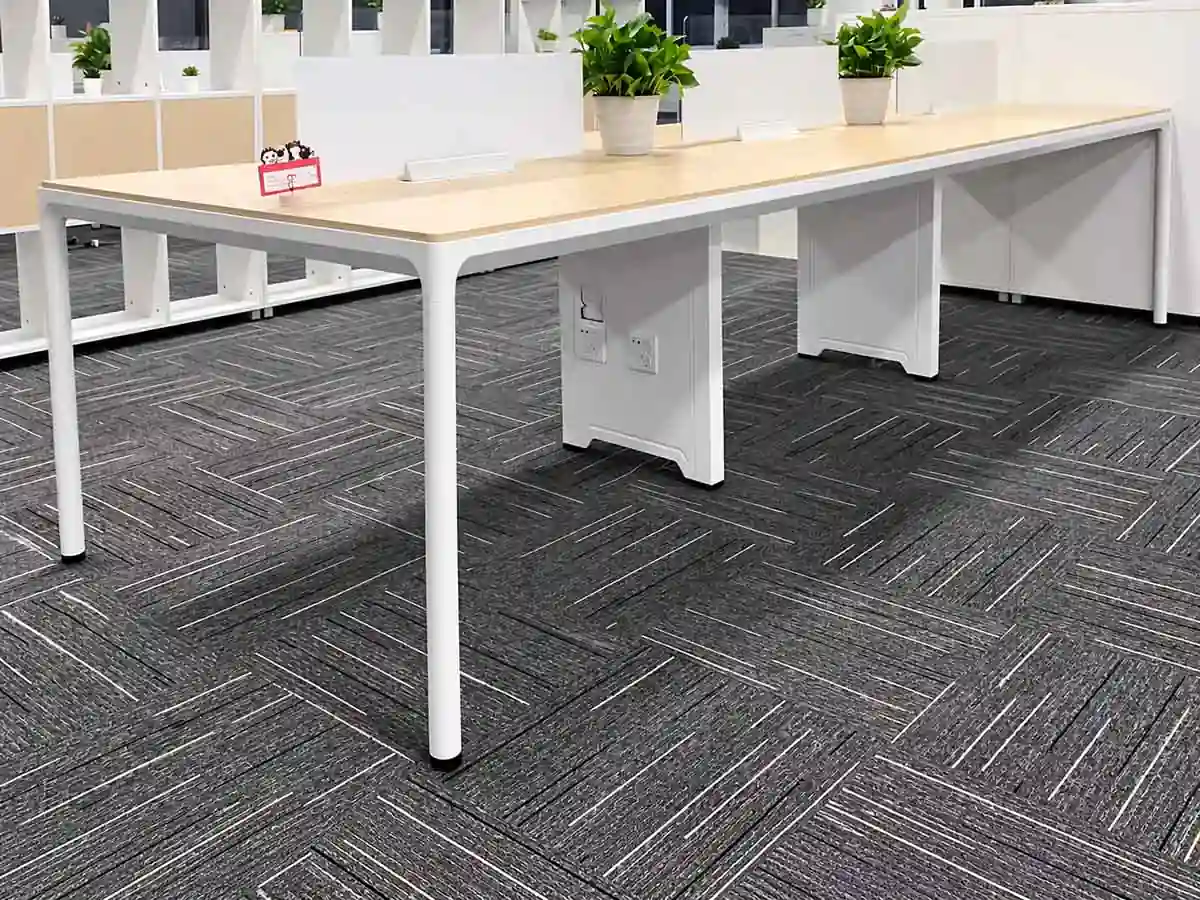
Steel-Aluminium Hybrid Frames
A mixed-material frame combining round steel legs with 6063 aluminium beams.
View England
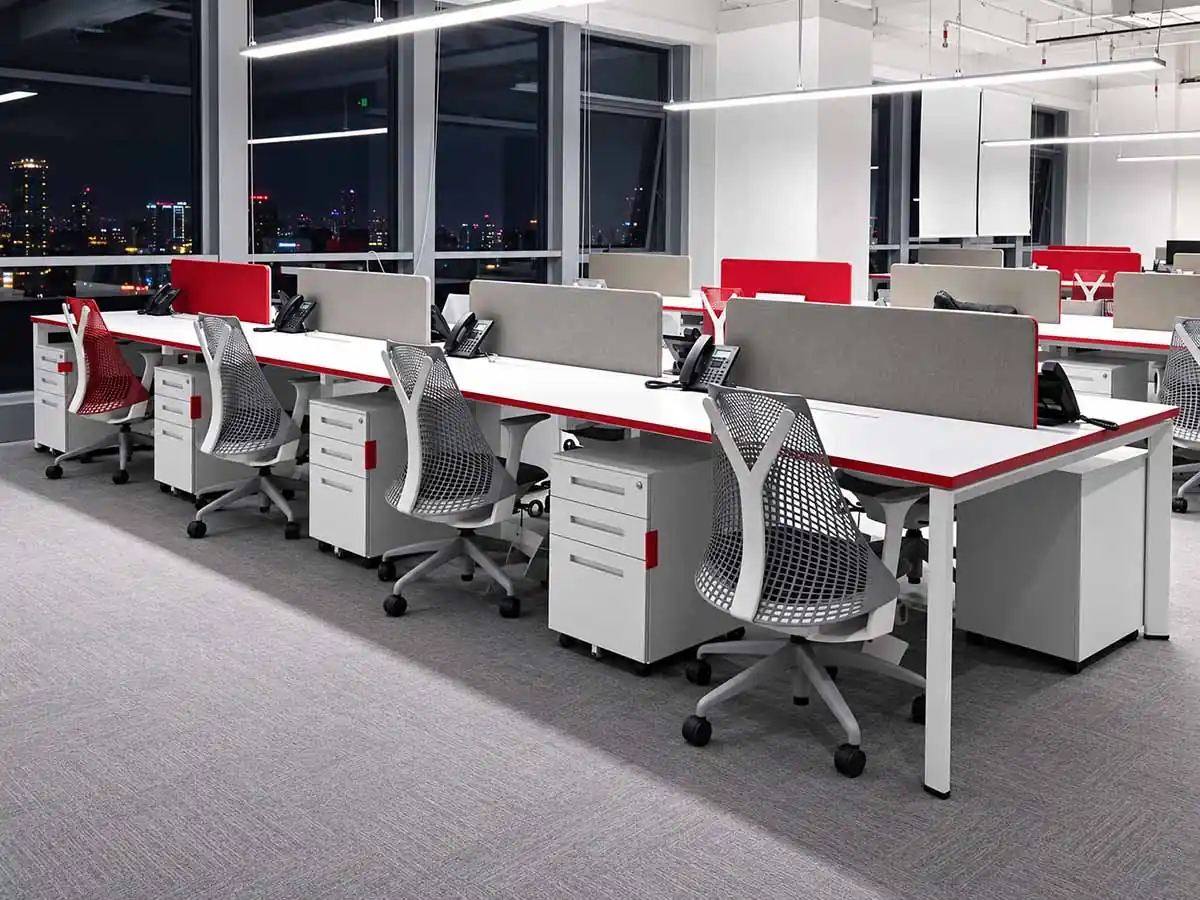
Profiled Steel Tube Frames
Profiled steel tubes are welded and ground to create a different frame profile from standard rectangular steel tube construction.
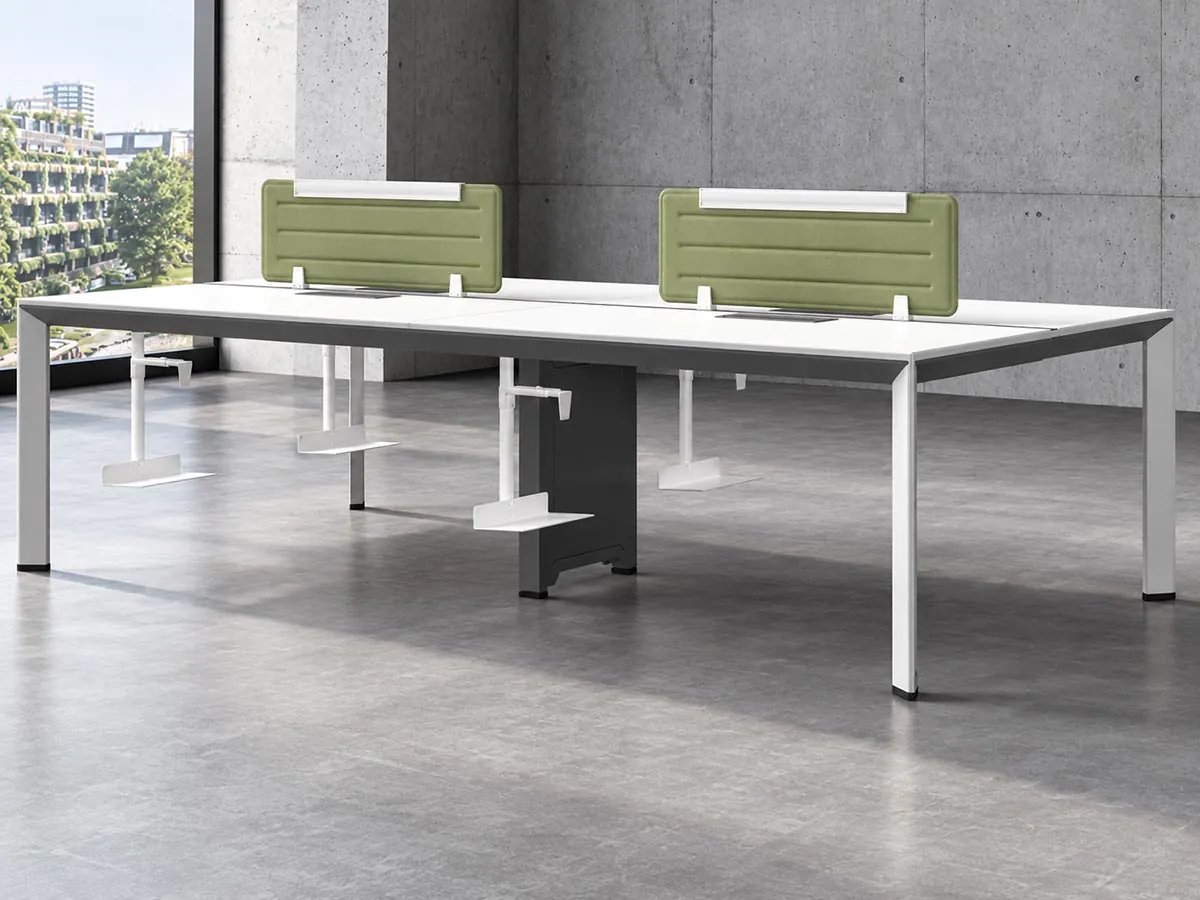
Aluminium Frames
A frame system using 6063 aluminium legs and beams with die-cast connectors.

Die-Cast Leg Frames
A frame system using 6063 die-cast legs, die-cast connectors and steel beams.
Different frame materials and constructions can be reviewed further based on the project layout, appearance requirements and specific configuration.
Continue to Technical Fit & Validation
TECHNICAL REVIEW
What Needs to Be Confirmed Before You Move Forward?
Once you have shortlisted one or more frame options, Onmuse reviews them against your project drawings, BOQ and technical requirements. The table below shows what we need from your project, what still needs to be checked and where to go next.
| Review Area | What You Provide | What We Check | Next Step |
|---|---|---|---|
| Sizing & Support | User count, linear run arrangement and planned dimensions. | Frame dimensions, support requirements and positions, spans and clearances for each shortlisted option. | Review Sizing & Support |
| Tabletop & Mounting | Tabletop dimensions, layout and any mounting requirements already specified. | Tabletop-to-frame interfaces, product-specific mounting details and compatibility. | Review Tabletop & Mounting |
| Stability, Leveling & Load | Intended application and any stated performance or load requirements. | Available product-specific stability and leveling information, plus any load-related requirements that need further review. | Review Stability & Leveling |
| Drawings & Installation | Shortlisted frame options and the technical information required for the current project stage. | Whether current CAD files, dimensional drawings and installation resources are available and applicable to the shortlisted product. | Review Technical Resources |
Before the Frame Is Technically Confirmed
A shortlisted frame is a starting point, not a final specification. Onmuse reviews the remaining items against the relevant product data and project requirements before confirming the technical direction.
Prepare Your Project & RFQ
PROJECT & RFQ READINESS
What to Send for Review
Send the project information currently available. Not every item is required to start—Onmuse will identify any details still needed.
Project Files
- Layout or workstation distribution drawings
- CAD files
- BOQ or specifications
Configuration & System Requirements
- User count and approximate run dimensions
- Linear workstation arrangement
- Screens or privacy dividers
- Cable-management, power and data requirements
- Tabletop dimensions, footprint and mounting requirements
Product Direction
- Shortlisted Onmuse models
- Preferred material or frame structure
- Required finish or colour
- Preferred sourcing scope, if applicable
Special Requirements
- Custom dimensions or components
- Non-standard finishes
- Special interfaces
- Other project-specific requirements
Choose Your Next Step
Product Review
Compare frame options.
Technical Review
Check sizing, support, mounting and system requirements.
Custom Project Review
Review non-standard product requirements.
Request for Quotation
Submit the available information for commercial review.
Start with What You Have
Onmuse will review the information, recommend the next route and request additional details where needed.
Send Your Linear Workstation Project