
UNO Formed Steel Desk & Workstation Frame
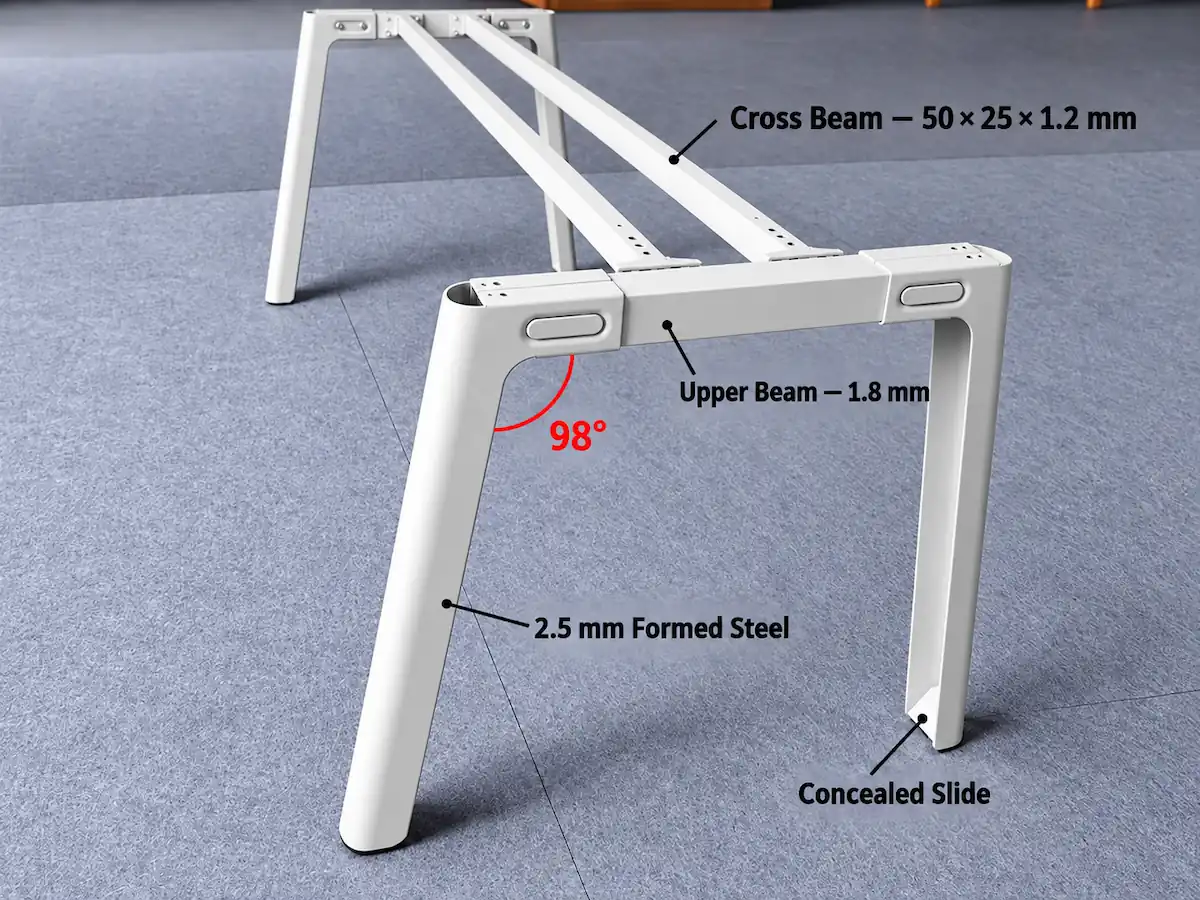
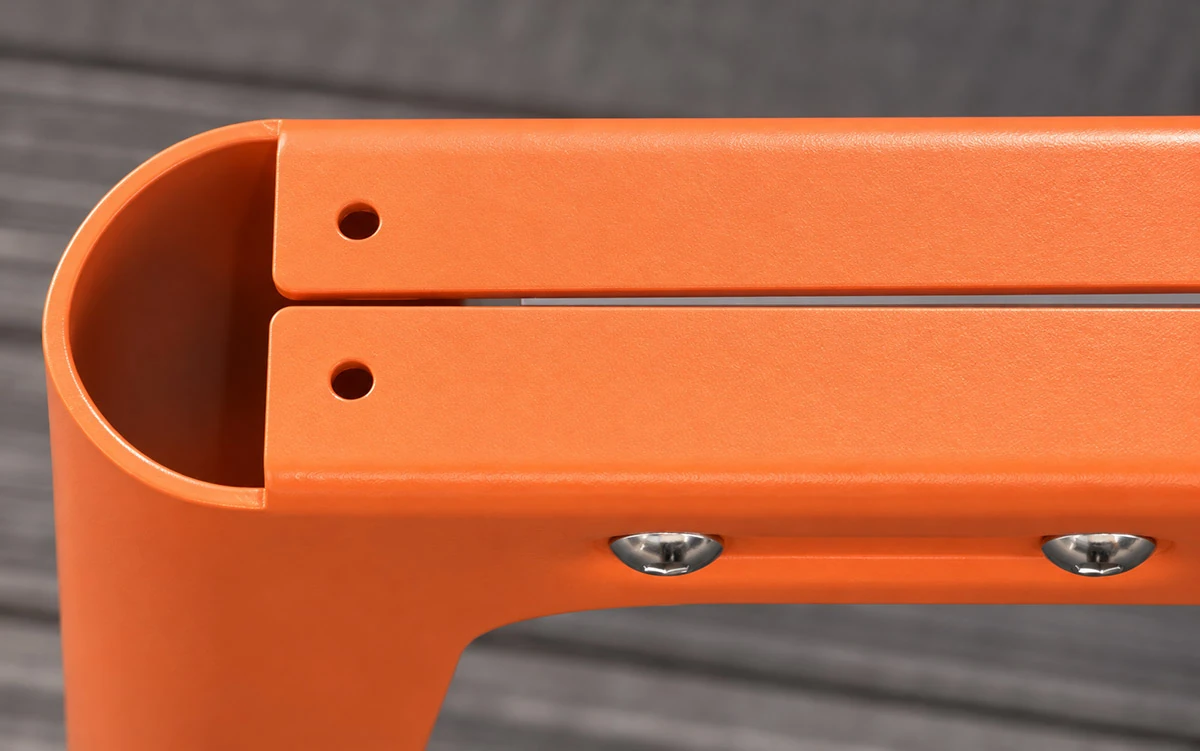
UNO is a fixed-height desk and workstation frame with slanted legs press-formed from 2.5 mm-thick steel plate.
Unlike conventional tubular steel legs, UNO's legs are made from press-formed steel plate, giving them a distinctive profile.
Key Product Features
- Press-Formed Steel Plate Legs: Each leg body is press-formed from 2.5 mm-thick steel plate.
- 98° Slant-Leg Design: The legs meet the upper beam at a 98° angle, creating UNO’s distinctive slanted profile.
- Fixed-Height Construction: Designed for fixed-height office desks and workstations.
Desk & Workstation Configurations
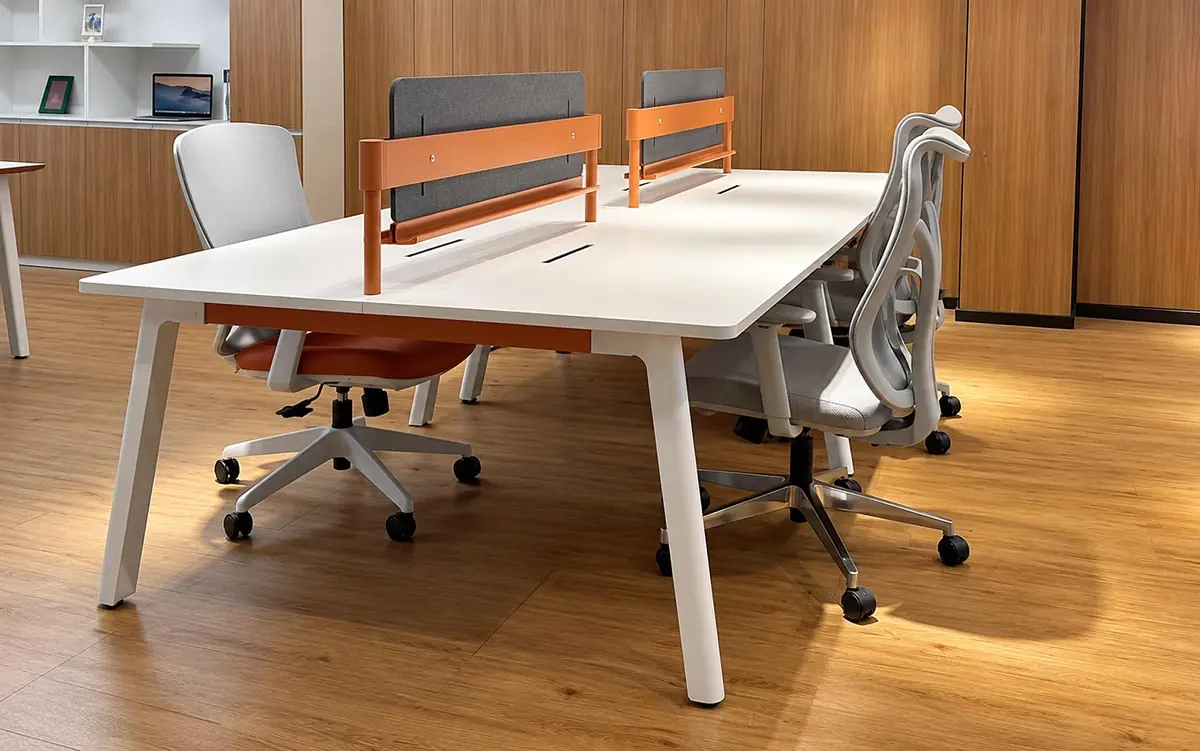
UNO offers fixed-height frame configurations for individual desks, shared workstations and meeting tables, including:
Single Desks
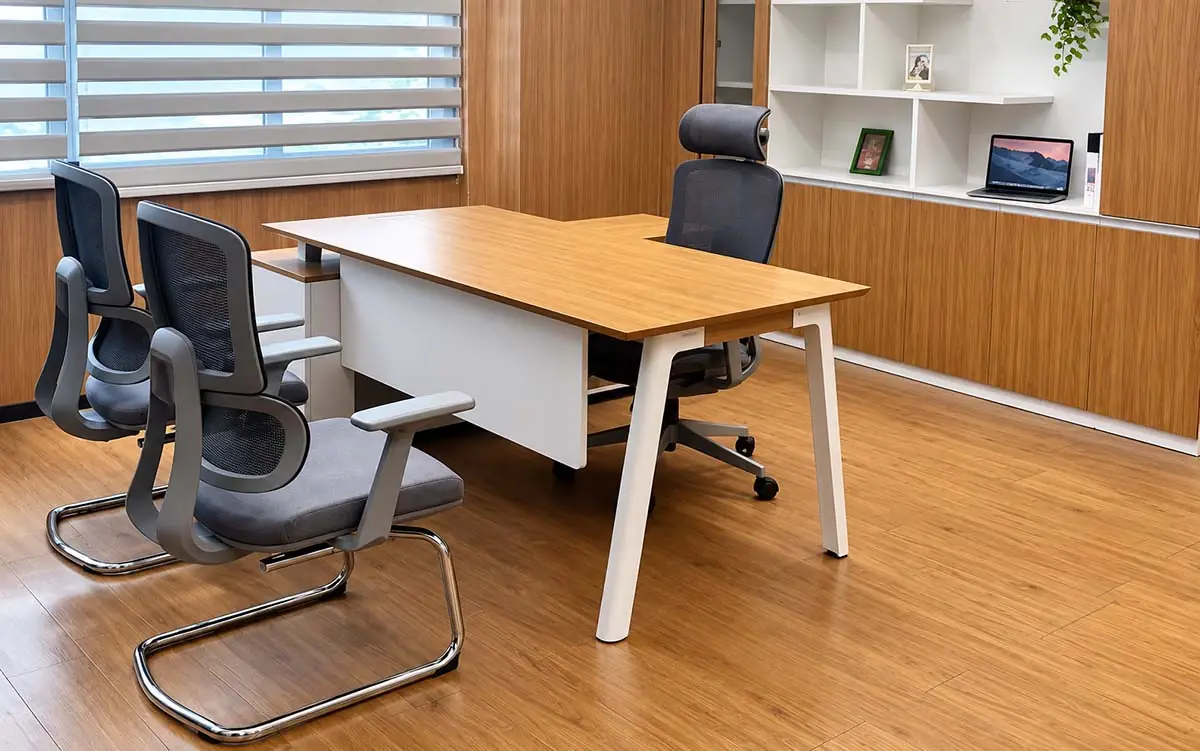
Individual workstations, manager desks and executive desks
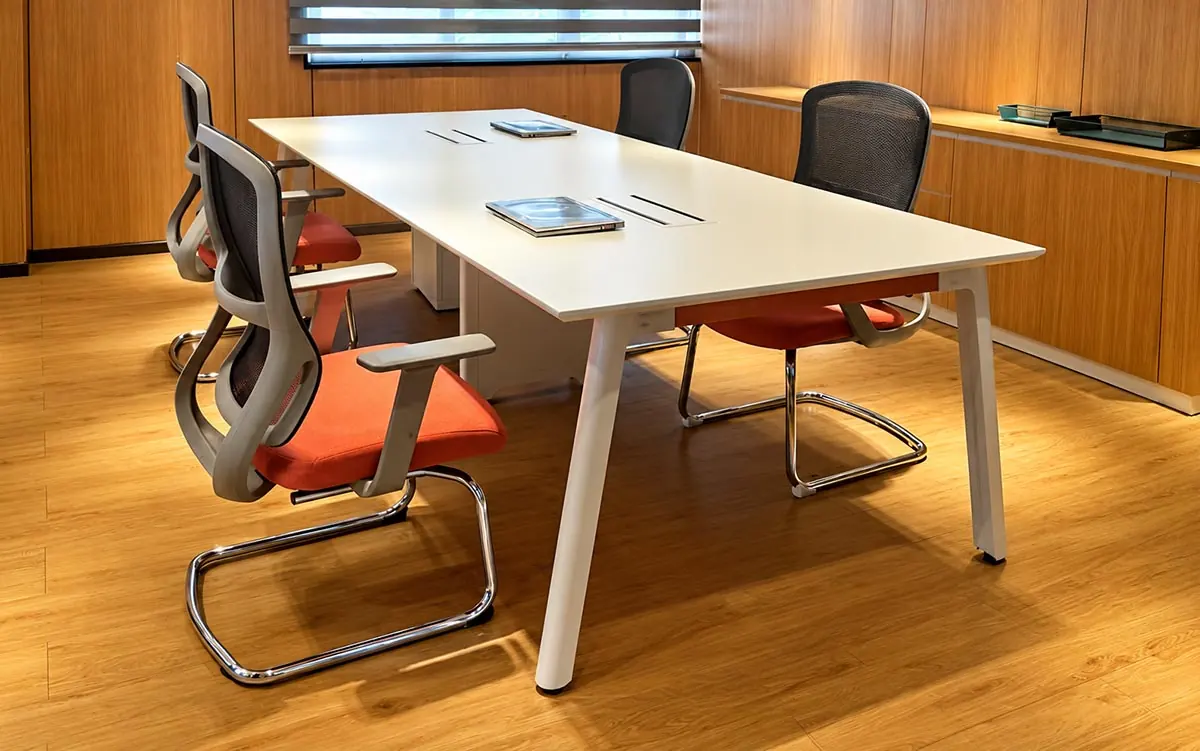
Meeting Tables
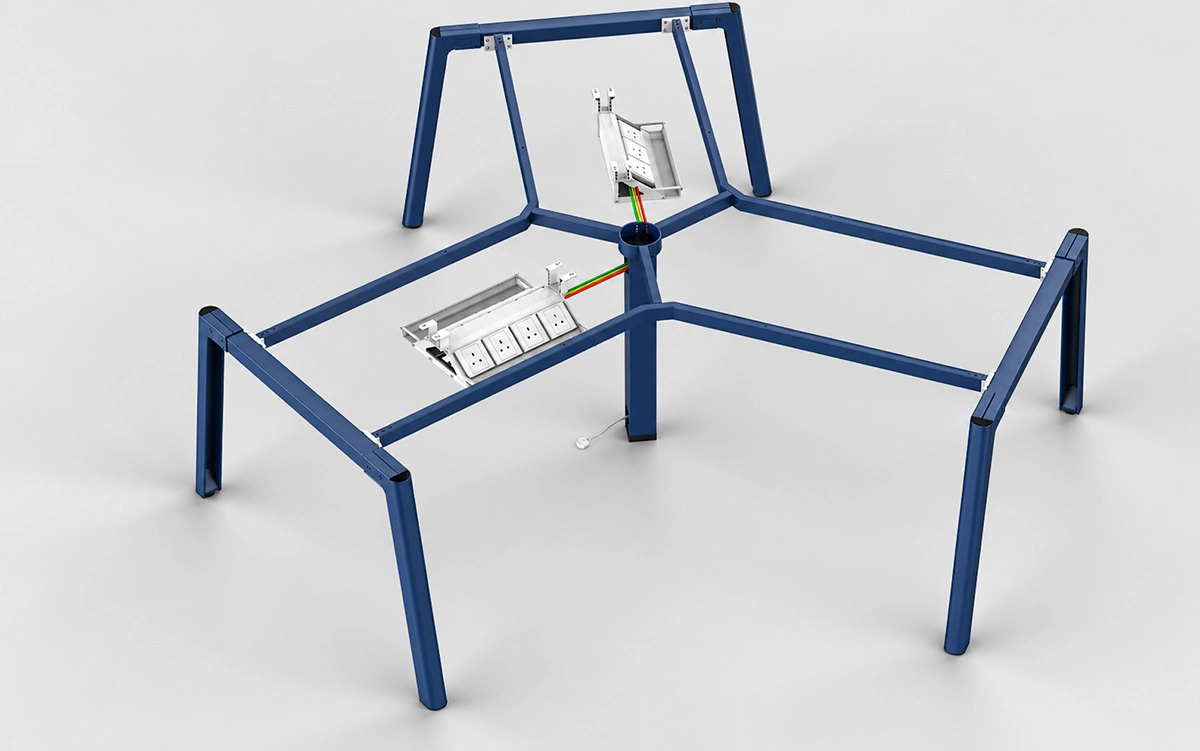
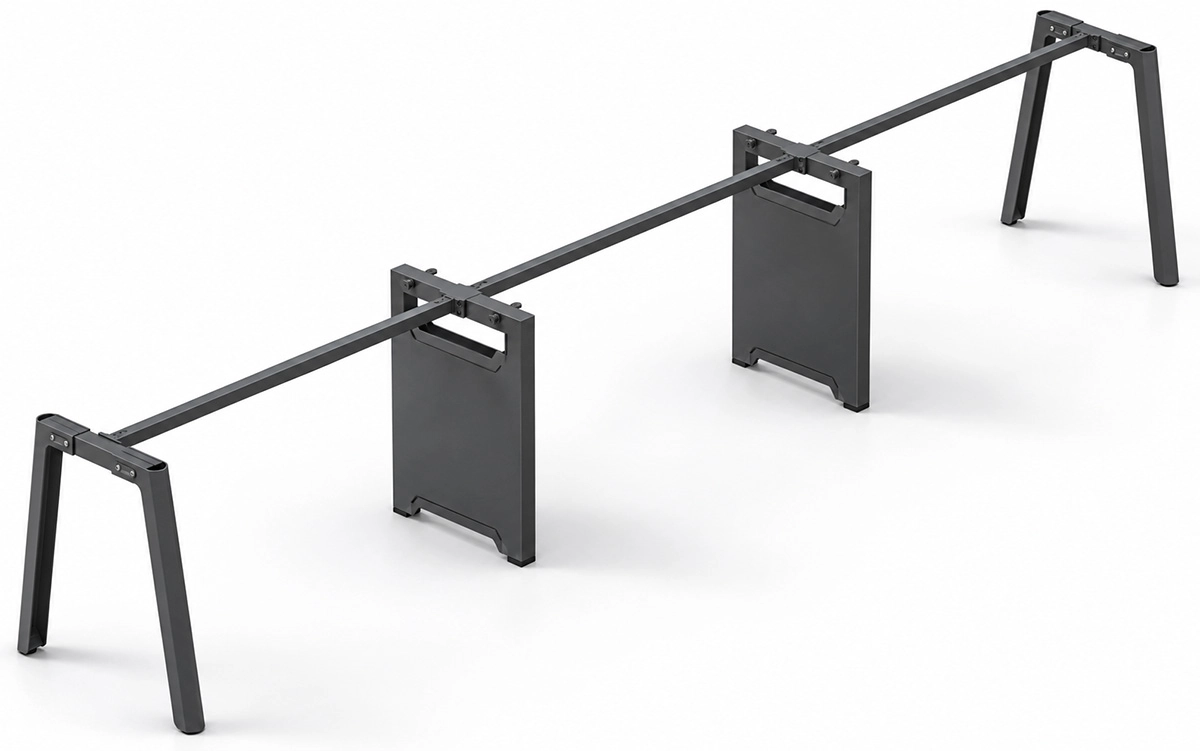
L-Shaped Workstations
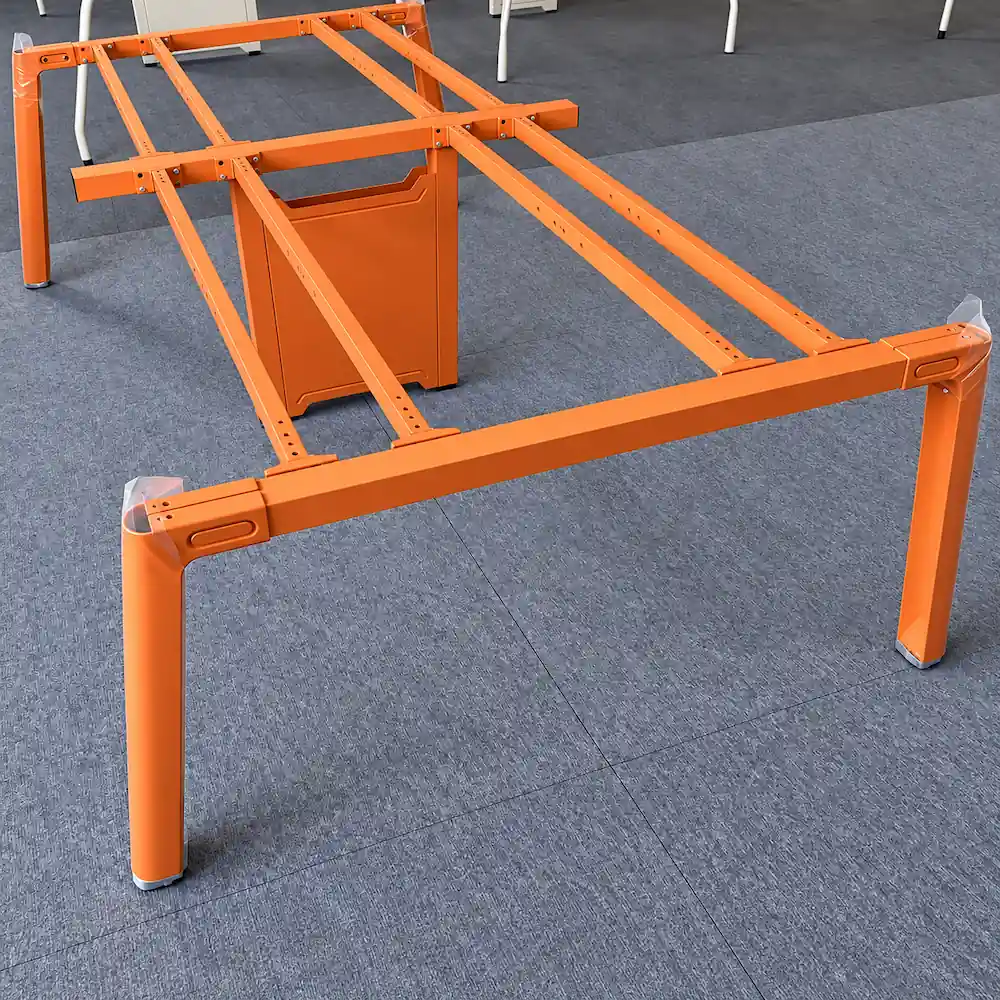
Different tabletop sizes and workstation layouts may require different beams, supports and connectors.
Accessories such as cable trays, power modules and desk screens must be matched to the selected UNO frame configuration.
Key Structural Details
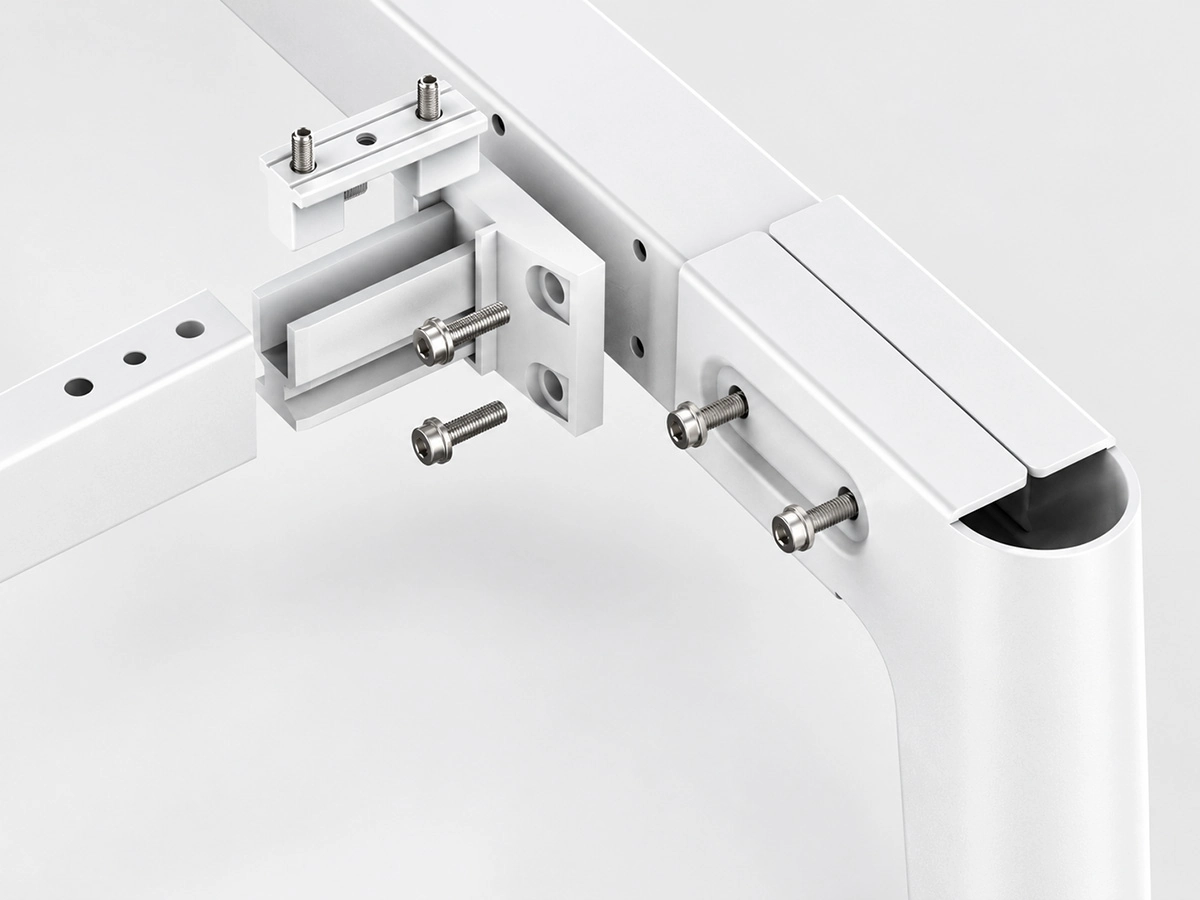
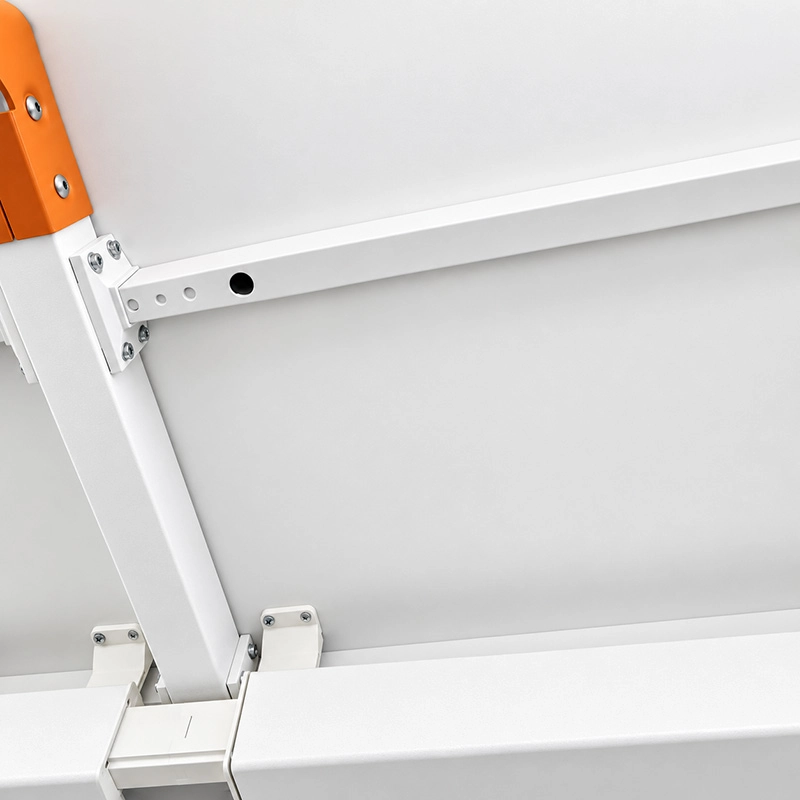
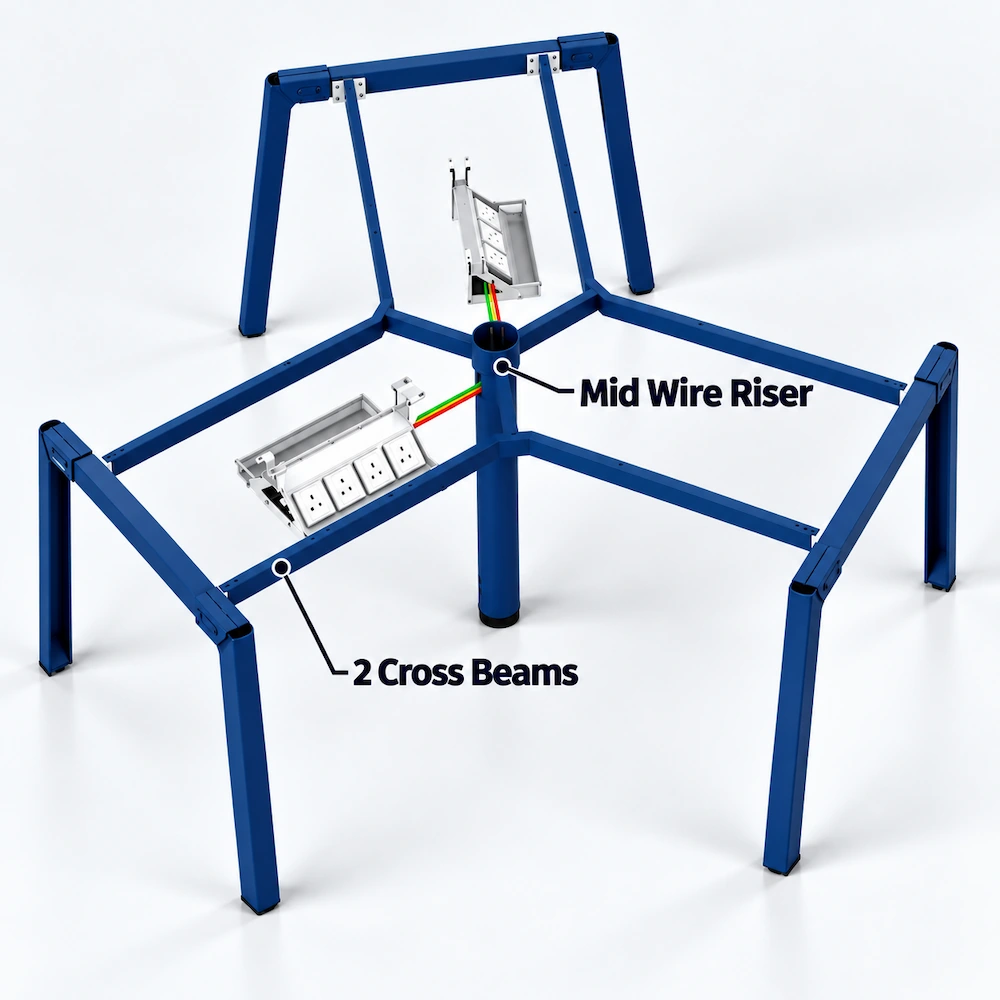
The following details show how UNO’s central wire riser, beams and desk screen are connected and secured to the frame.
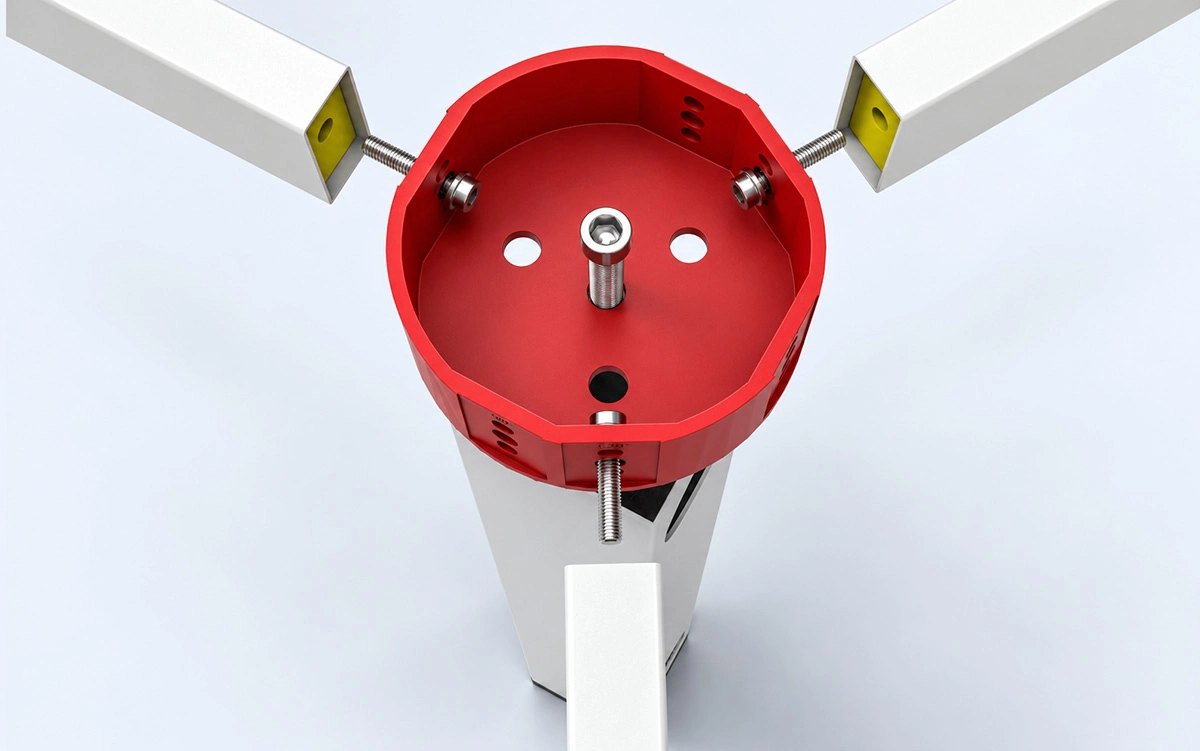
120° Central Connection
This view shows how the central wire riser connects to the beams in a 120° workstation configuration.
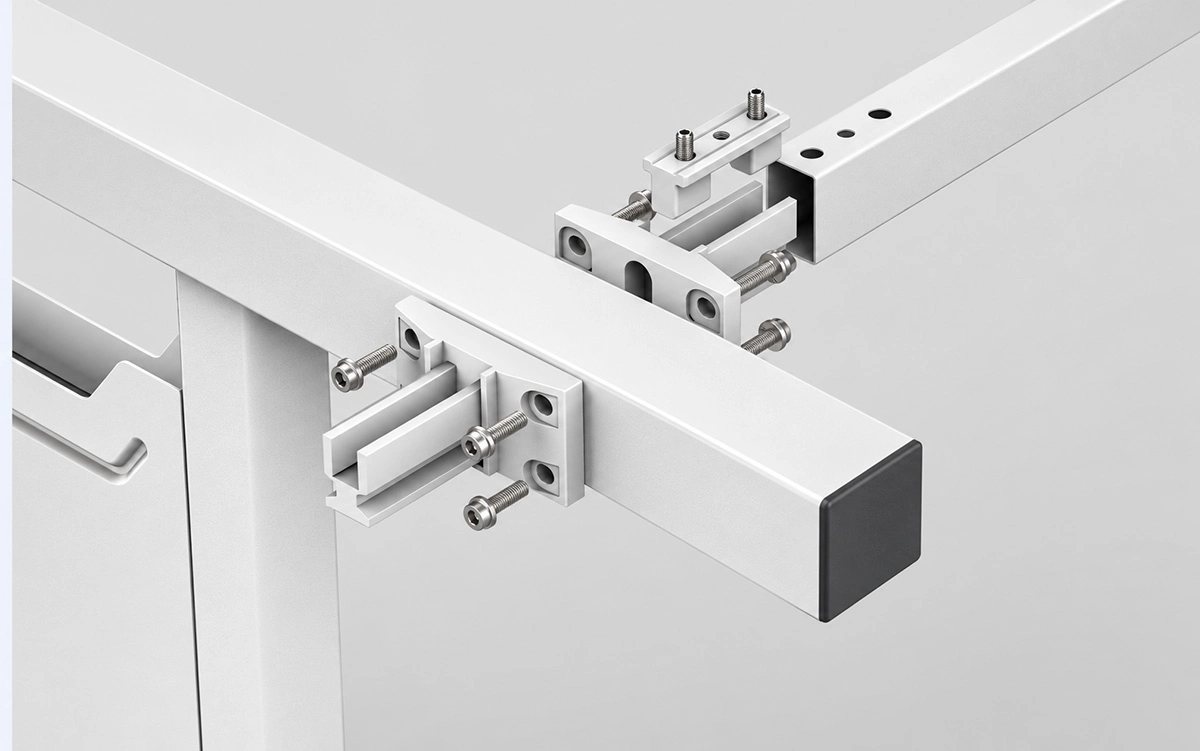
Cross Beam, Central Wire Riser & Upper Beam Connections
These views show how the cross beams, central wire riser and upper beams connect in face-to-face and linear workstation configurations, including how the connectors are secured.
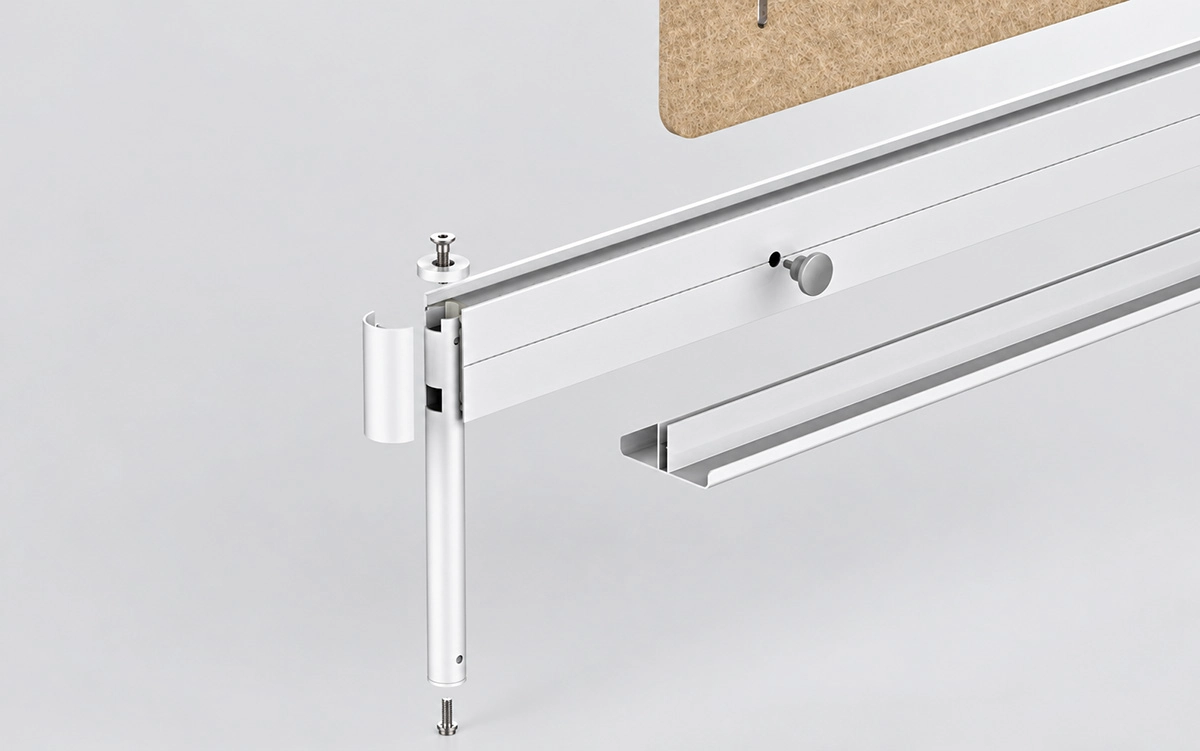
Desk Screen Construction & Mounting
This view shows the construction of the UNO desk screen and how it is attached to the frame.
Finish, Color, Leveling & Packing
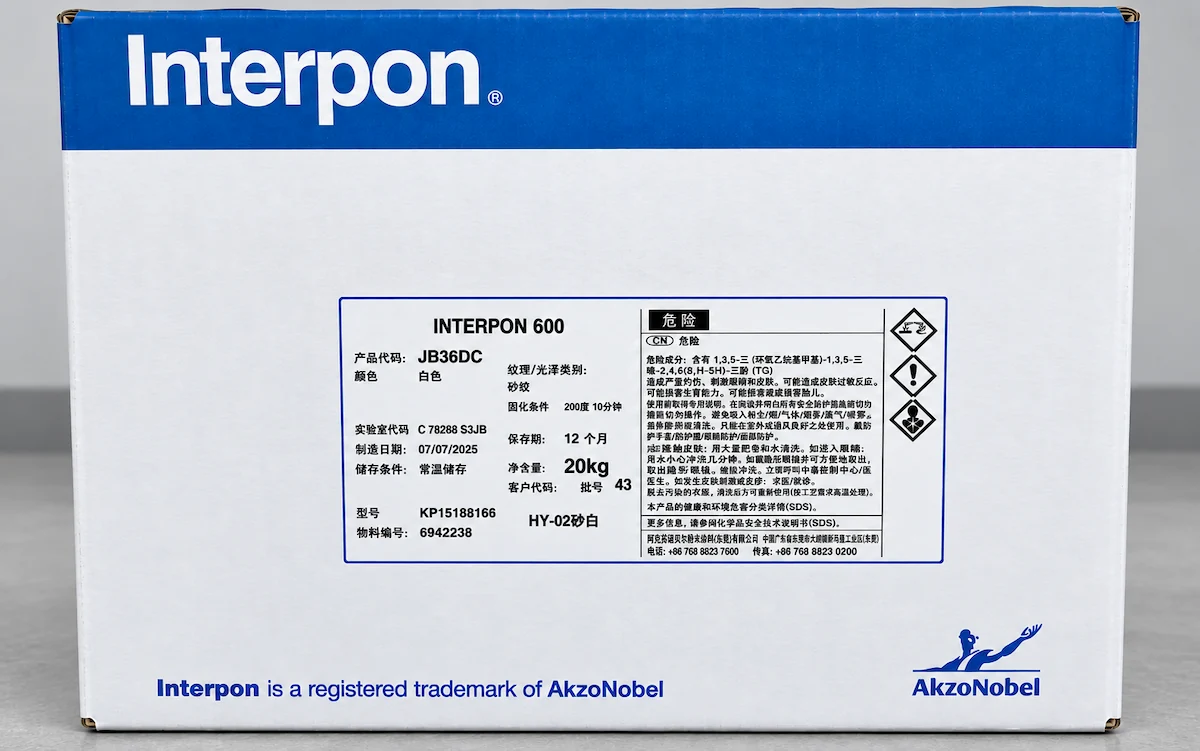
What Powder Coating Does UNO Use?
UNO steel frame components are typically finished with AkzoNobel powder coating.
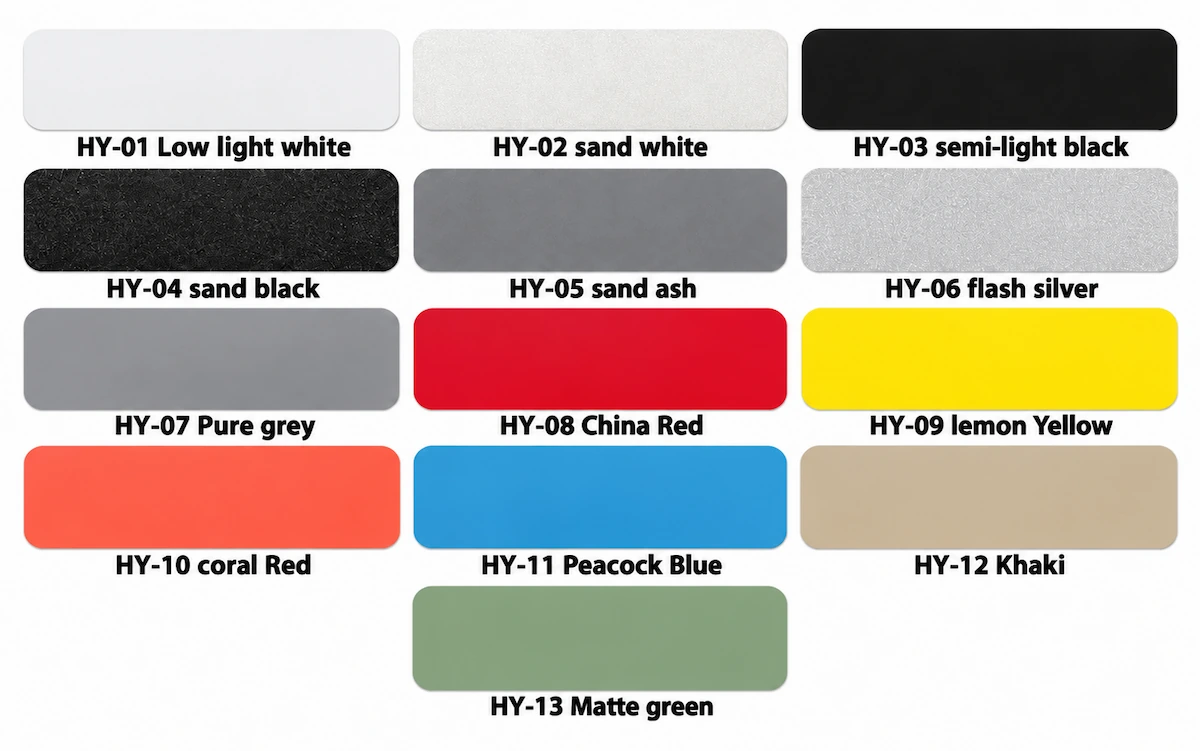
Frame Color Options
UNO is available in 13 standard colors, as shown in the current color chart.
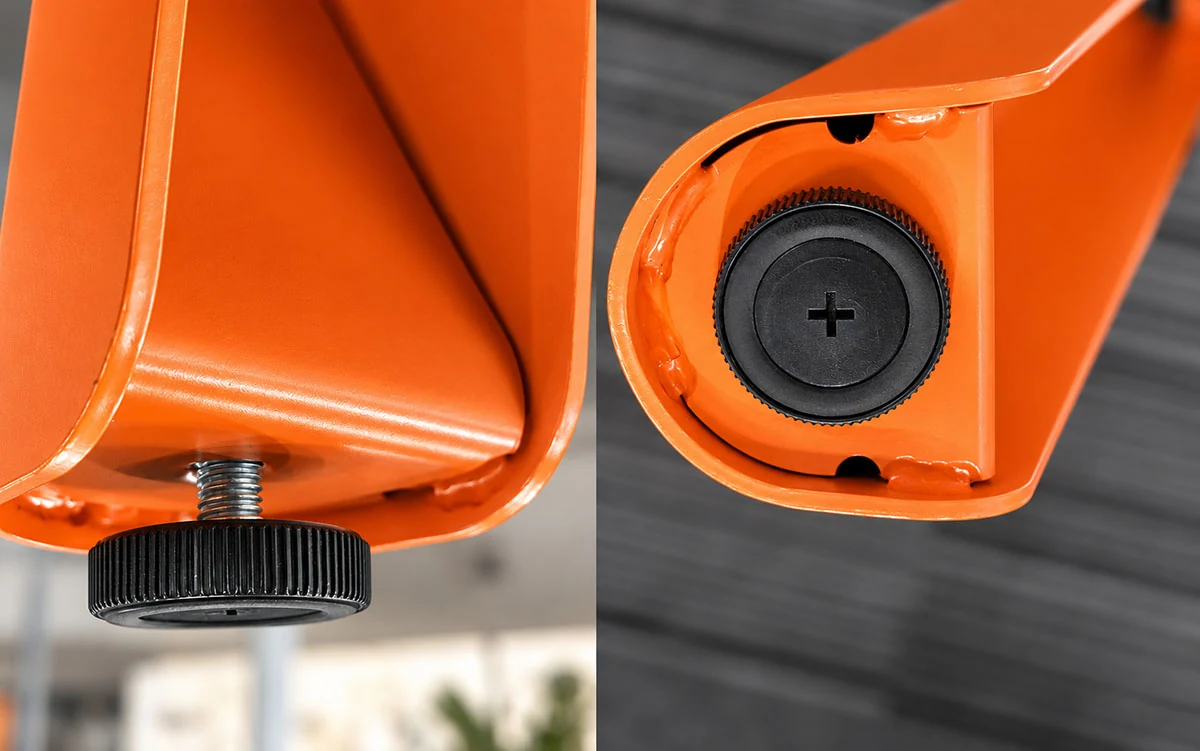
Are UNO Desk Legs Adjustable?
UNO features ABS leveling feet with a 0–15 mm adjustment range to help level the frame on uneven floors.
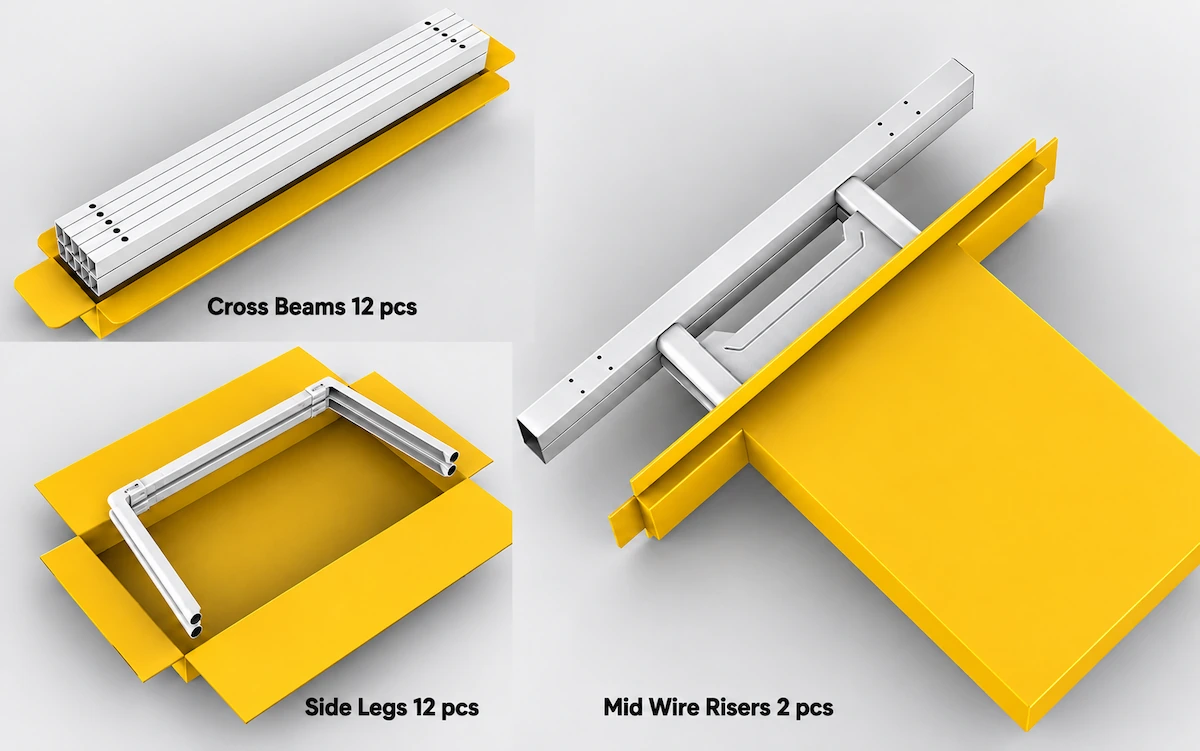
Engineering Documents & Installation Support
UNO offers CAD drawings, dimension drawings, leg detail drawings and assembly instructions to help customers check frame dimensions, connection details and assembly methods for different configurations.
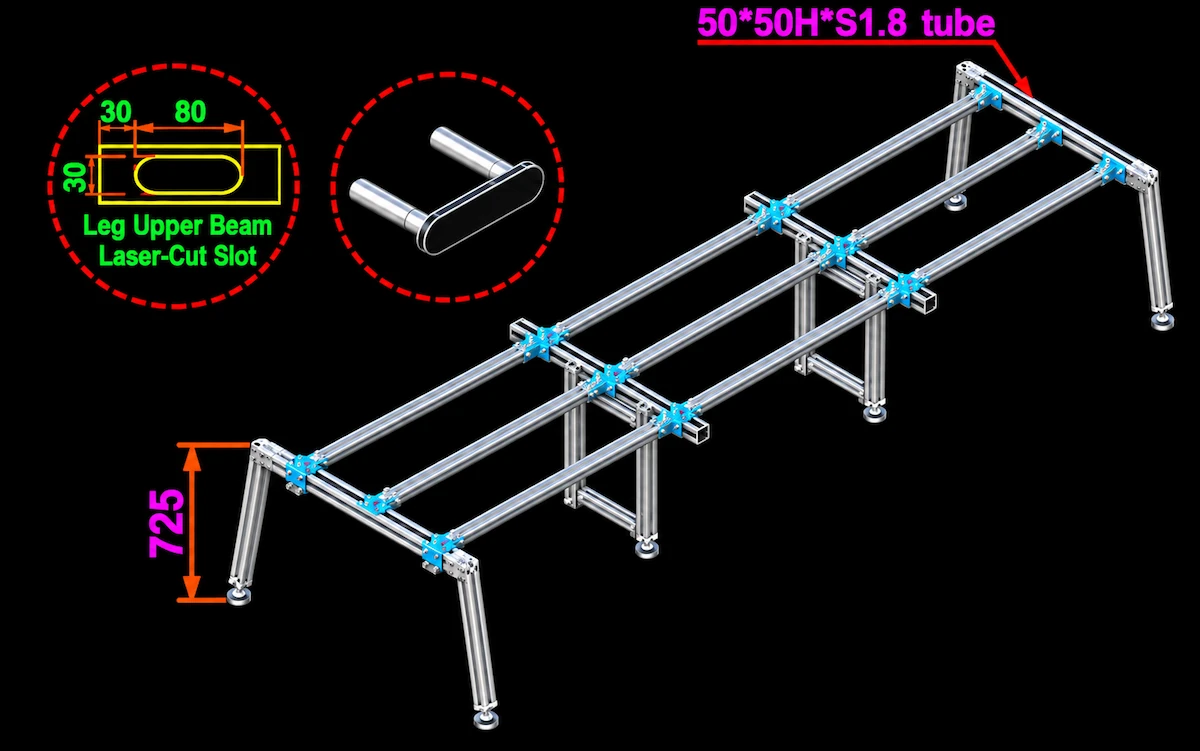
CAD Files
UNO CAD drawings show frame layouts for different workstation configurations and can be used to check project designs and workstation layouts.
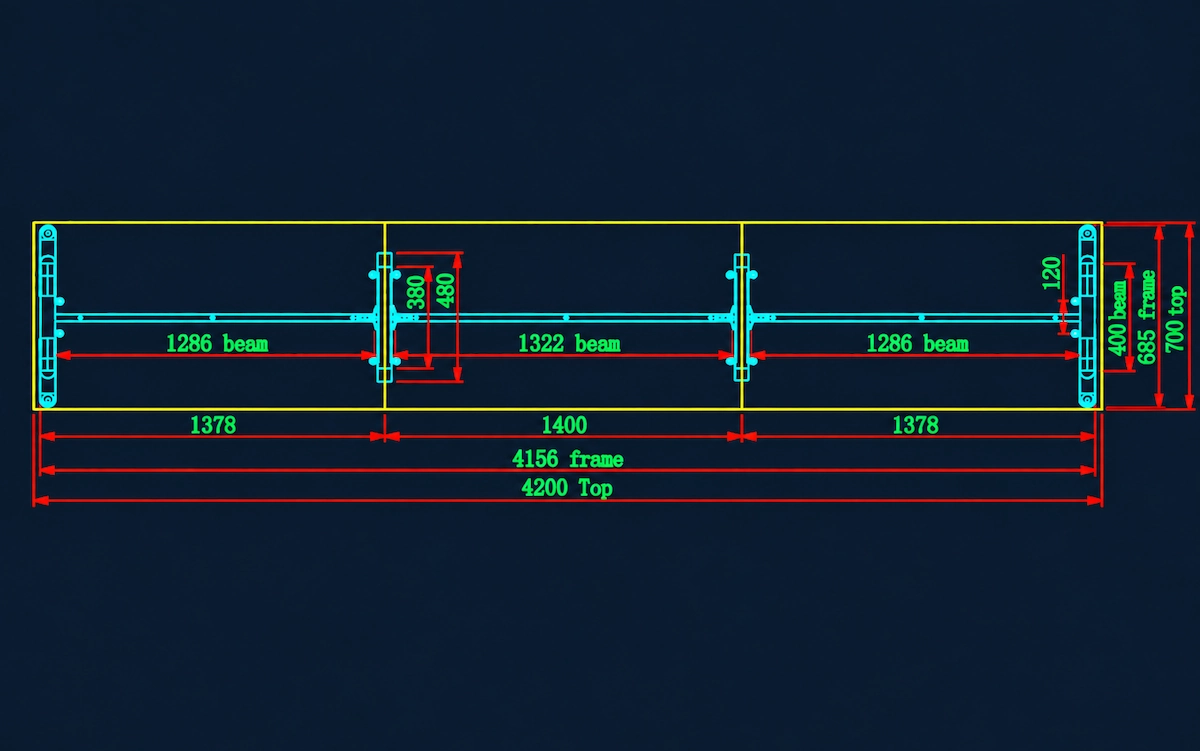
Dimension Drawings
UNO dimension drawings show frame dimensions and the positions of components such as legs and beams for different configurations. They help customers check how the frame fits the tabletop dimensions and review the proposed project configuration.
Formed-Leg Profile Drawings
UNO leg detail drawings show the profile and cross-section of the legs made from 2.5 mm-thick press-formed steel plate, giving customers a closer look at their construction and shape.
Project Fit & Interface Checks
When selecting a UNO desk frame, check the tabletop dimensions, workstation layout, leg and support positions, and possible interference with desk screens, cable trays and power modules.
What needs to be checked?
01 Tabletop & Mounting
Confirm tabletop dimensions, mounting positions, cut-outs and joints against the frame layout.
02 Leg Positions & Clearance
Check whether UNO's slanted legs leave enough clearance for seating, legroom and under-desk equipment.
03 Beam & Support Layout
Check beam quantities, support positions and connector types for the selected UNO configuration, particularly for custom sizes, linear, L-shaped and 120° workstations, and meeting tables.
04 Screens, Cable Management & Power
Check desk screen, cable tray and power-module interfaces, including central wire riser positions and cable routing where applicable.
05 Floor Conditions & Equipment Loads
Review floor conditions, tabletop and equipment loads, and frame stability. If people may lean on or sit on the tabletop, the frame's suitability must be checked against relevant load and stability test results.
Discuss Your UNO Project
Share your UNO requirements with our sales team for project review. Useful information includes:
- Configuration & Application — Single desks, face-to-face, linear, L-shaped or 120° workstations, or meeting tables.
- Tabletop Details — Dimensions, shape, material and thickness.
- Quantities & Supply Scope — Required quantities and whether you need complete desk frames or specific frame components.
- Finish & Color — Preferred frame color or a reference from the UNO color chart.
- Accessories — Desk screens, cable trays, power modules and other required accessories.
- Project Drawings — Available CAD layouts, tabletop drawings or a bill of quantities (BOQ).
- Open Questions — Any dimensions, interfaces or custom requirements that still need clarification.
You don't need to have every detail finalized before contacting us. Send us the information you have, and we'll review any outstanding details with you.