
Executive & Manager Height-Adjustable Desks
What Defines a Height-Adjustable Executive Desk?
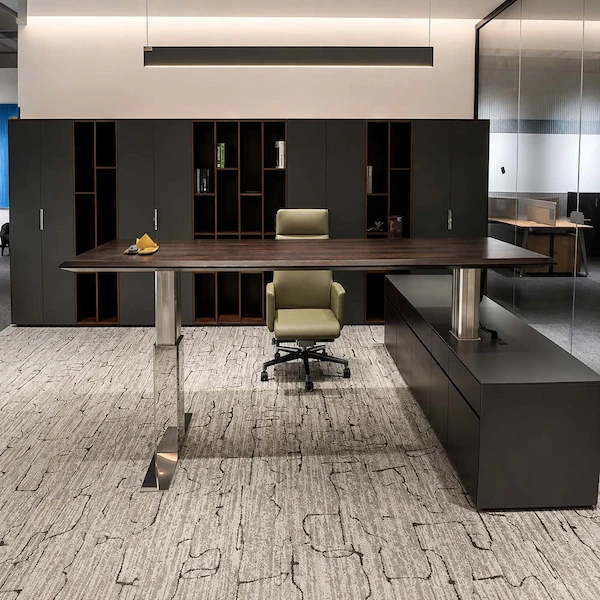
An executive desk is defined by how it serves the workspace—not by a fixed shape or a “premium” label. The right starting point is the workspace, the work setup and the desk configuration being considered.
Workspace & Layout
The desk layout should account for the workspace, the user’s position, and the surrounding furniture. An executive desk is not defined by shape alone.
Work Setup
Account for monitors, equipment, accessories and cable-management requirements. These inputs help define the usable workspace and how the desk needs to function.
Exact Product
Executive is not a performance tier or a specific Onmuse series. Specifications, drawings and technical information should be matched to the actual product, model and configuration being considered.
The term “executive” does not automatically mean an L-shaped desk, a higher load capacity, faster movement, or greater stability.
Next, compare the technical configuration required for the workspace.
Technical Configuration
One Configuration—not Isolated Specifications
A height-adjustable executive desk should be evaluated as a complete configuration—not by looking at load, speed, or height figures in isolation. The lifting system, controls, options and electrical setup need to work together and suit the destination market.
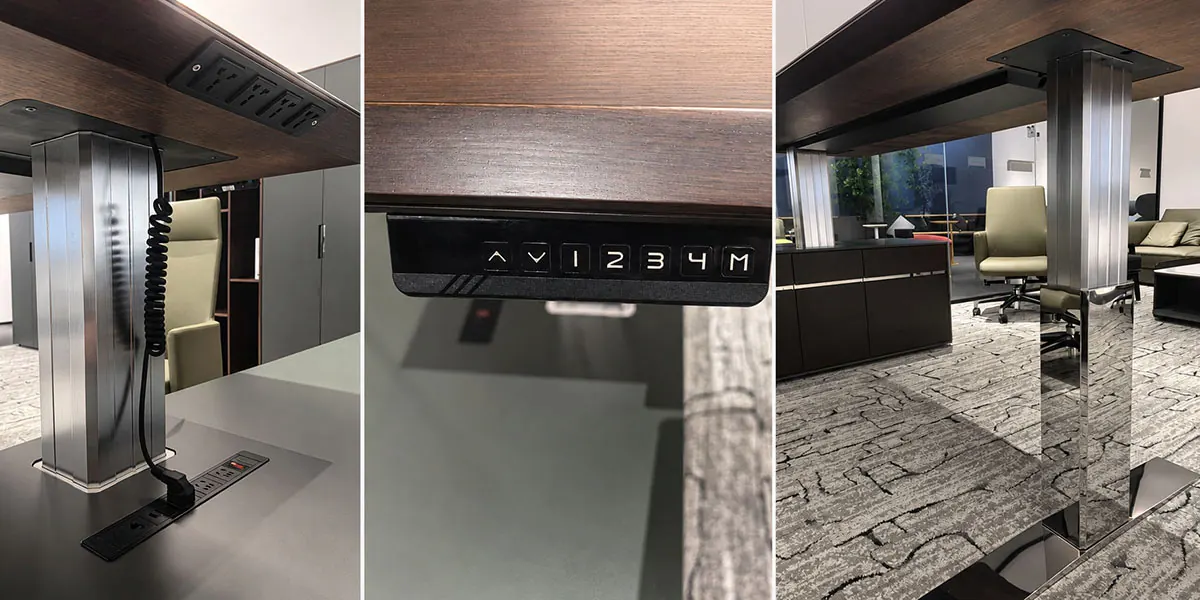
Cape series showroom example — power and cable detail
Cape series showroom example — handset detail
Cape series showroom example — lifting-system detail
Next, check whether the desktop, equipment, fixing and clearance conditions physically fit the configuration being considered.
Changing a core component can affect which controls, options or supporting technical documents still apply.
Desktop, Equipment & Stability
Fit the Whole Workspace—not Just the Desktop
The desktop, equipment and surrounding space need to work together throughout sit-to-stand movement. Geometry, clearance and equipment placement affect physical fit—and load capacity does not establish stability.
Where the equipment sits matters—not just how much it weighs.
Next, compare which desk option best fits the workspace and configuration requirements.
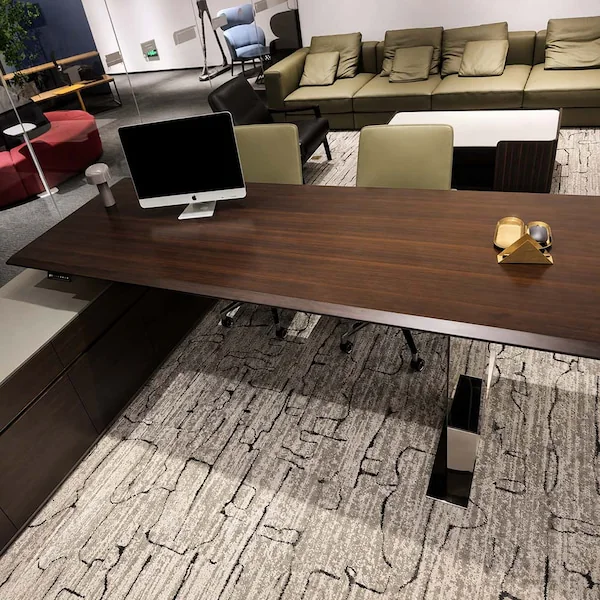
Cape series showroom setup illustrating desktop, equipment and surrounding-space fit
Choosing the Right Desk Approach
Executive, Standard or Custom?
Choose according to the workspace and configuration requirements—not the product label. An executive desk is not automatically the better choice. A custom option may need to be reviewed when the requirements extend beyond the configurations being considered.
Executive Approach
The executive or manager workspace has specific furniture, finish or integration requirements that can be addressed within an appropriate desk configuration.
Continue evaluating the executive desk option.
Standard Desk Option
The required sit-stand function, desktop format and equipment setup do not require executive/manager-specific furniture integration or custom changes.
Custom Review
The project requires size, geometry, material, finish, electrical or integration changes beyond the configurations being considered.
Move to custom engineering review.
Executive is not a higher quality tier. It does not automatically mean higher load, speed or stability. Custom feasibility, minimum order quantities and lead times depend on the actual request.
Once the desk option is clear, prepare the details needed to confirm the configuration.
Prepare Your Desk Request
Send the Details Needed for the Next Step
Start with the workspace, configuration and project details you already know. If you have a product, series, model or order reference, include it to help match the request to the correct desk and configuration.
What to Prepare
An exact product reference is not required to start.
What Can Be Requested
Once the product and configuration are identified, request the applicable specifications, drawings and supporting technical documents.
For replacement or support questions, include an available order reference, part number, product version or original configuration record. If the product or proposed substitute cannot be clearly identified, an additional compatibility review may be needed.
Documents and support information need to match the product and configuration being considered.
Choose the Next Step
Product selection→Compare the appropriate desk form
Technical configuration→Review lifting, controls and electrical requirements
Desktop compatibility→Review geometry and physical fit
RFQ & quotation→Submit the defined configuration and project requirements
Availability, custom feasibility, minimum quantities, lead times and document access are confirmed against the actual request.