1. Home
  2. products
  3. desk frame table leg
  4. Face to Face Workstations

Face-to-Face Workstations

Face-to-face, or back-to-back, is a common office workstation configuration in which users sit on opposite sides of a shared desk frame. These workstations can be extended in a straight line for 2, 4, 6 or more users, depending on the project layout.

Face-to-Face / Back-to-Back

Users sit on opposite sides of a shared workstation, facing each other and sharing the desk frame and selected components.

Straight-Line Configuration

Multiple face-to-face workstations can be connected in a straight line to create 2-person, 4-person, 6-person or larger workstation arrangements.

What Should Be Considered as the Workstation Grows?

User Count

First determine how many people the workstation needs to accommodate, such as 2, 4 or 6 users. Larger configurations should be reviewed according to the specific project requirements.

Frame and Support

As the number of workstation positions increases, the frame structure, intermediate supports and connection arrangement also need to be considered.

Privacy

To reduce visual distraction between facing users and provide a degree of privacy, desktop divider screens can be installed between opposing workstations.

Power and Data

Power and data can be integrated into the workstation, giving users convenient access to electrical outlets, network connections and other workplace equipment.

Exact dimensions, frame support arrangements, divider screens, and power and data interfaces should be confirmed according to the selected product and specific project requirements.

Plan Your Workstation Layout
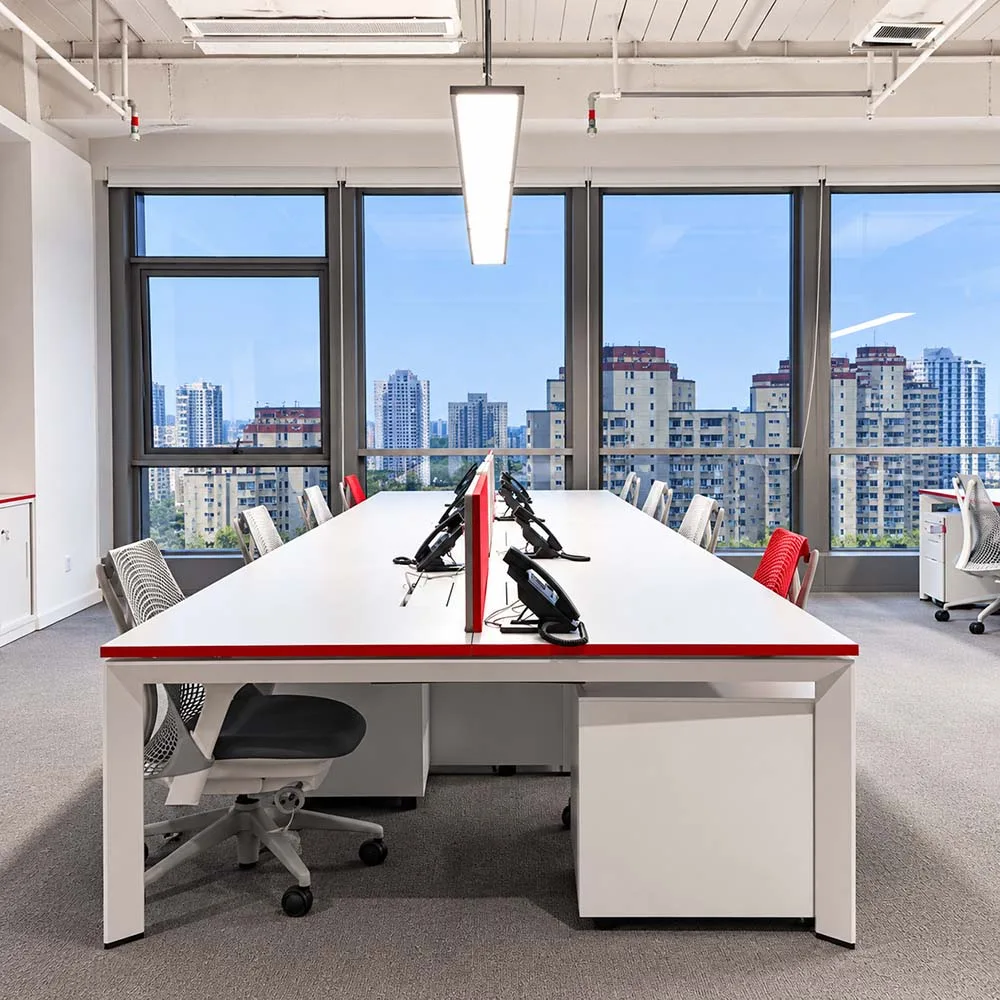
Plan view showing opposing users, shared workstation frame and straight-line face-to-face configuration

Opposing users sit on opposite sides of a shared frame, which can be extended in a straight line.

Workstation Layout Planning

Start with Headcount, Space, and Working Needs

In commercial office projects, workstation layouts are typically planned around headcount, available floor space, and day-to-day working needs—not a predetermined 2-person, 4-person, or 6-person setup.

If you already have a floor plan, proposed workstation layout, or BOQ, send it to our team. We can review the arrangement, quantities, and configuration requirements, identify any missing information, and confirm the details needed to move forward.

If the layout is still being developed, start with these key considerations.
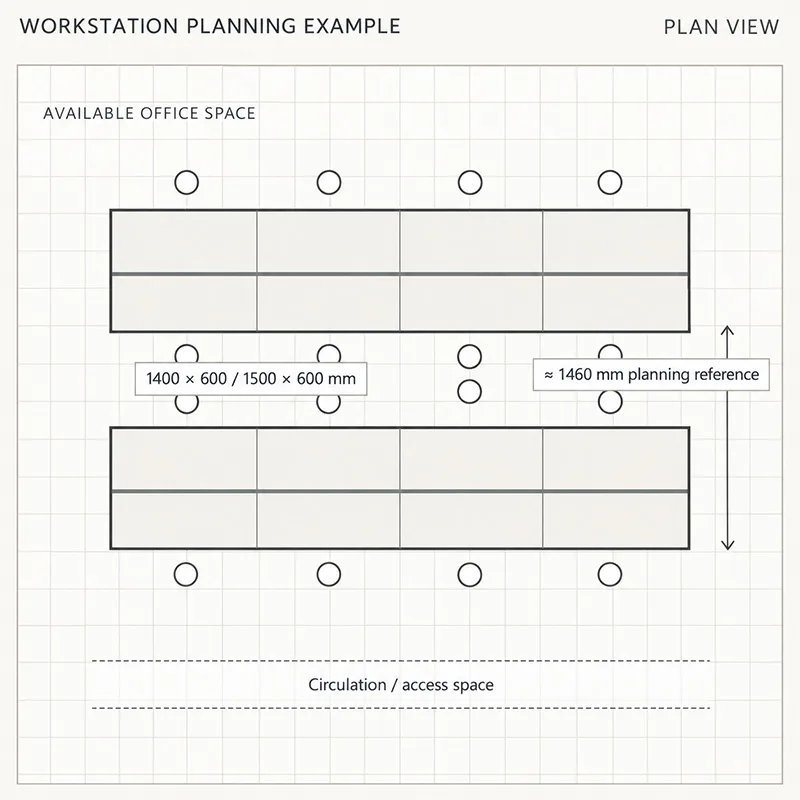
Face-to-face workstation layout plan showing worktop sizes, planning spacing and circulation space
Workstation planning example

1. Headcount

Confirm how many people the office or floor needs to accommodate.

2. Available Space

Use the actual room dimensions to determine the workstation arrangement and the number of people that can be accommodated in each row.

3. Working Needs

For general office use, common worktop sizes such as 1400 × 600 mm and 1500 × 600 mm may be considered.

IT teams and other equipment-intensive workstations may require larger worktops, along with sufficient space for equipment, power, and data connections.

4. Workstation Spacing

Allow sufficient space between workstations for comfortable daily use and circulation.

For initial layout studies, approximately 1460 mm can be used as a practical planning reference based on our project experience. The layout can then be adjusted to suit the available space, worktop size, and required headcount.

Where space allows, larger worktops may be specified. In more compact areas, the worktop dimensions and overall arrangement can be adjusted to meet the project requirements.

Already Have a Layout or BOQ?

Send it to us and we can review the layout, quantities and configuration requirements, identify any missing details, and prepare the quotation accordingly.

What to Check When Planning a Face-to-Face Workstation

When confirming a face-to-face workstation layout, review not only the number of users and the overall layout, but also the worktop size, workstation spacing, frame support and usable space. Final worktop dimensions, frame support quantities and support positions should be confirmed according to the selected product and project layout.
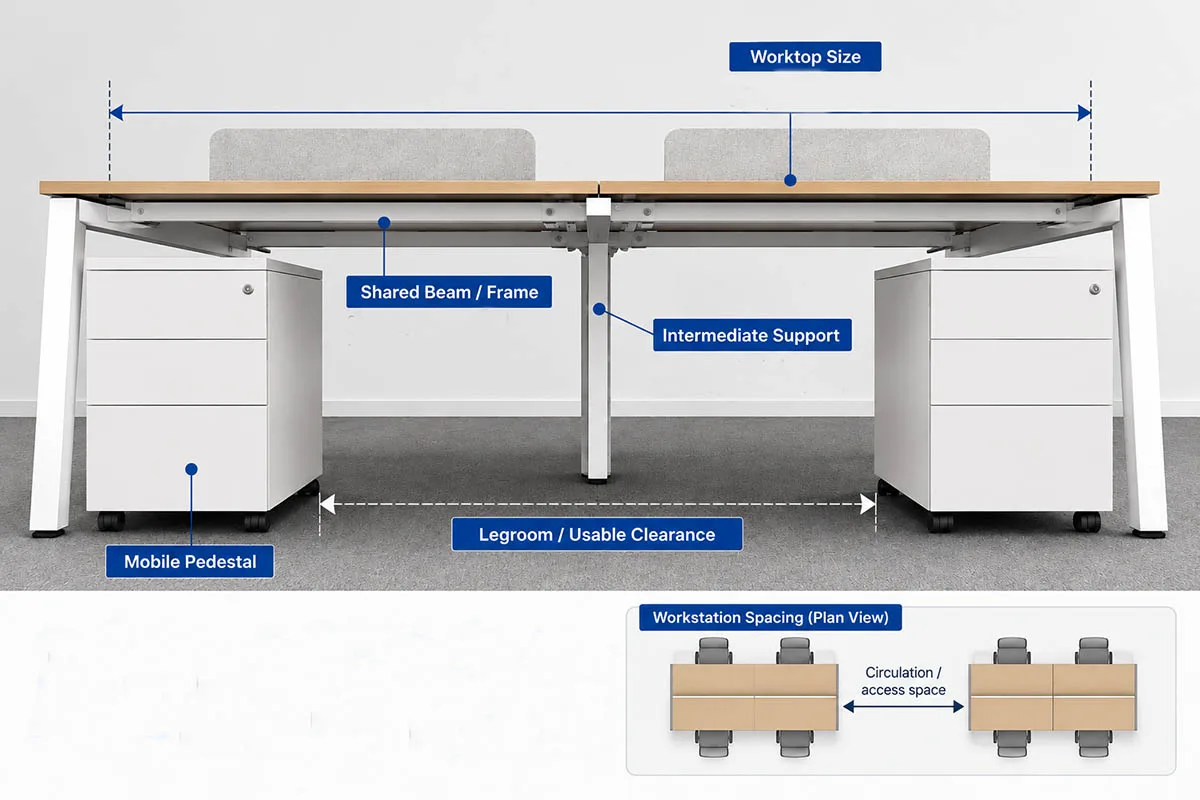
Face-to-face workstation frame showing worktop, shared beam, intermediate support, mobile pedestal and usable legroom
Confirm Your Workstation Structure

Worktop Size

For standard projects, or where the layout drawing already specifies the dimensions, the worktop size usually does not need to be changed.

If building columns or limited site space affect the workstation layout, the worktop dimensions may need to be adjusted, together with the number and arrangement of the frame beams.

Workstation Spacing

Allow enough space between workstations for normal use and circulation.

Frame and Support

Check the position of intermediate frame supports and mobile pedestals to make sure they do not interfere with legroom or day-to-day use.

Coordinate Screens, Power and Cable Routing

Once the workstation layout and frame structure have been confirmed, the next step is to plan how screens, power and data cabling will be integrated into the workstation.
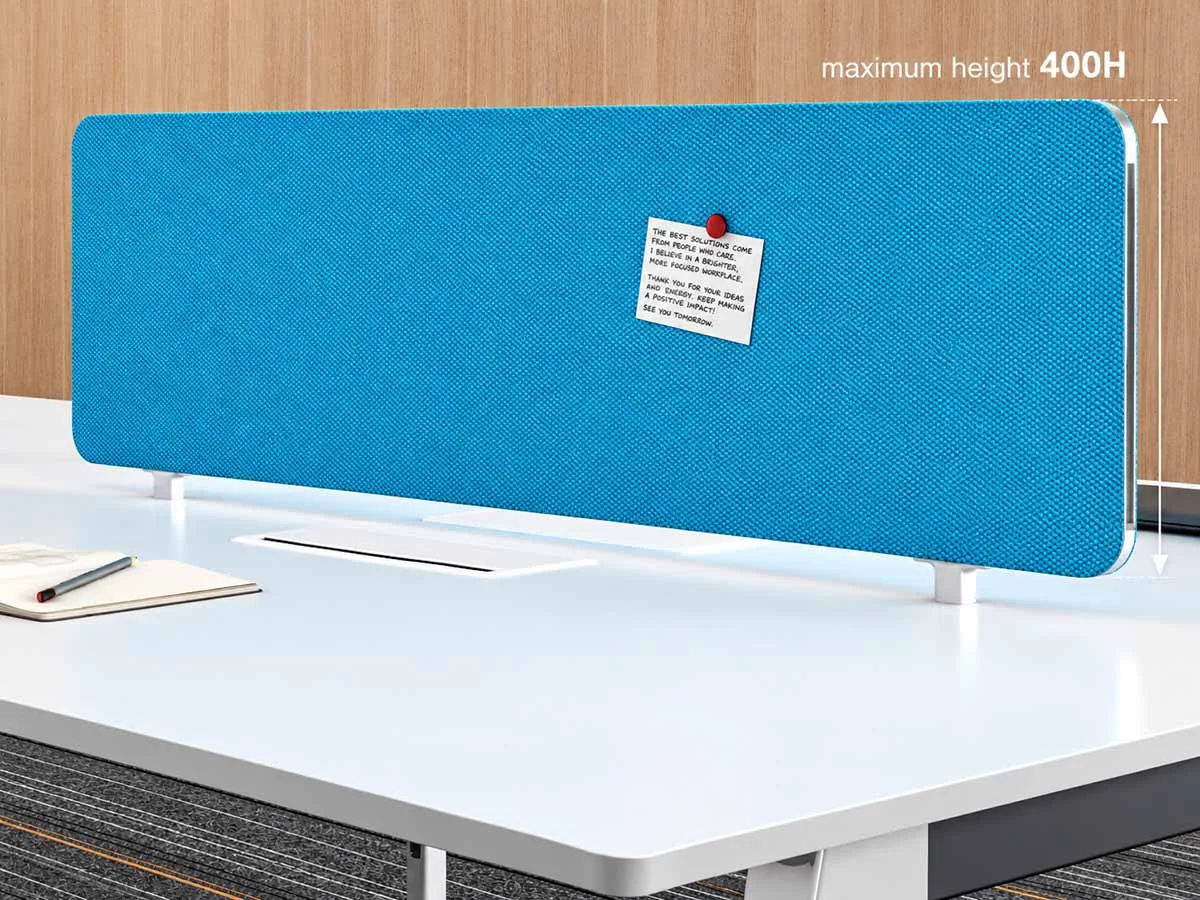
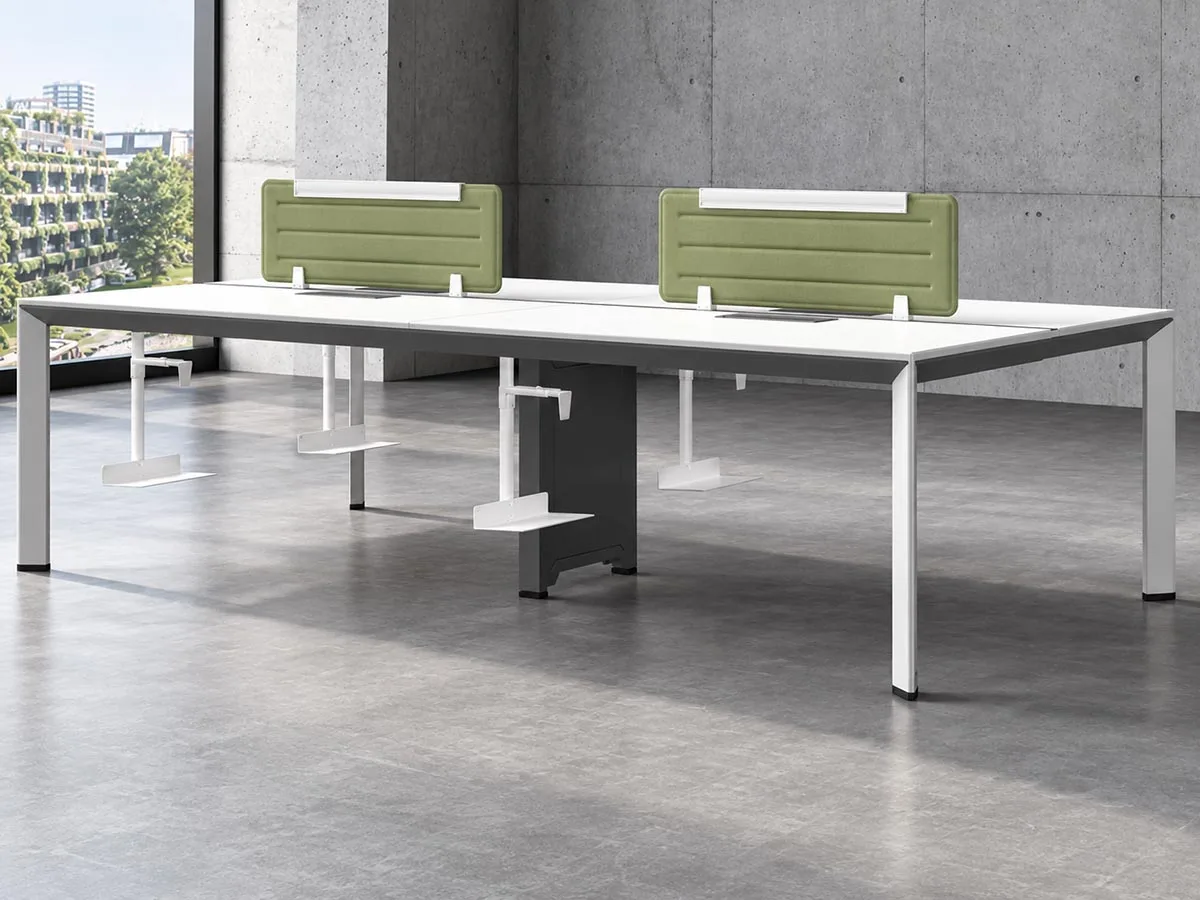
Desk privacy screen mounted between opposing face-to-face workstations

Screens and Privacy

Confirm whether desk screens are required and whether they will be mounted to the worktop or the frame. The stability of the installed screen should also be checked.

Based on our workstation project experience, keeping the screen height at 350 mm or below is generally recommended. For screens above 400 mm, installation stability should be reviewed carefully.

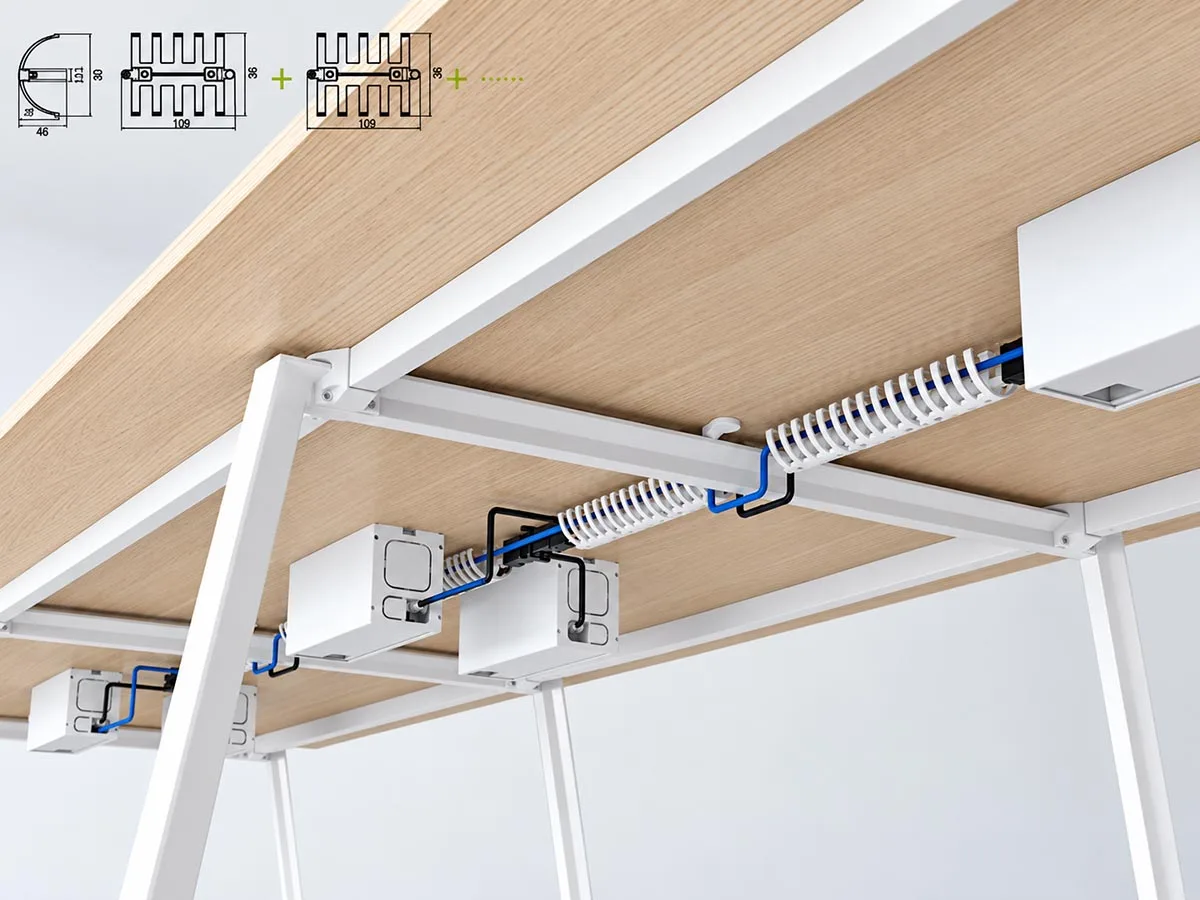
Under-desk cable management system routing power and data cables along the workstation frame

Cable Management

Determine where power and data cables will enter the workstation and how they will be routed to each workpoint.

Cable management should also be planned to keep the worktop and surrounding areas clean and organized.

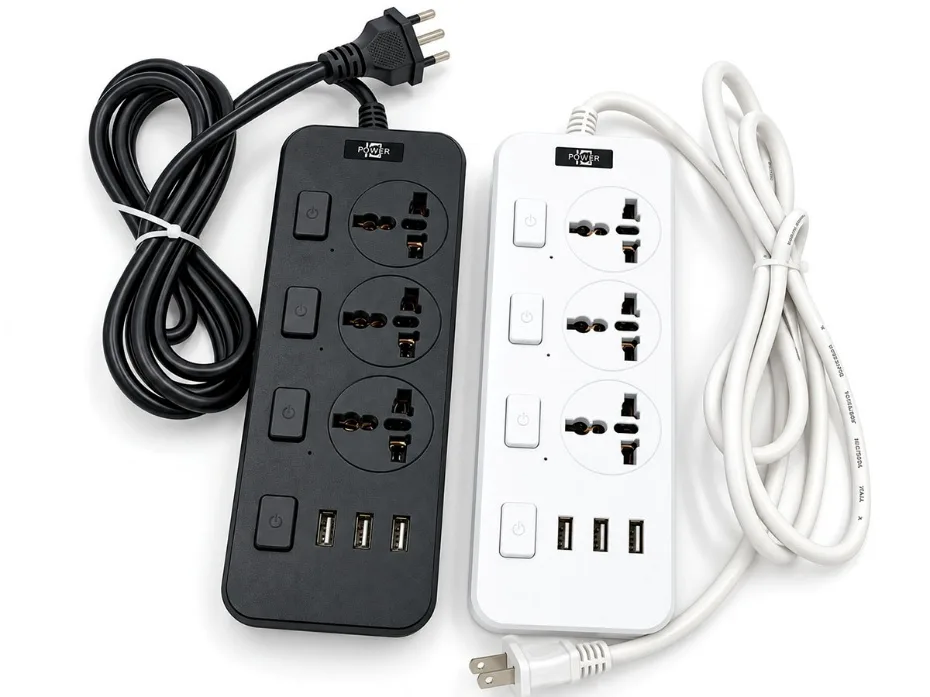
Workstation power module with standard power cable for desk power access

Power Access

Check the distance between the incoming power point and the workstation sockets to determine whether additional cable length is required.

Our standard power-module cable length is 1800 mm, with custom lengths available to suit project requirements.

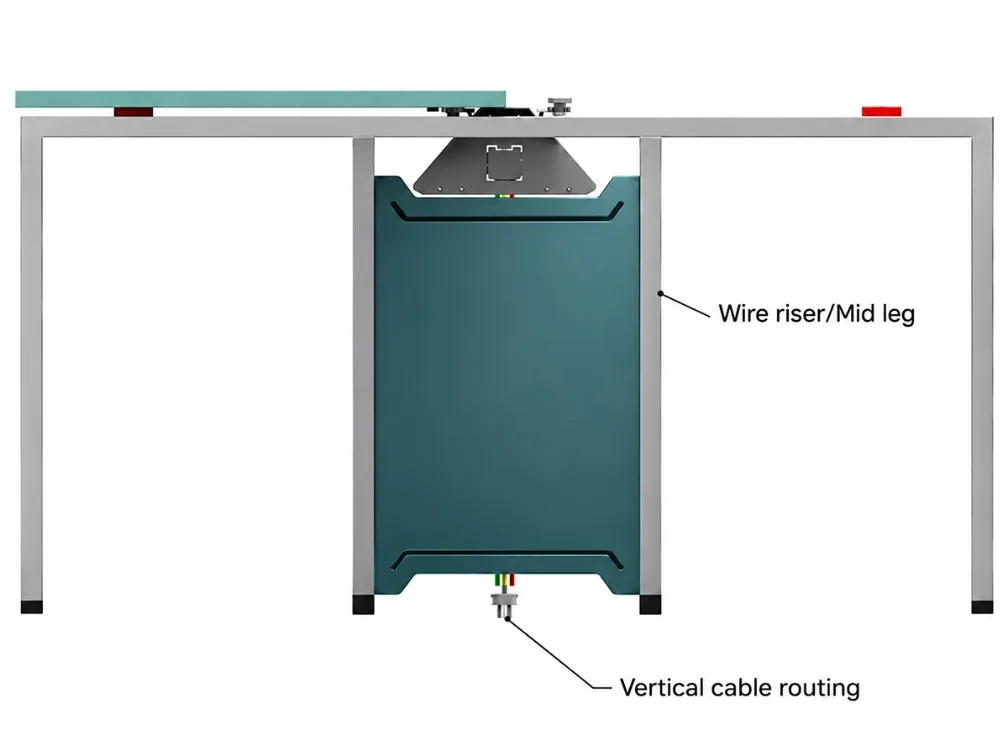
Workstation wire riser and middle-leg route for vertical power and data cabling

Vertical Cable Routing

Determine whether cables will enter the workstation through a wire riser, a middle leg or another vertical cable route.

Once these requirements are confirmed, the next step is to compare suitable product and material options.

Project Example — Manila Call Center

Screen system, cable trays, wire flippers and separated power/data routing.

Compare Frame and Material Options

Choose by Material and Frame Structure

Onmuse currently offers around 63 desk frame SKUs for face-to-face workstations, across steel, aluminium, steel-aluminium hybrid and die-cast leg structures.
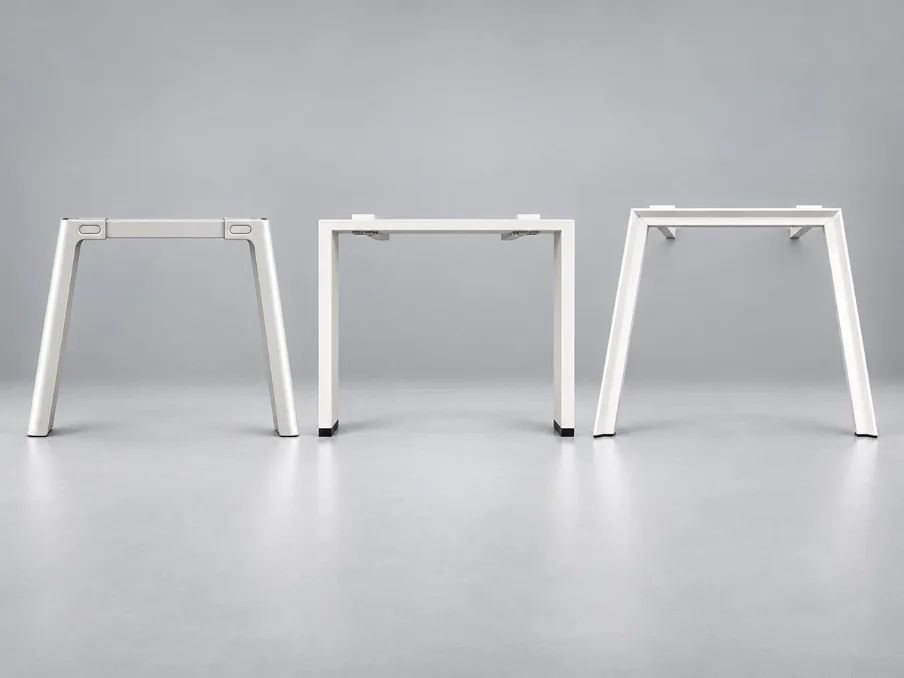
Representative steel desk frame leg designs including D360, D557 and UNO

Steel Desk Frames

Available in several structural forms, including rectangular steel tube, profiled steel and formed steel.

D360 — Rectangular steel tube
D557 — Profiled steel
UNO — Formed steel

View Steel Desk Frame Options
Pauer aluminium desk frame with aluminium legs and beam structure

Aluminium Leg + Aluminium Beam

The legs and beams are made from aluminium.

Pauer — Aluminium desk frame

View Aluminium Desk Frame Options
England hybrid desk frame with steel legs and aluminium beam structure

Steel Leg + Aluminium Beam

These frames combine steel and aluminium components.

England — Steel legs with an aluminium beam structure

View England
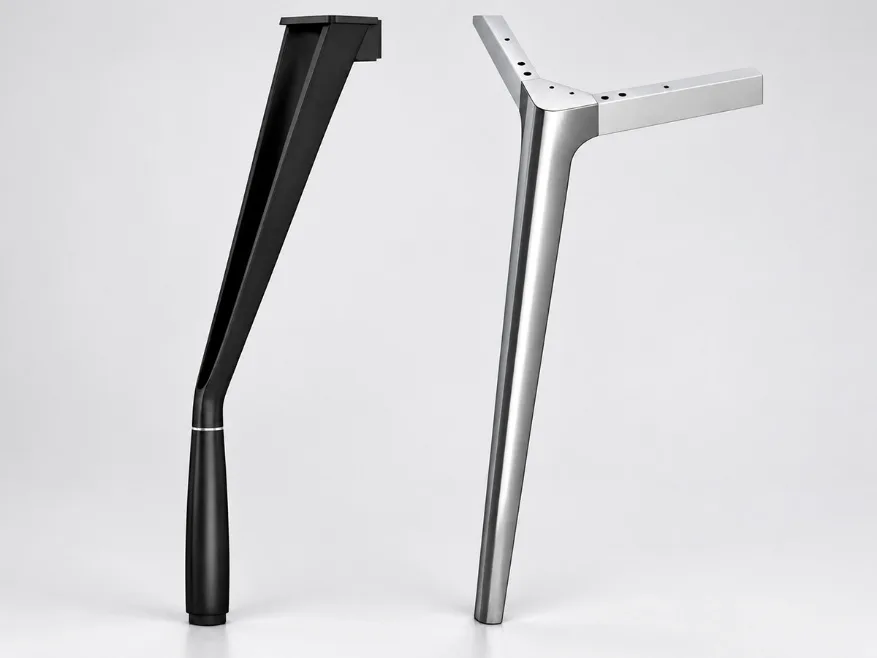
Representative Warren and LF-87 die-cast aluminium desk frame leg designs

Die-Cast Leg Frames

Warren
Die-Cast Aluminium Leg + Die-Cast Connector + Steel Beam

LF-87
Die-Cast Aluminium Leg + Die-Cast Connector + Steel Beam

View Die-Cast Leg Options

These are representative models from each frame category. Additional steel, aluminium, steel-aluminium hybrid and die-cast leg products are available within the corresponding collections.

How to Choose the Right Frame Type

How to Choose the Right Desk Frame Type

Narrow the Range by Budget, Design, Inventory and Customization Needs

Use the project priorities below to narrow the options.
01 Tighter Budget↓

Steel Frames

Budget First

We currently offer 29 steel desk frame models. Based on our quotation experience, steel frames are often the first option considered for tighter-budget projects.

View 29 Steel Desk Frames
02 Modern + Design-Focused↓

Aluminium / Die-Cast

Budget First

We currently offer 29 steel desk frame models. Based on our quotation experience, steel frames are often the first option considered for tighter-budget projects.

View 29 Steel Desk Frames
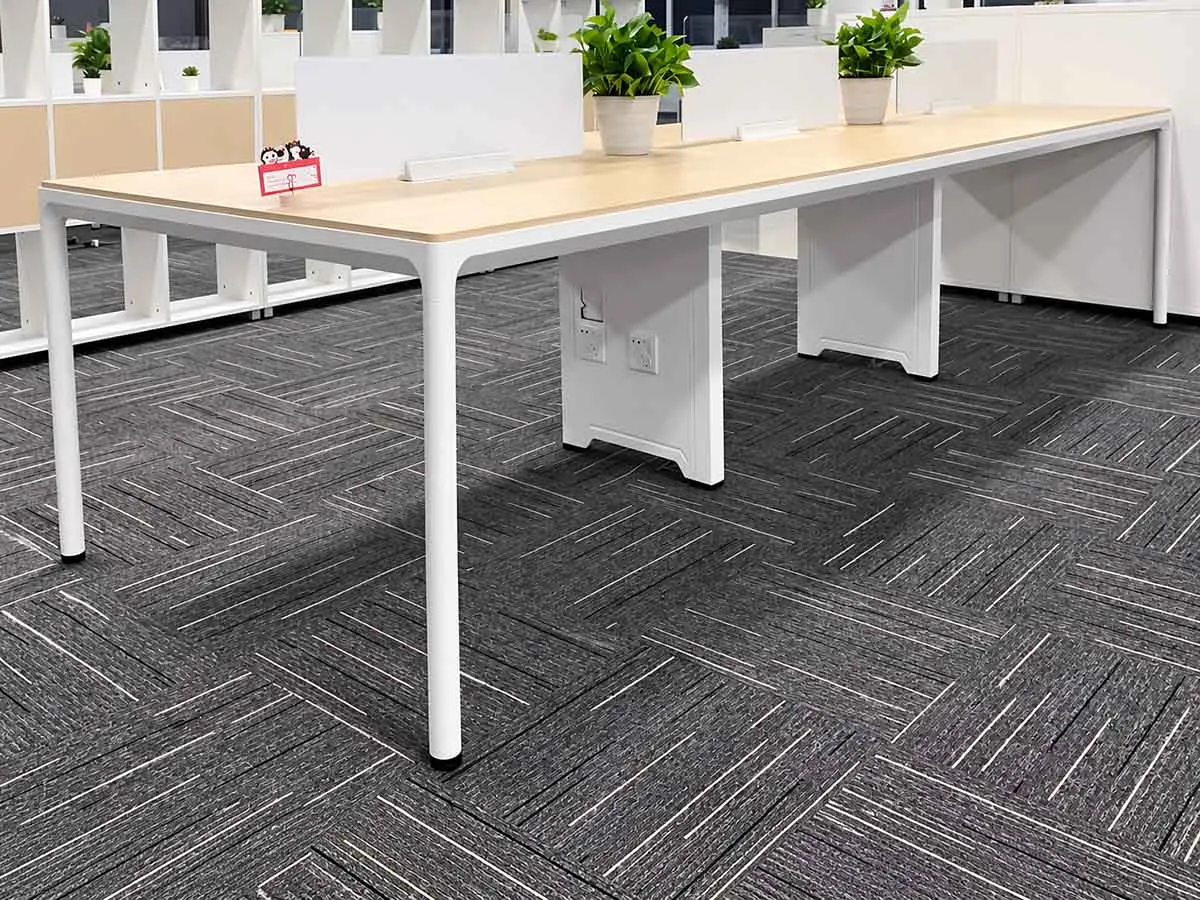
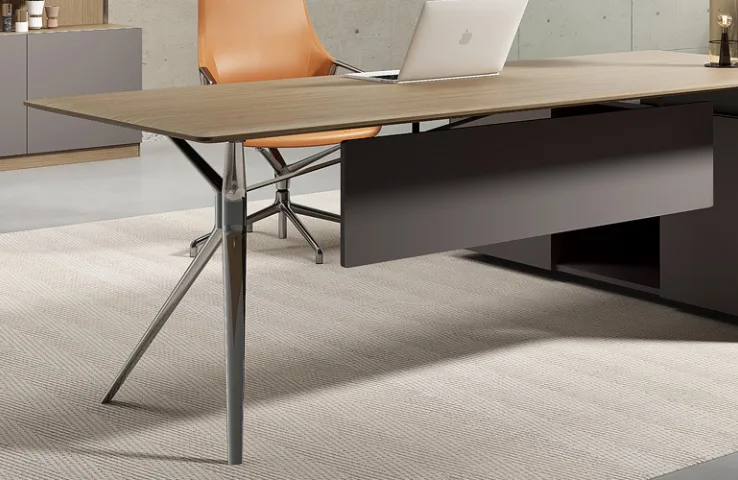
Face-to-face workstation with wood worktop, die-cast leg and modesty panel
Die-cast leg
03 Lower Parts Inventory↓

Die-Cast Leg Systems

Reduce Parts Inventory for Dealers

  • LF-87
  • Kate
  • Hawk
  • Warren
  • Shared beam
  • Shared L connector
  • Shared T connector
  • Shared beam connector

15 related models

View Die-cast Desk Frames
04 Fast + Custom↓

Aluminium Frames

Fast Delivery and Customization

When standard profiles or components are held in stock, aluminium systems can support faster size and finish customization. Stocked profiles / components
→ Cut to project size
→ Powder coating
→ Assembly or packing

View Aluminium Desk Frames

These factors can help narrow the product range. Final selection should still be confirmed against the project layout, budget and required workstation configuration.

Prepare Your Project for Review

PREPARE YOUR PROJECT FOR REVIEW

Send Your Project for Review

Share any plans, quantities and workstation requirements you already have. We’ll review the proposed configuration, identify any missing details and confirm what is needed for quotation.

1. Plans and Quantities

  • Floor plan / CAD / workstation layout
  • BOQ, if available
  • Headcount / workstation quantity
  • Key room dimensions

2. Workstation Configuration

  • Preferred frame / product option
  • Worktop dimensions
  • Proposed face-to-face arrangement
  • Site or layout constraints

3. Screens, Power and Cable

  • Screen / privacy requirements
  • Power and data requirements
  • Cable-routing requirements

4. Colour and Finish

  • Frame colour / finish
  • Other project-specific requirements

What We Review

1. Layout and Quantity

Review workstation positions, quantities and overall arrangement.

2. Configuration

Check the selected frame direction, worktop size and face-to-face setup.

3. Missing Details

Identify any dimensions, interfaces or project requirements that still need confirmation.

4. Quotation Scope

Confirm the product and component scope required for quotation.