
Stability, Leveling and Wobble: What’s the Difference?
Leveling, wobble and stability describe three different aspects of a desk-frame system.
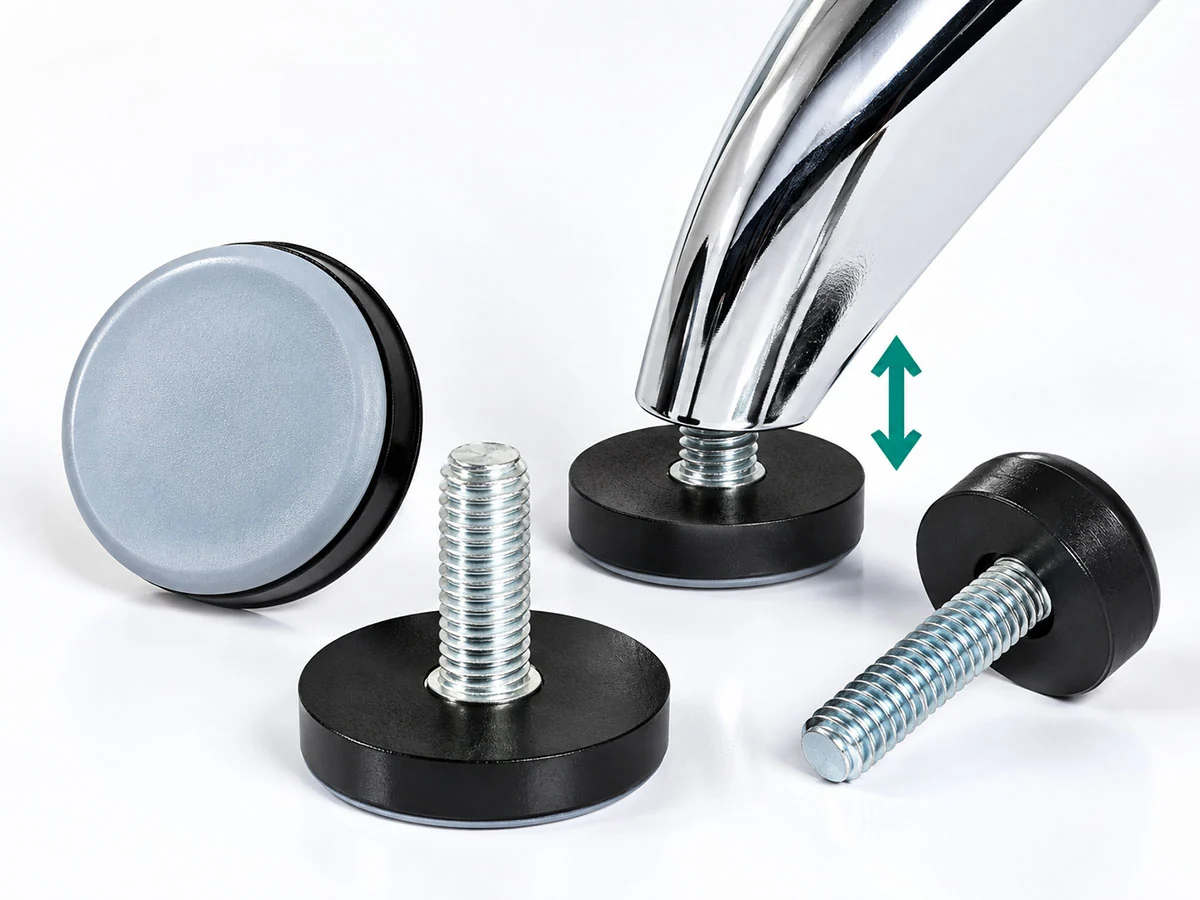
Leveling
Leveling involves adjusting the feet during installation to compensate for uneven flooring and help the desk frame sit level.
Some current desk-frame series offer a leveling adjustment range of 0–15 mm.
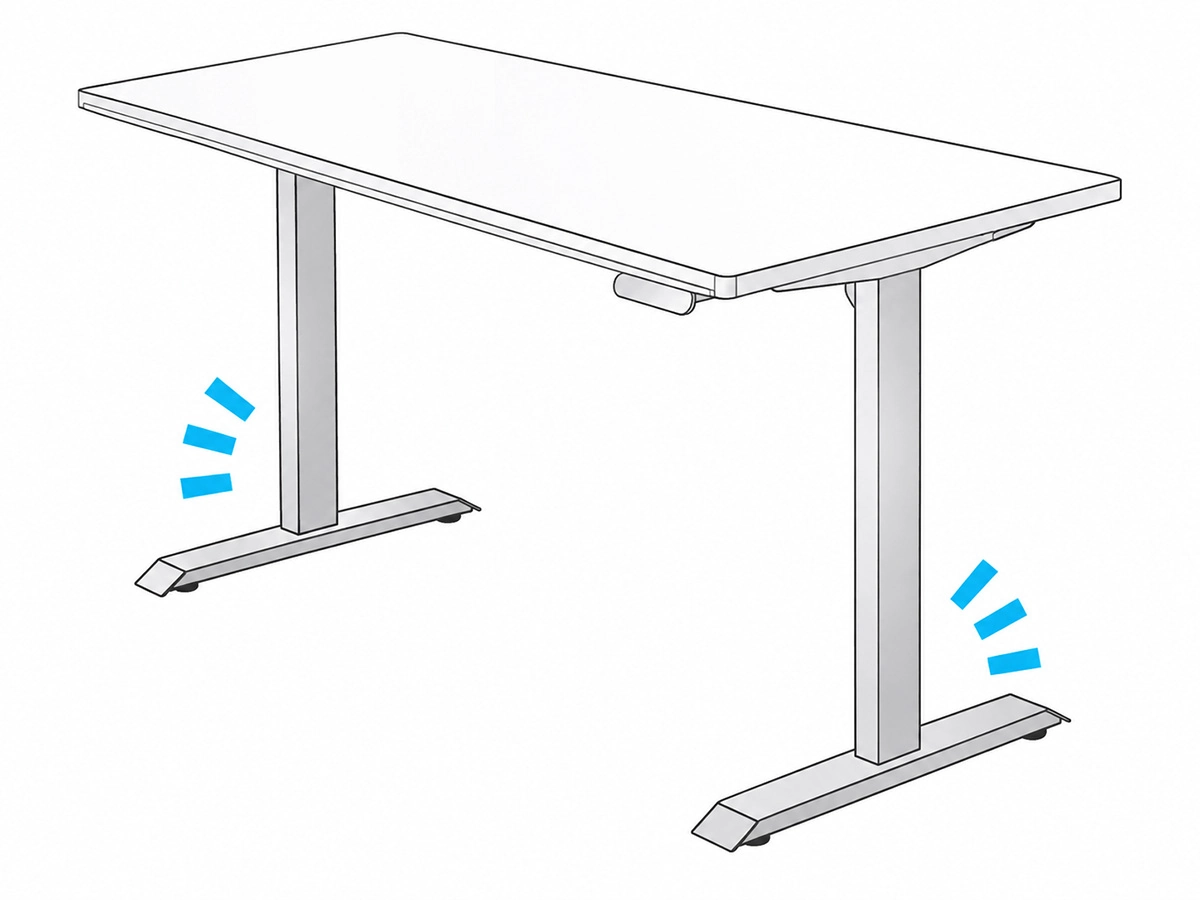
Wobble and Stability
Wobble refers to rocking, swaying or similar movement of the desk frame or tabletop that can be seen or felt during everyday use.
Stability describes how steady the complete desk-frame system remains during use.
Stability is an important factor when assessing desk-frame performance. Poor stability may cause the tabletop to wobble, affecting comfort and usability in day-to-day office work.
How Can Desk-Frame Stability Be Improved at the Design Stage?
Desk-frame stability should be considered from the earliest stage of product design. The frame structure, material specifications, fastener types and number of crossbars can all affect the overall stability of the desk frame.
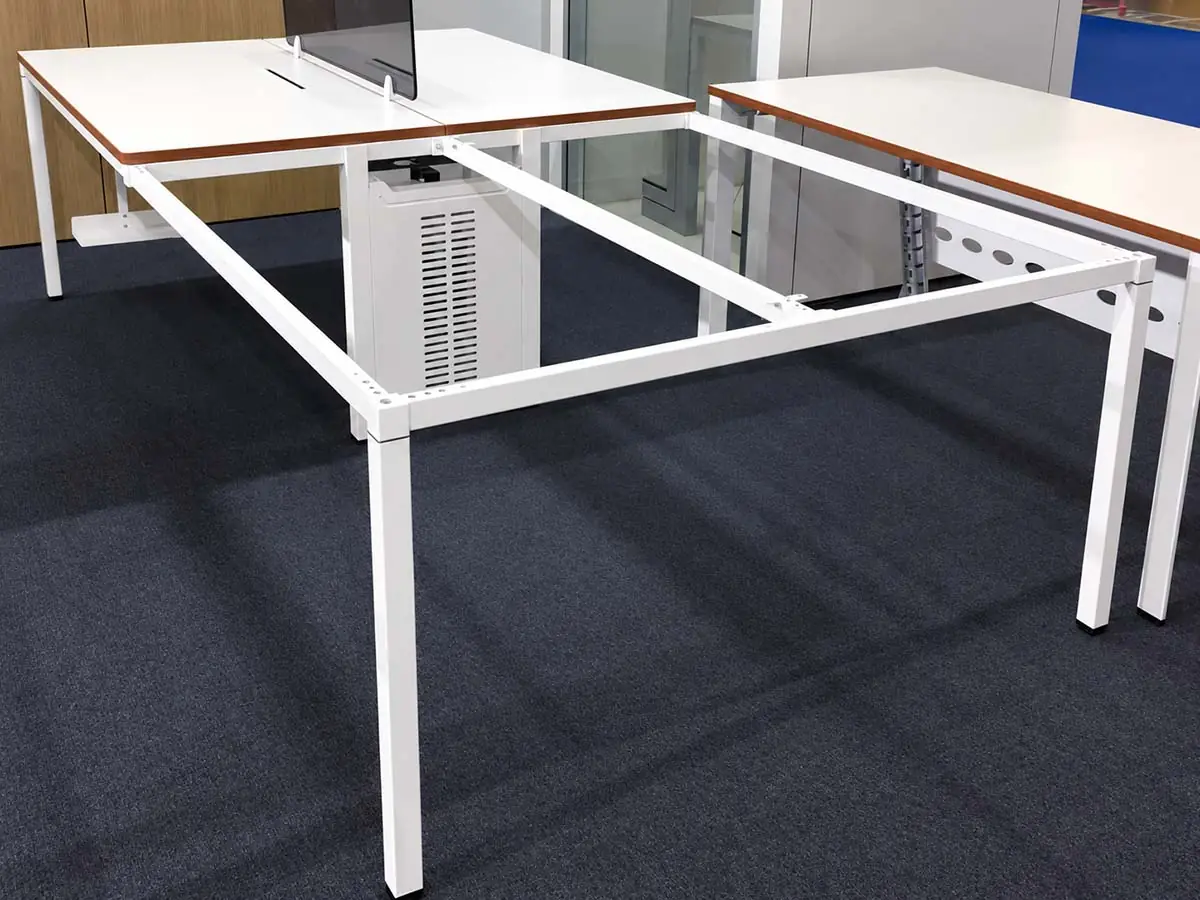
1. Frame Structure and Crossbar Layout
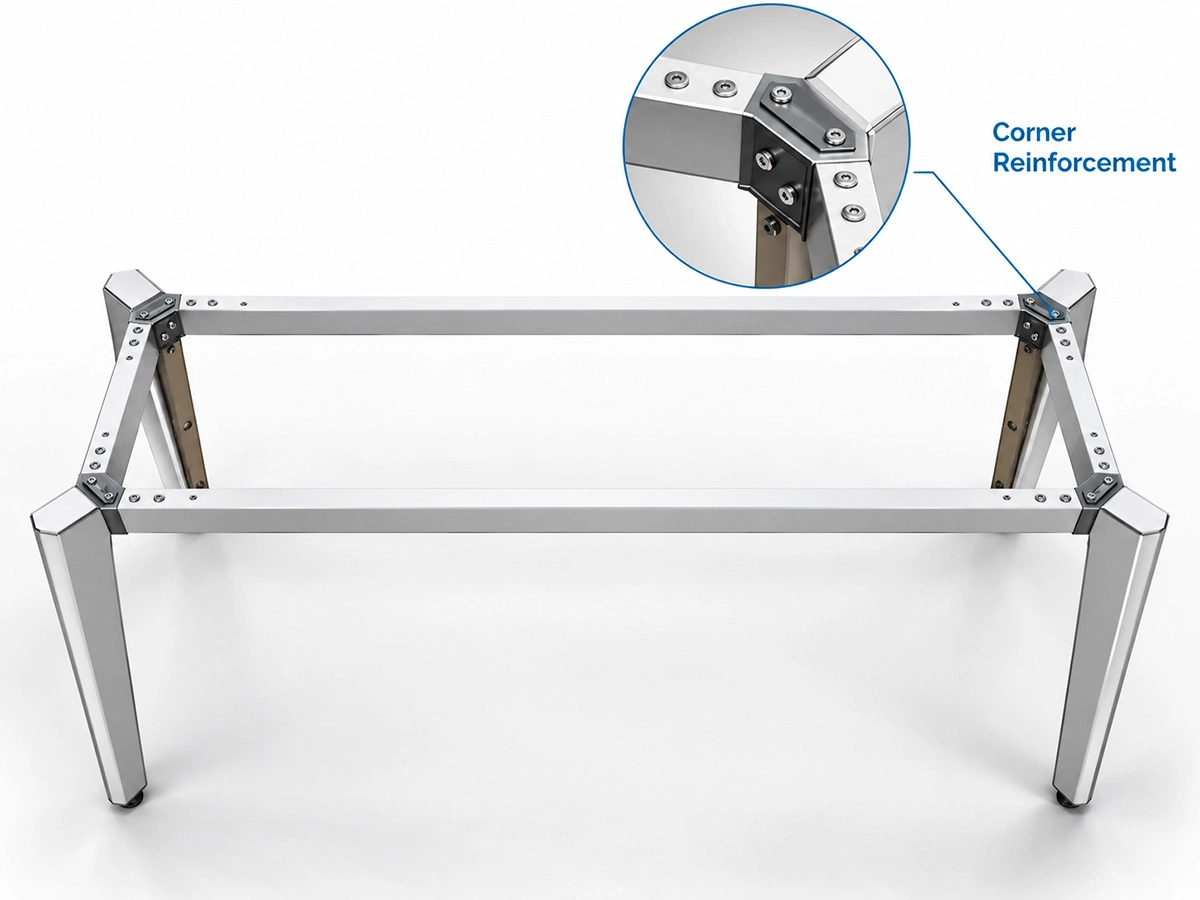
We recommend a full rectangular frame beneath the tabletop, with the crossbars connected to the other frame components as one integrated structure. Where possible, the crossbars should be positioned toward the outer edges of the frame to improve overall rigidity.
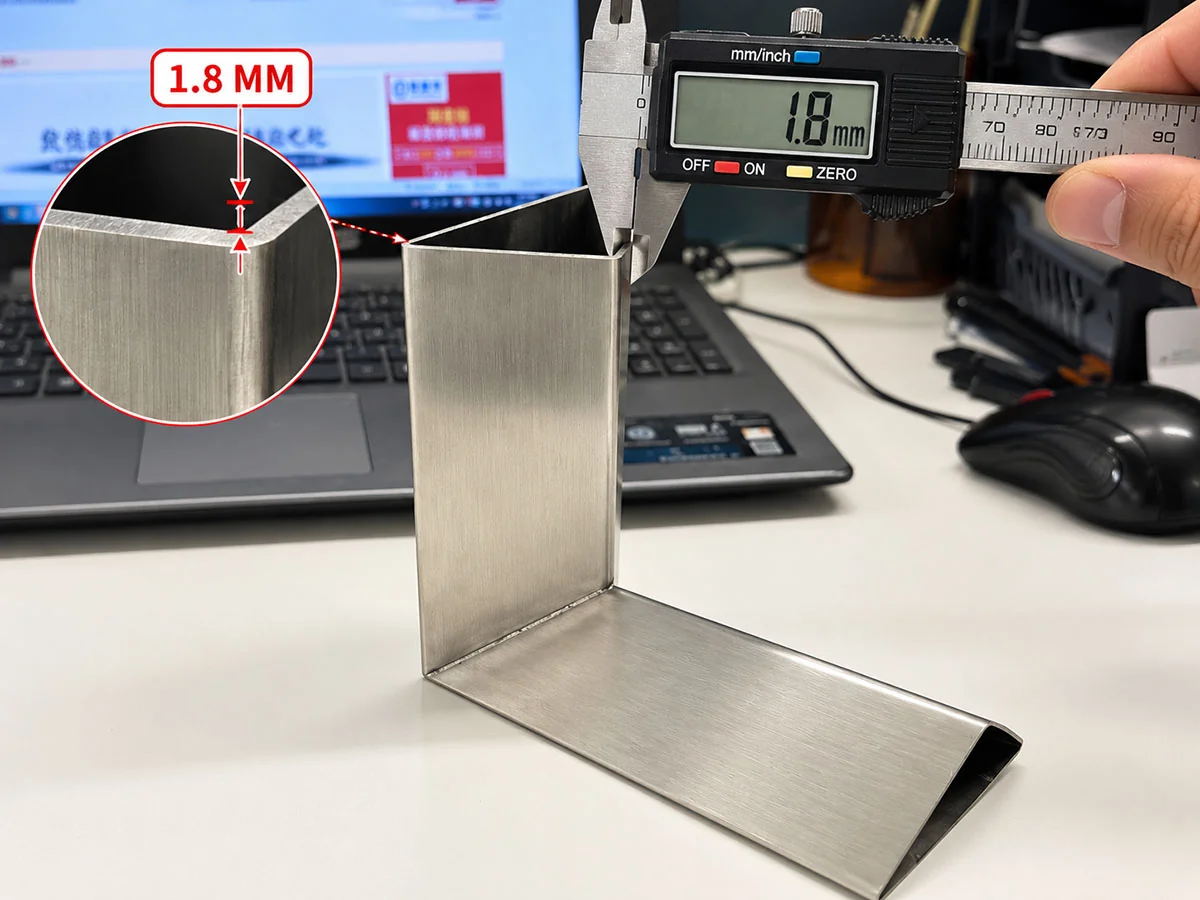
2. Steel Tube Wall Thickness and Connection Methods
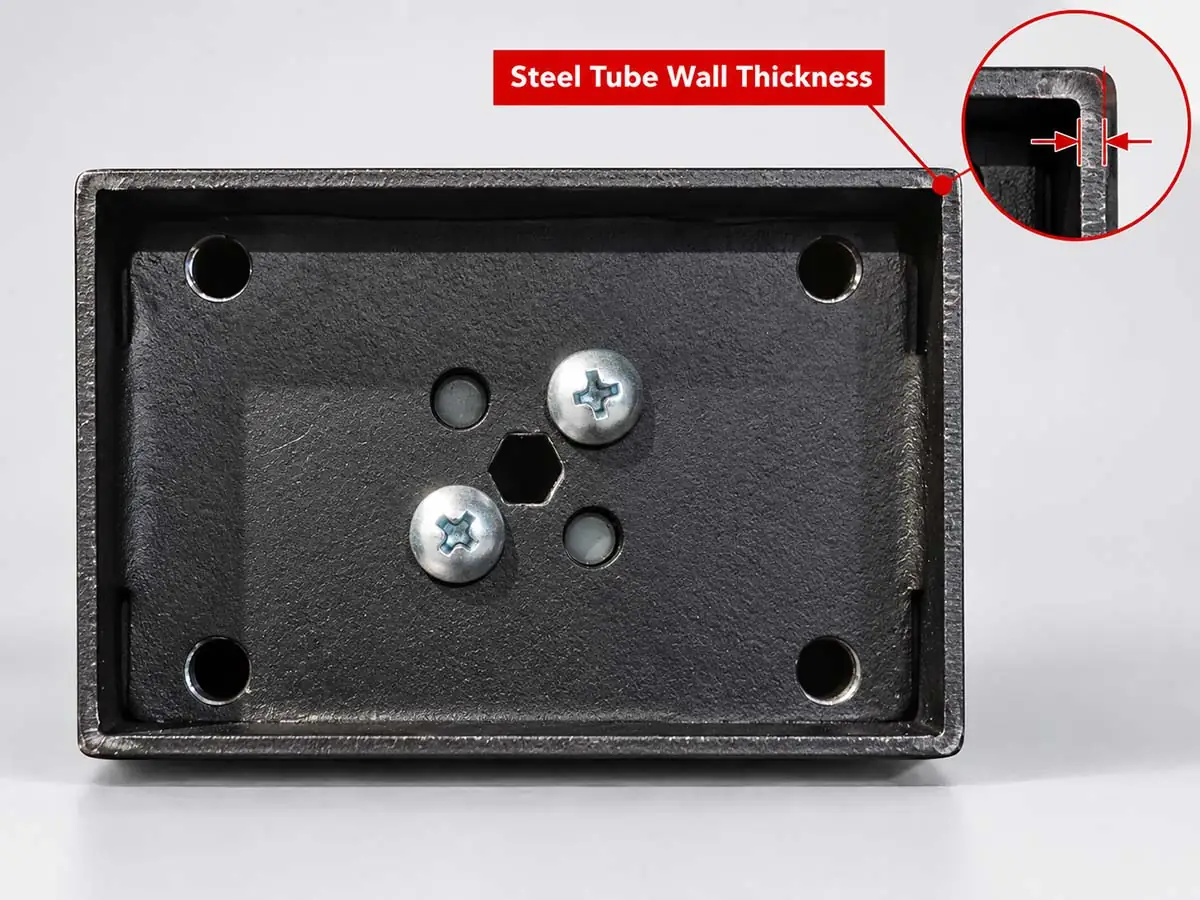
Based on our manufacturing experience, the table legs should be made from steel tubing with a 1.8 mm wall thickness, while the crossbars may use steel tubing with a 1.2 mm wall thickness. For screw mounting points, some designs use flow-drilled holes to improve thread engagement and create a more reliable threaded connection.
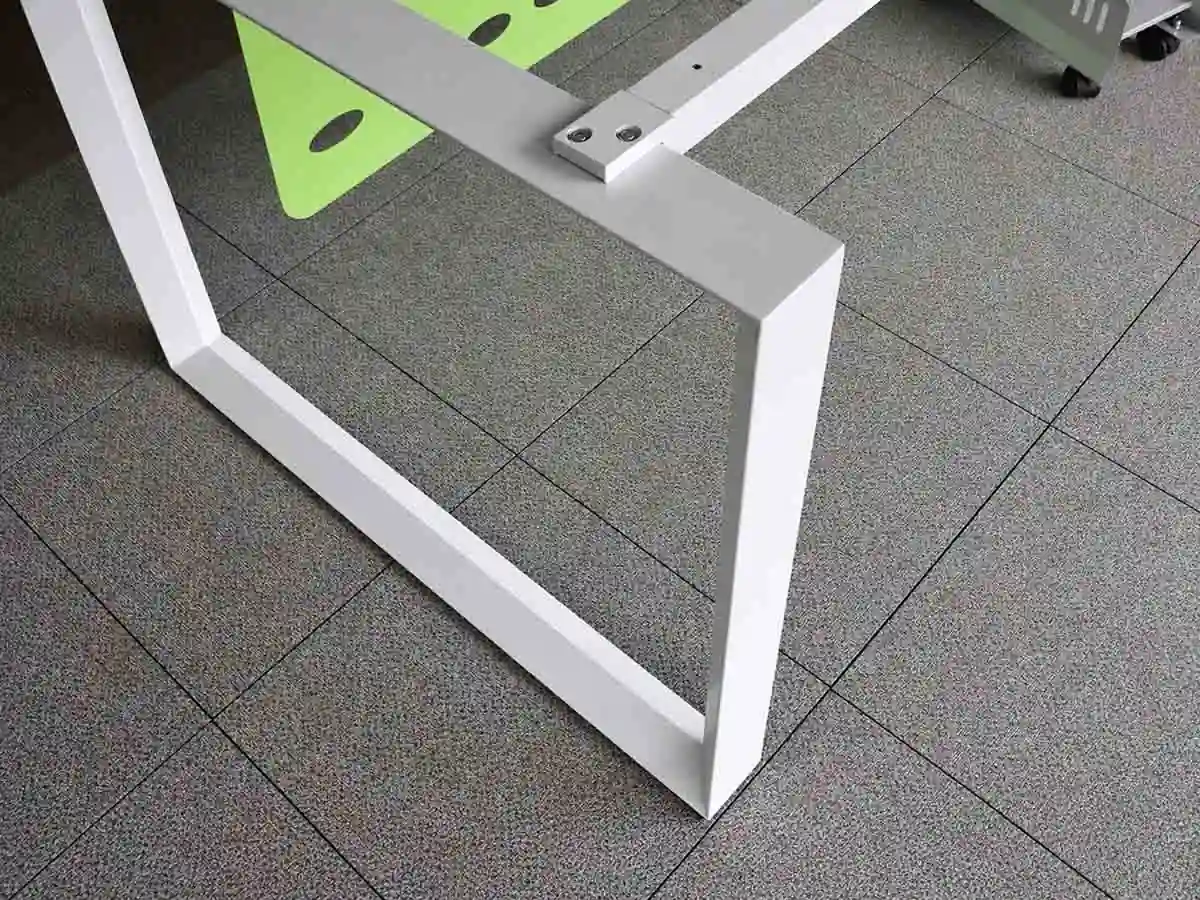
3. Contact Between the Table Legs and the Floor
The bottom of each table leg should provide an adequate contact area to maintain proper contact between the desk frame and the floor.
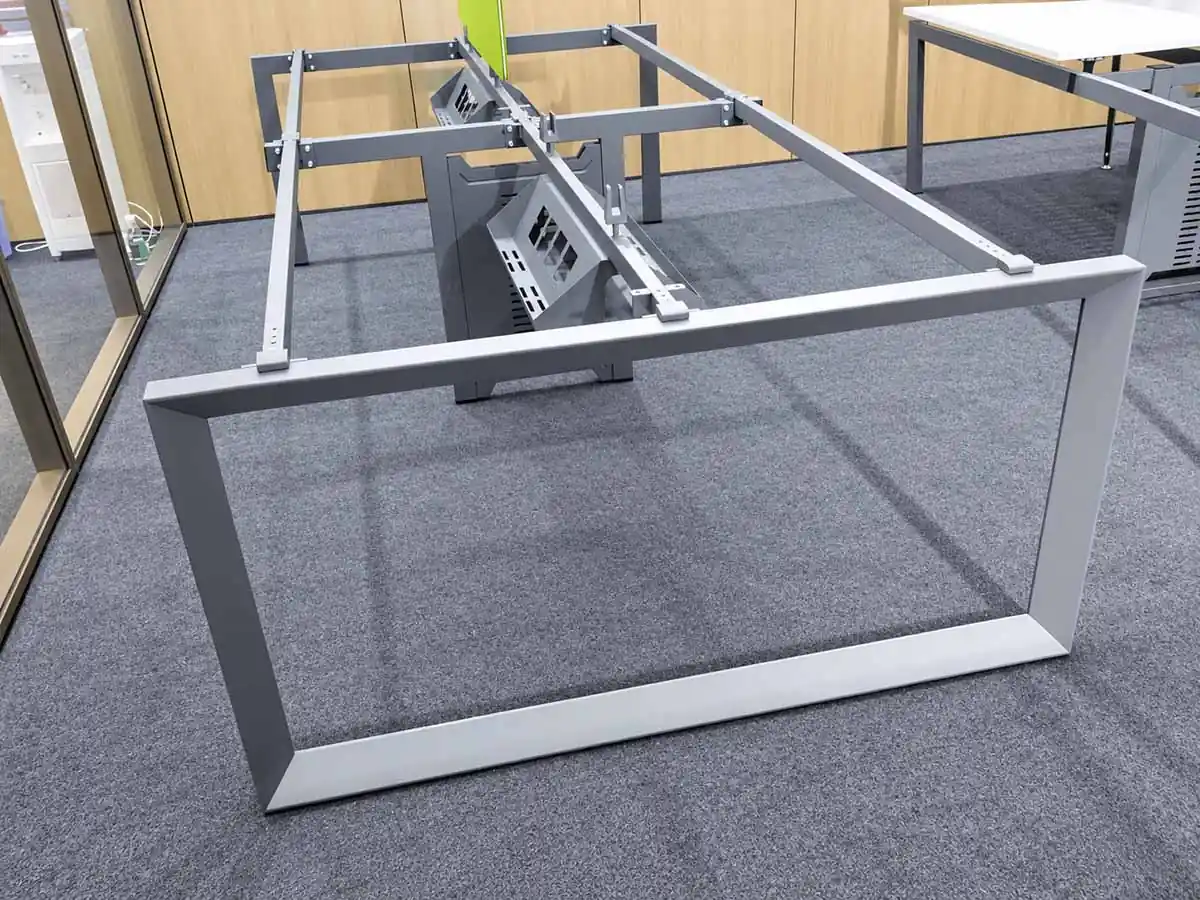
4. Crossbar Configurations for Multi-Person Workstations
Based on our project experience, we have used three crossbars for two-person and four-person workstations, while some workstations for more than four users have used two crossbars.
What Do Leveling Feet Do on a Desk Frame?
Leveling feet are fitted to the bottom of the desk legs, primarily to compensate for uneven flooring and help the desk frame sit level. They can also help protect the lower ends of the steel legs during routine cleaning while maintaining a clean, integrated appearance.
1. Compensating for Uneven Floors
On an uneven floor, each leveling foot can be adjusted to compensate for differences in floor height and help the desk frame remain level.
Selected current desk-frame series provide a leveling adjustment range of 0–15 mm.
2. Reducing Contact with Moisture on the Floor
Residual moisture may remain on the floor after routine mopping.
The leveling feet form the contact points between the desk legs and the floor, creating clearance beneath the steel legs. This helps reduce direct contact between the steel frame and moisture left on the floor during cleaning.
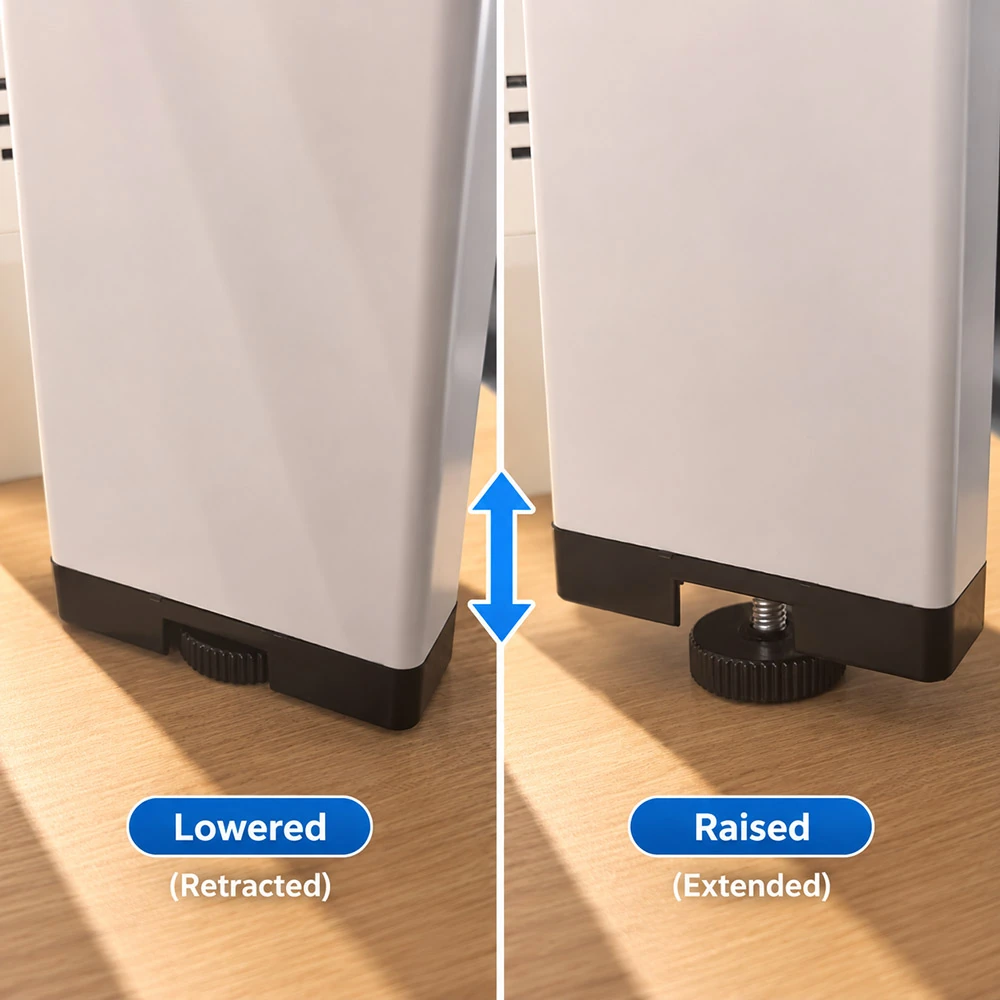
3. Concealed Leveling Feet
Conventional leveling feet often have a round base.
On most of our desk-frame designs, however, the leveling feet are integrated discreetly into the bottom of the legs. This keeps the adjustment components discreet and maintains a consistent overall leg profile.
In addition to leveling the frame on uneven floors, the feet help separate the steel legs from residual moisture during routine cleaning and maintain a clean overall appearance.
How Should a Desk Frame Be Adapted When the Tabletop Exceeds the Standard Size Range?
Desk frames are manufactured to established structural designs for standard tabletop sizes. If the required tabletop length or width falls outside the original design range, the frame structure must be reassessed.
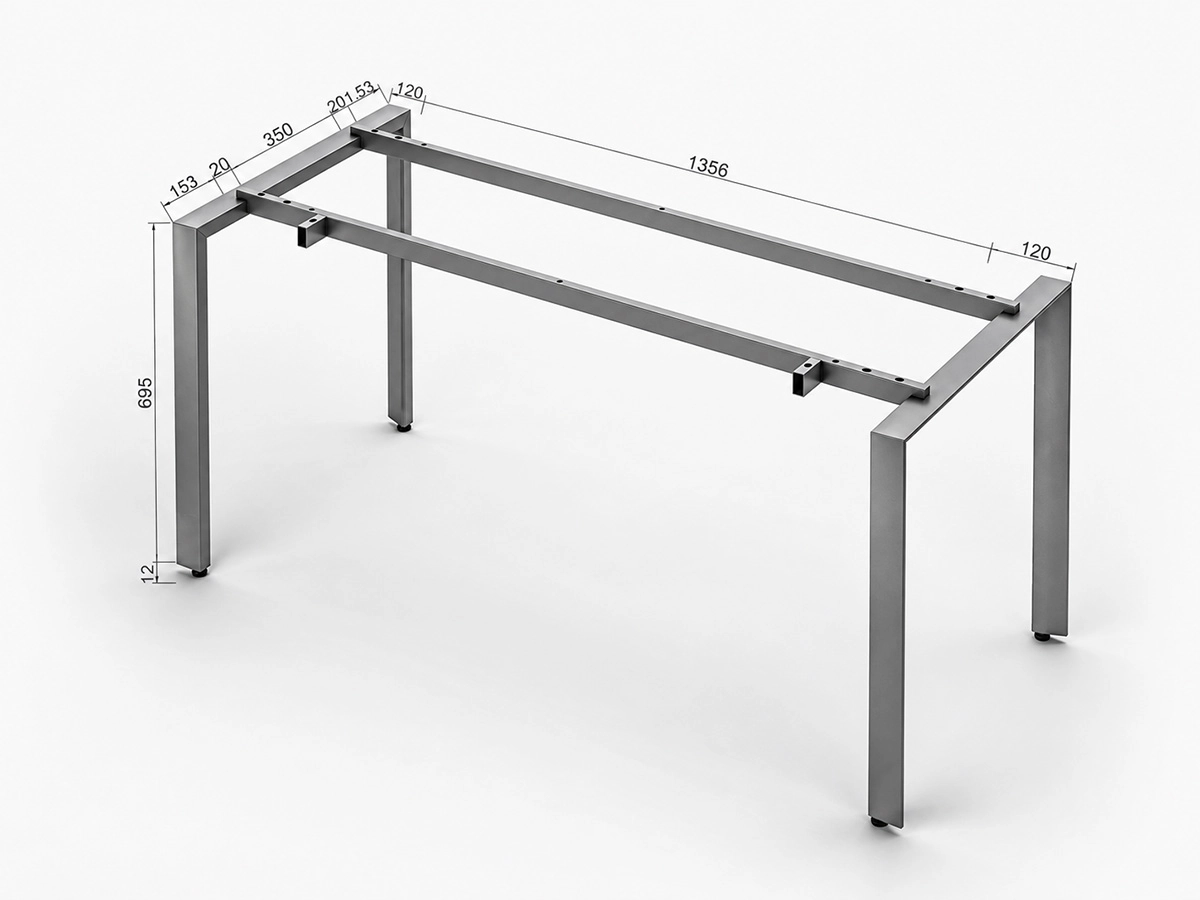
1. Frame and Crossbar Design
The existing support structure should first be checked against the required tabletop dimensions.
Where necessary, the crossbar cross-section, frame layout or support arrangement can be adjusted to achieve the required overall rigidity.
2. Leg Connections
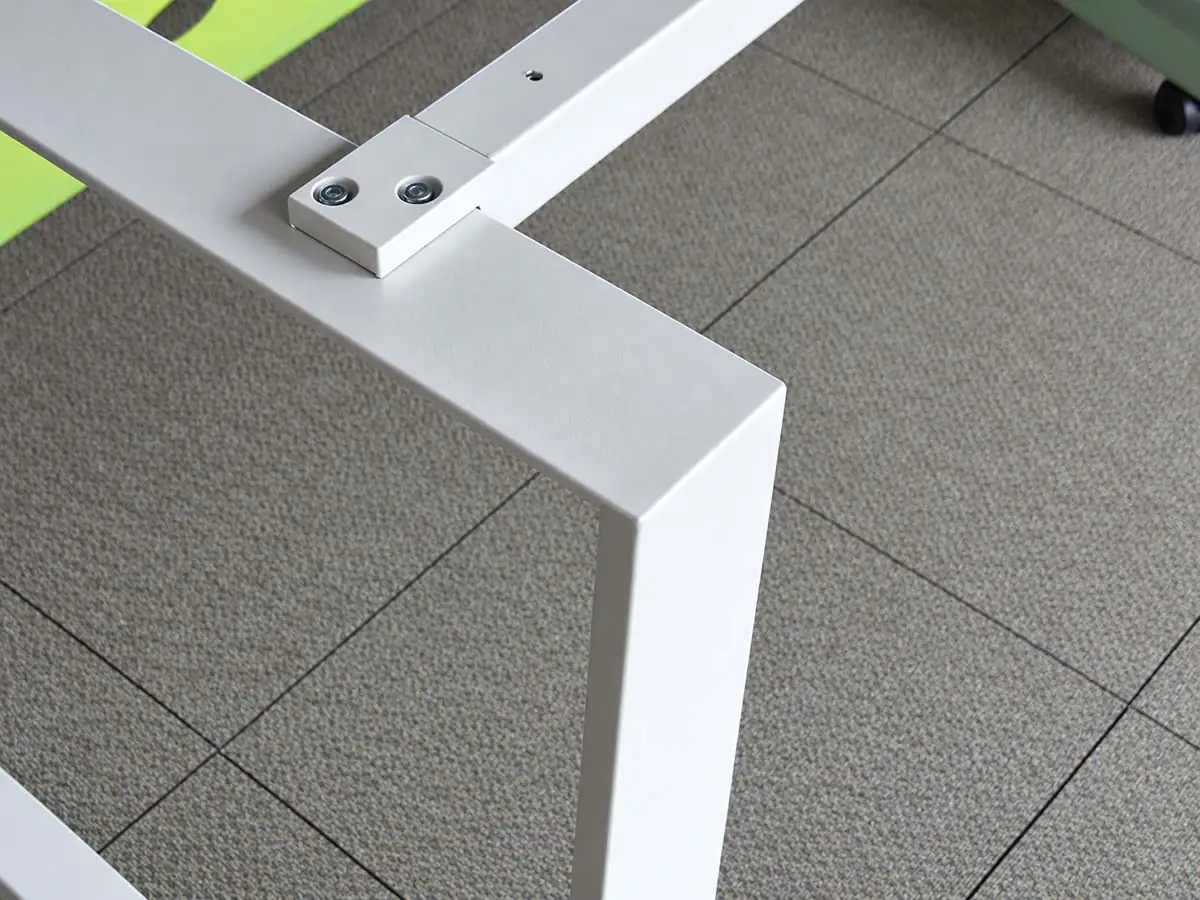
The joints between the structural connectors and desk legs require particular attention.
For larger tabletops, these joints should be reviewed and, where required, the contact area can be increased to improve rigidity around the connections.
3. Load Requirements
Our standard office desk frames have a design target of at least 200 kg for each single-user position.
For standard office use, the frame therefore does not normally need to be redesigned by calculating the weight of each computer, monitor or other item of equipment separately.
When a tabletop exceeds the standard size range, the frame structure, crossbars and leg connections should be reassessed to meet the required rigidity.
How Do We Review Desk-Frame Stability During Product Development and Production?
We consider desk-frame stability during product design, then check physical samples and trial assemblies to confirm that production matches the intended structure.
01 / DESIGN
Structural Design and Configuration Review
During product development, we review the desk-frame model, overall frame structure, crossbar layout and key connection points.
For tabletops outside the standard size range, we also reassess the crossbar specifications and joint design to confirm that they meet the revised structural requirements.
02 / ASSEMBLY
Sample Assembly and Structural Inspection
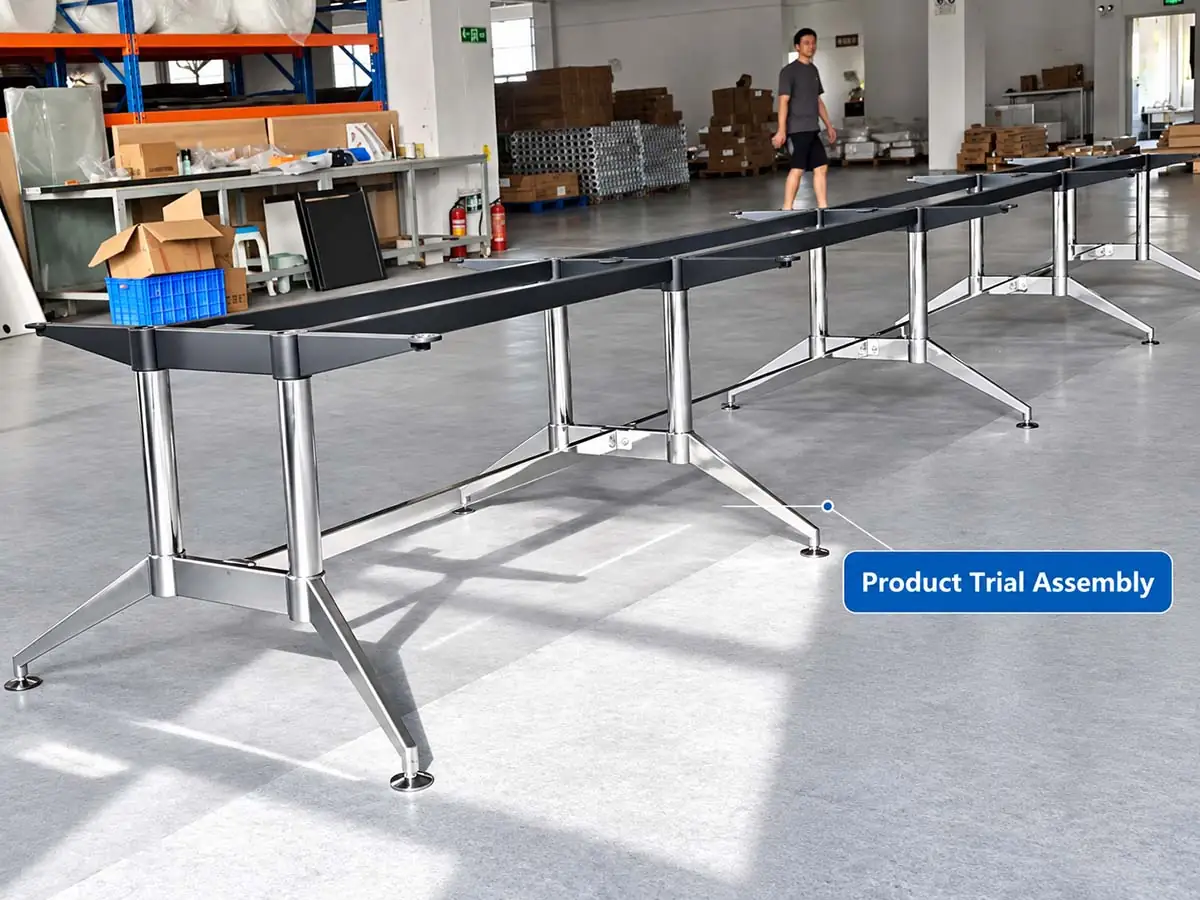
Once a sample has been produced, it is assembled so that the frame structure, connection points and overall assembly can be inspected.
We record any structural or connection issues found during trial assembly and submit them for technical review.
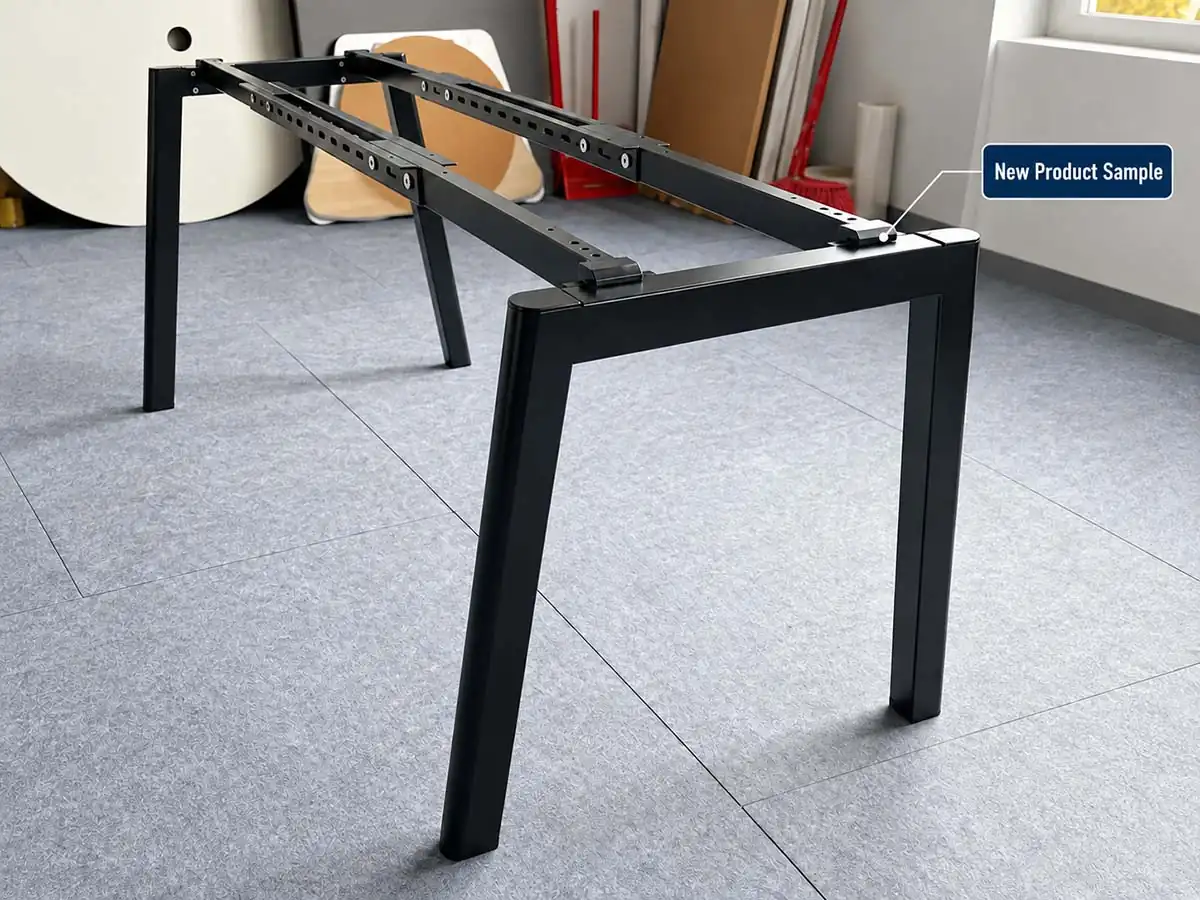
03 / REVIEW
Project Sample Review and Structural Adjustments
For projects with non-standard tabletop dimensions or specific stability requirements, we may adjust the frame structure based on sample inspections, feedback from actual use and the customer’s requirements.
After any adjustment, the revised structure is checked again to confirm that it is suitable for the relevant product or project configuration.
How Can You Request Technical Support for Desk Frame Wobble?
If your desk frame wobbles during installation or use, send us the product details, a description of the issue and any relevant photos or videos. This information will help our technical team review the problem.
1. Product and Project Information
- Desk frame model or product series
- Workstation configuration and tabletop dimensions
- Order number or project name, if available
2. Description of the Wobble
- Where the wobble occurs and what it looks or feels like
- Whether the issue was noticed after installation or during use
- Floor condition and current leveling foot settings
3. Photos and Videos
We recommend providing:
- A photo of the complete desk frame
- Close-up photos of the frame, connections or leveling feet around the affected area
- A short video showing the wobble
You can also include product drawings or installation documents, if available.
Send the information you have to our technical team. We will review the issue based on the specific product structure and installation conditions, then confirm what needs to be checked next.